Welcome guest, is this your first visit? Click the "Create Account" button now to join.
Results 1 to 10 of 130

Hybrid View

  1. #1
    Important User Truck support in NG versions
    Truck support in NG versions
    wojpen's Avatar
    Join Date
    Nov 2013
    Location
    Polska
    Posts
    863
    Rep Power
    1258

    Default

    O4i - great thanks for the answer - as usual concise and content - thanks.

    But I have the impression that we are talking about two different things!
    The author of the question - Mate Ludo (thx for a question) - pointed out the essence of the issue - choosing a route that would have no limits (as I understood it), and not signaling the limitation.
    You - you think the problem is the lack of signaling online restrictions (so I understand your answer)
    On the other hand - apart from the fact that such signaling is and is very good - I believe this is the least problem!

    I will explain my position - using a medical comparison:

    You say - there are no symptoms, so there is nothing to cure
    I say - why treat - better prevent!

    And exactly - better in my opinion choose the route without limitation than meet the restrictions - even signaled - on this route!
    Why? - it's simple - there are limits that can (in some cases) prevent further driving.
    For example, when driving a vehicle with a height of 4.4 m - on the motorway - we have a tunnel or bridge in front of you with a height of 4.0 m, the previous exit of the motorway was 15 km earlier, next to the tunnel (bridge) that signaled restricted ???

    Next case:
    "The speedcam subsystem has nothing to do with truck restrictions." - Unfortunately, but with such a statement I find it hard to agree!
    "speedcam subsystem" is a team that allows you to show events, constraints or places on the map - important for the driver - eg radar, speedometer, school zone, etc. -
    Some of the information that this system uses is contained in the fda (file driver alerts) file.
    If:
    [Speedcam_category 6]
    = activated_spoken_type speech
    activated_speech = "Caution dangerous railway crossing"
    or
    [Speedcam_category 16]
    = activated_spoken_type speech
    activated_speech = "give way"
    or
    [Speedcam_category 20]
    = activated_spoken_type speech
    activated_speech = "Dangerous Turn"
    or etc ..
    There are no driver alerts - I personally do not understand anything anymore ....!

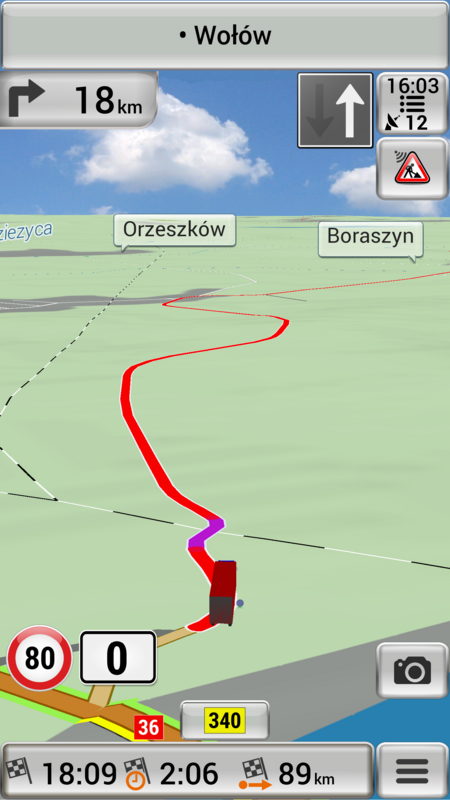
    And finally a small supplement - as I wrote in the beginning - visualization of restriction while driving (in my version) - today, driving real mode, truck profile Ludo:

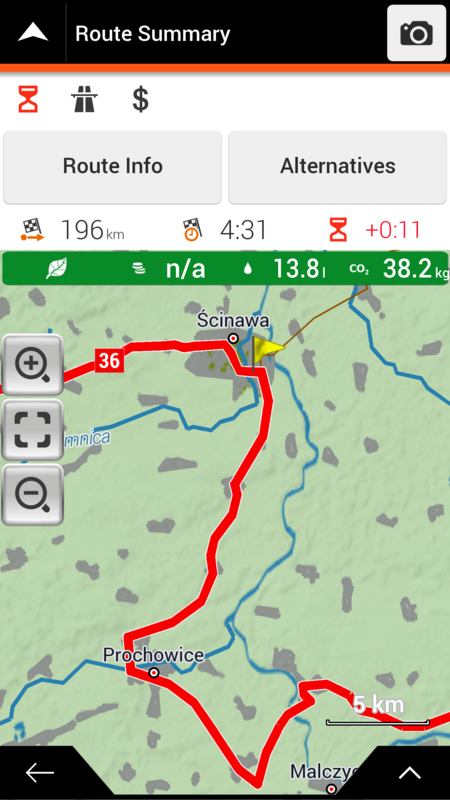
    Route through Scinawa to Wroclaw
    without restriction - fast, length - 196 km

    Spoiler: .
    ffscreen 00055
    ffscreen 00056


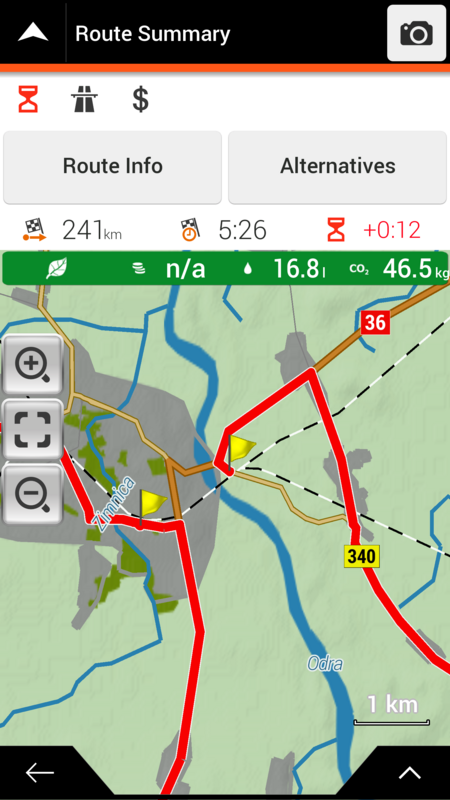
    Short stay without restriction - 241 km.
    Spoiler: ..
    ffscreen 00058


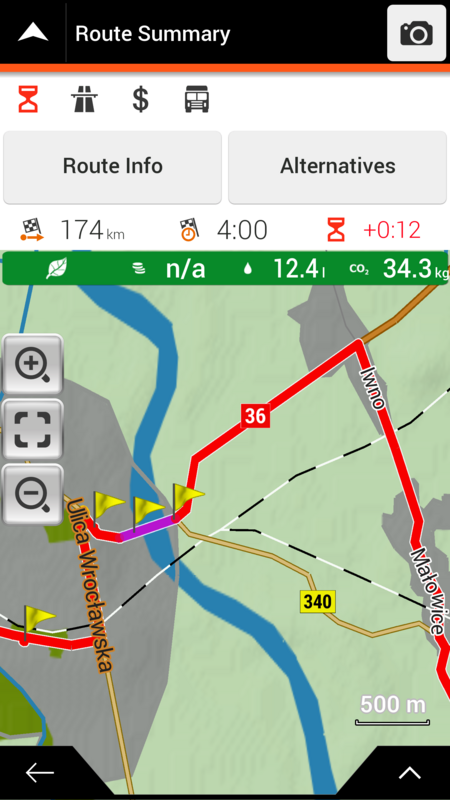
    Short - with restriction - 174 km.
    Spoiler: ...
    ffscreen 00059

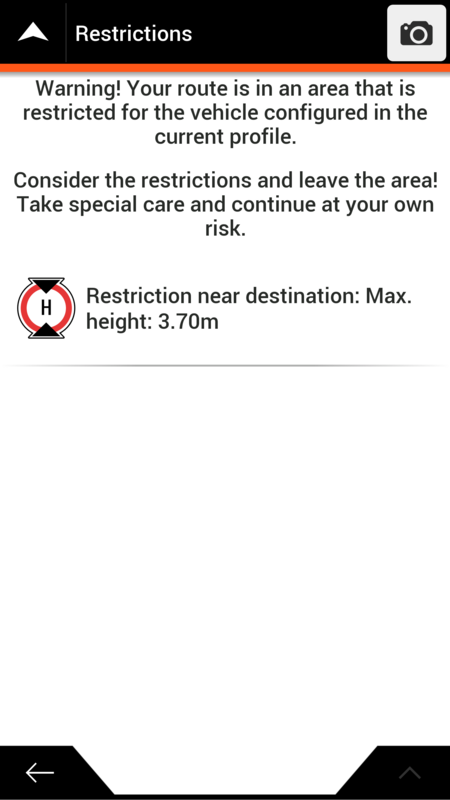
    After entering the Bridge and Tunnel points, Restriction appears in the route plan
    Spoiler: ....
    ffscreen 00060
    ffscreen 00061

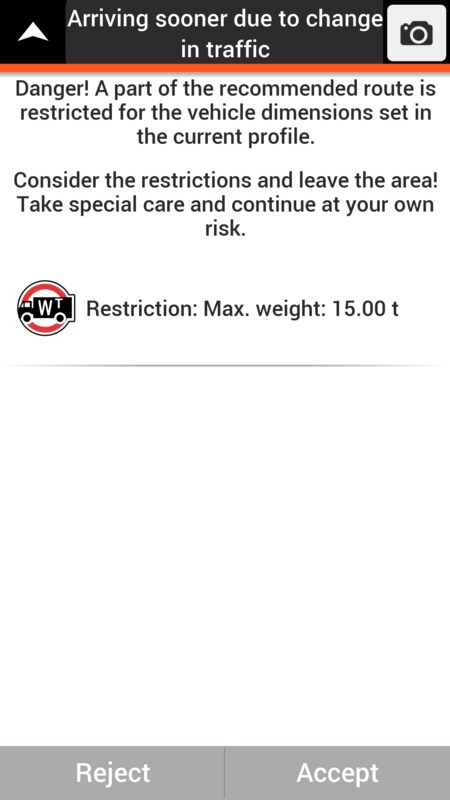
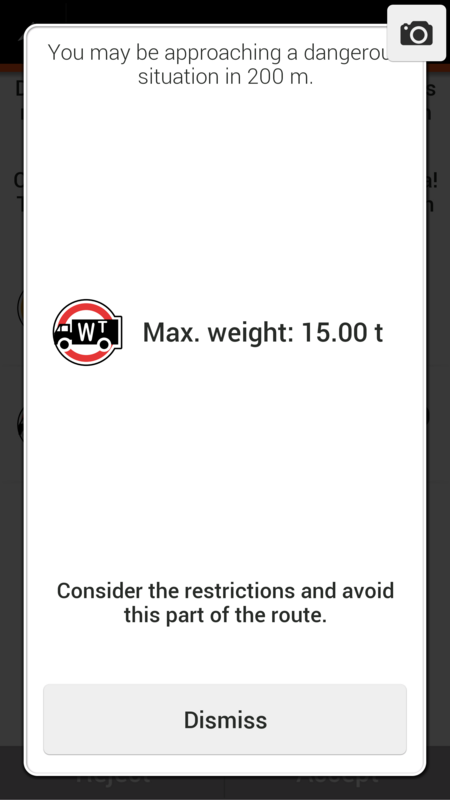
    There was a warning on the bridge
    Spoiler: .....
    ffscreen 00065


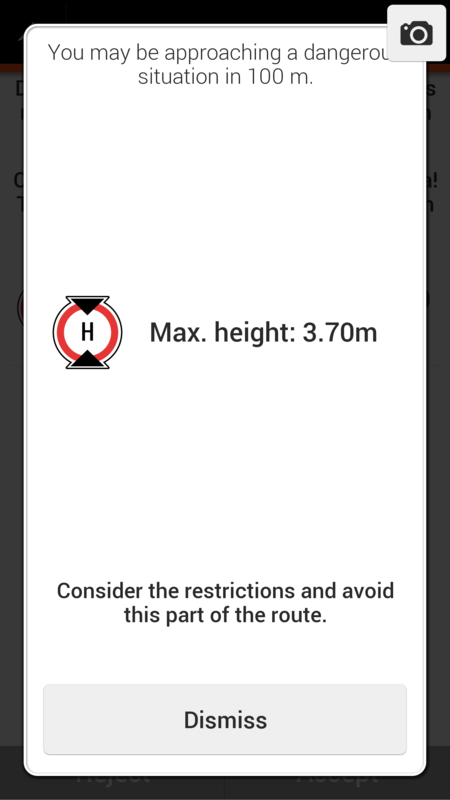
    And at the entrance to the tunnel / overpass warning
    Spoiler: ......
    ffscreen 00068


    After avoiding Restriction further route is such (89 km)
    Spoiler: .......
    ffscreen 00071


    Conclusion - It is obvious that the short with restriction is shorter than the fast route of 152 km!
    But:
    If the ride was a Mate Ludo vehicle - the first restriction I could break - but the other unfortunately unfortunately no longer has a carriageway 12 m wide, so I could not turn back.
    So you see that even with the online restriction signaling while driving - without the possibility of choosing a route without restriction, they can be big problems.

    regards wojpen

    PS.
    For me (User - Driver) is absolutely everything - what is inside, what version and whether original or mix version.
    It is important that the program performs the functions that I need and expect. The rest is invalid

    Last edited by Boki; 23rd December 2018 at 06:43 PM. Reason: image links correction
    Password for My Files: wojpen
    User (when necessary): wojpen
    Closed Link - Please PM
    regards

  2.    Advertissements


  3. #2
    Important User Truck support in NG versions
    Truck support in NG versionsTruck support in NG versionsTruck support in NG versionsTruck support in NG versions
    osiris4isis's Avatar
    Join Date
    Apr 2012
    Location
    Darkside of the Moon
    Posts
    2,849
    Rep Power
    1398

    Default

    Quote Originally Posted by wojpen View Post

    But I have the impression that we are talking about two different things!
    The author of the question - Mate Ludo (thx for a question) - pointed out the essence of the issue - choosing a route that would have no limits (as I understood it), and not signaling the limitation.
    You - you think the problem is the lack of signaling online restrictions (so I understand your answer)
    On the other hand - apart from the fact that such signaling is and is very good - I believe this is the least problem!
    Ludo is having "issues" when he uses Gift, but you showed that there is no issue for Basarsoft with license, no?
    OP asked about proggy with "truck restriction" capability. What does that mean?
    1. Ability to set extended settings
    2. Ability to route correctly based on restriction
    3. And according to the code in truck.zip, the ability to have notification and alert icons

    Marx and I have been saying only Gift seems to work. But as I discovered, it's not working fully. I'm not interested in proggy working with license because as I said, there is no license for outside Europe!

    Quote Originally Posted by wojpen View Post
    I will explain my position - using a medical comparison:

    You say - there are no symptoms, so there is nothing to cure
    I say - why treat - better prevent!
    Nope, I never said that. I said "truck restriction" is not fully working on Gift and so far there is no proof that it works fully with any proggy.

    Quote Originally Posted by wojpen View Post
    And exactly - better in my opinion choose the route without limitation than meet the restrictions - even signaled - on this route!
    Why? - it's simple - there are limits that can (in some cases) prevent further driving.
    For example, when driving a vehicle with a height of 4.4 m - on the motorway - we have a tunnel or bridge in front of you with a height of 4.0 m, the previous exit of the motorway was 15 km earlier, next to the tunnel (bridge) that signaled restricted ???
    I expect alert icons to tell me and not depend on memorizing "Restrictions" info data from the routing screen. Your last 4 screenshots looks like notifications, is it occuring when you drive near the restrictions? If so, then notification is working. But still no alert icons. Are you using truck.zip?

    Quote Originally Posted by wojpen View Post
    Next case:
    "The speedcam subsystem has nothing to do with truck restrictions." - Unfortunately, but with such a statement I find it hard to agree!
    "speedcam subsystem" is a team that allows you to show events, constraints or places on the map - important for the driver - eg radar, speedometer, school zone, etc. -
    Some of the information that this system uses is contained in the fda (file driver alerts) file.
    If:
    [Speedcam_category 6]
    = activated_spoken_type speech
    activated_speech = "Caution dangerous railway crossing"
    or
    [Speedcam_category 16]
    = activated_spoken_type speech
    activated_speech = "give way"
    or
    [Speedcam_category 20]
    = activated_spoken_type speech
    activated_speech = "Dangerous Turn"
    or etc ..
    There are no driver alerts - I personally do not understand anything anymore ....!
    You continue to say n*ns*ns* even when I give you answer. Do you understand what speedcam.zip UX provides? It has nothing to do with truck restrictions nor driver alerts (which driver_alert.zip UX provides) Dude, look at the codes, it's all there.
    Remove .fda (and/or driver_alert.zip), and I guarantee you will still see speedcam alerts if you have .spc and .txt in the speedcam directory. Driver alert is NOT speedcam. Remove .ftr (and/or truck.zip), and I guarantee you will still see speedcam alerts if you have .spc and .txt in the speedcam directory. Truck restriction is NOT speedcam.

    And the settings in sys.txt has nothing to do with truck restriction. Read what I said in previous post. There are only 32 speedcam categories* and they do not match up with all truck restriction (look at my post of the icons) "Max Height" category in speedcam is not truck restriction, it a category that you can put in .txt under speedcam directory to get alert like speedcam.

    * Yes most are not speedcam related, I would preferred to call it alert instead of speedcam, but NNG probably originally created it for handling speedcam and later provides for other alerts.
    Last edited by Boki; 7th September 2017 at 07:26 AM.
    Do not PM me with questions. That's what a forum is for.

  4. #3
    Member +
    Join Date
    May 2012
    Location
    Hoogerheide
    Age
    51
    Posts
    35
    Rep Power
    24

    Default

    I understand what osiris4isis means, it is not original full working.
    And no driver alerts show on screen, only restrictions.
    So it means, only warnings with route calculated.

    Wojpen made it work by some changes, and for me as truck driver it's the best we have for now.

    For me as a user it's to difficult to go along in you're discussion, because I don't know how it all works.

    The op is not made by me, but I think everybody may post there questions and solutions regarding the topic of the op.

    Therefore I am very pleased that the both of you are helping me and a lot of other users.

    As far as I can see, Wojpens version is working, and mine is not accurate, however I do get the same notifications on some roads.

    So I looked into it, and found that I use the maps of Here Q2....
    I'm gonna go back to Q1 this weekend, because I'm on the road all week and test the routes again.

    @Wojpen, I think the same way, if it is working, I don't mind how, original won't work, so we adjust it the way it does work.

    Just want to ask you, what I need, for it to have the one you have because it's the first time I saw it really works the way I need.

    Thanks both for you're replies, Grtz Ludo.
    Last edited by Ludo Palinckx; 7th September 2017 at 08:42 AM.


Bookmarks

Posting Permissions

  • You may not post new threads
  • You may not post replies
  • You may not post attachments
  • You may not edit your posts
  •