
 Likes:

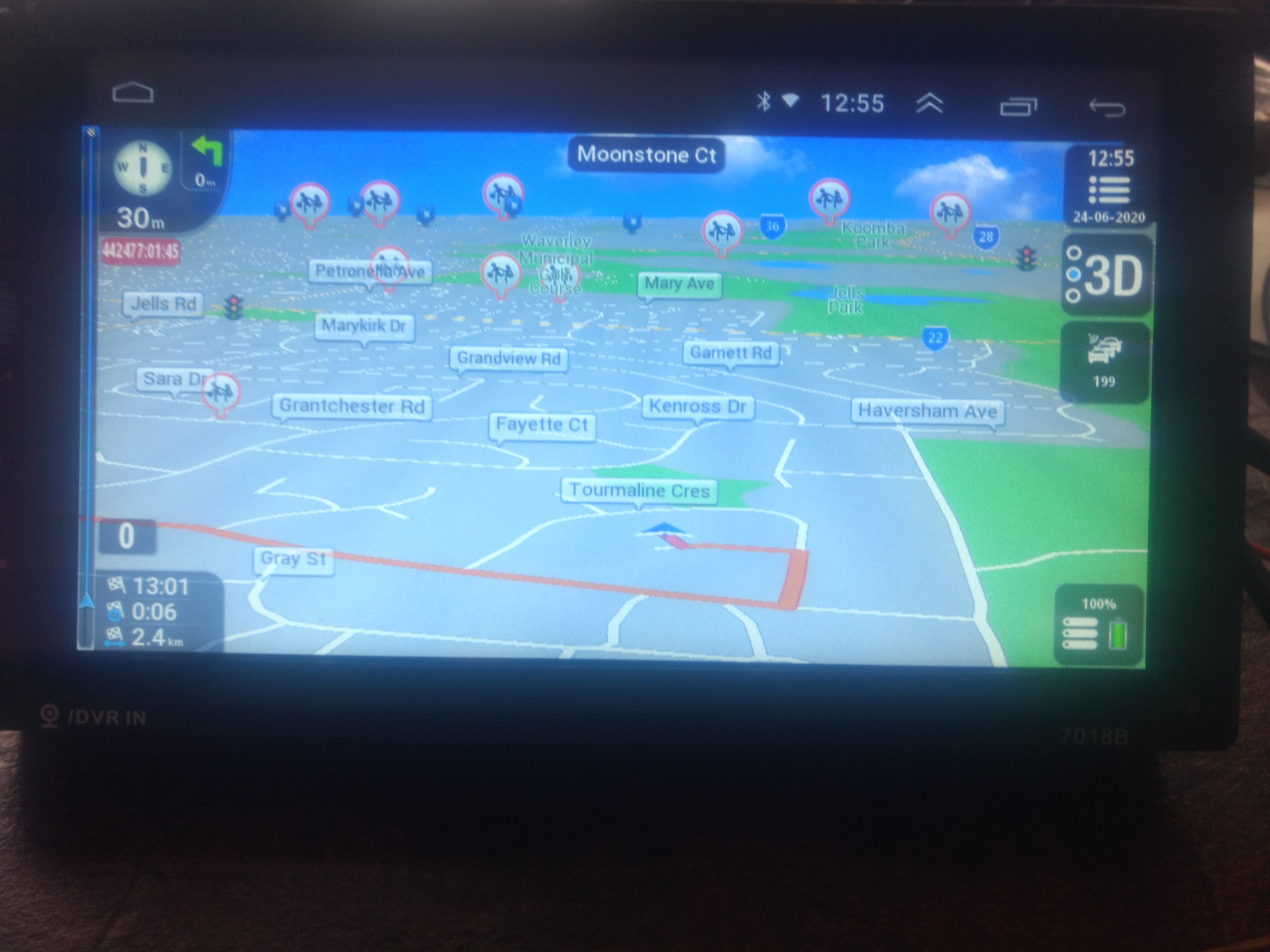
HI am using the latest Pongo Skin for Nextgen and for the life of me cannot find the setting to turn this red display on the top right of the screen off (looks like GPS coordinates). The display is red boxed in the picture below. Can some kind experienced soul please help
The question pertains to the letters 442477:01:45 in white letters in red box at the top left of the screen, just below the "maneuver" box. I mistakenly stated right side on my previous post.
Spoiler: image
Welcome guest, is this your first visit? Click the "Create Account" button now to join.


Results 1 to 10 of 3978
Threaded View
-
24th June 2020, 06:30 AM #11Junior Member


- Join Date
- Oct 2015
- Location
- Australia
- Posts
- 3
- Rep Power
- 0


 Reply With Quote

Bookmarks