Welcome guest, is this your first visit? Click the "Create Account" button now to join.

Results 1 to 10 of 63

Hybrid View

  1. #1
    Junior Member
    Join Date
    Oct 2019
    Location
    Australia
    Posts
    3
    Rep Power
    0

    Default

    Hi all, hope you are well.

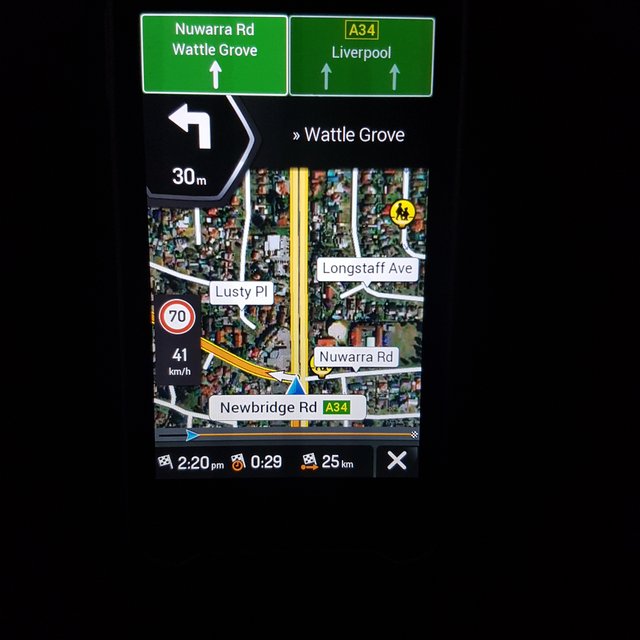
    I have finally configured voice recognition in English to work on IGO Nextgen Android.
    Note: It did not work on WinCe probably because no net connection on car GPS radio system.
    Voice recognition needs internet connection to work. It may work offline if you can modify the scripts.
    The satellite maps work on or offline.
    Here is a photo.
    Can anyone tell me how to upload a video or zip file so you can see it working.

    Thanks for reading or replying to this post.

    Spoiler: amateur pic
    20210323 145711
    Last edited by Boki; 2nd October 2021 at 12:17 PM. Reason: spoiler!, corrected image link
  2.    Advertissements


  3. #2
    Master jorgeultra's Avatar
    Join Date
    Apr 2016
    Location
    Rio de Janeiro
    Posts
    478
    Rep Power
    760

    Default

    Quote Originally Posted by Gpsmaninfo View Post
    Can anyone tell me how to upload a video or zip file so you can see it working.
    Click on Go Advanced and on the next screen scroll down until you find Additional Options and then on Attachments click on Manage Attachments.

  4. #3
    Junior Member
    Join Date
    Oct 2019
    Location
    Australia
    Posts
    3
    Rep Power
    0

    Default IGO VR APK Nextgen Satellite Mapping

    Hi.
    Thanks for the help.
    Posted 2 small videos as the files size is limited to 15mb.
    I used the lowest quality video from camera.

    Bye
    Attached Files Attached Files


Tags for this Thread

Bookmarks

Posting Permissions

  • You may not post new threads
  • You may not post replies
  • You may not post attachments
  • You may not edit your posts
  •
