
 Likes:
 Reply With Quote
I search the Icon.svg for distance control ?
Welcome guest, is this your first visit? Click the "Create Account" button now to join.


Results 21 to 30 of 252
Thread: SVG developments
-
31st March 2018, 06:17 PM #21Master


- Join Date
- Jul 2017
- Location
- France
- Posts
- 658
- Rep Power
- 2236

Hello
Apparently it is here that we can post personal achievements !.gif ":)))")
PS : Be reassured, I will not post all my achievements ...............
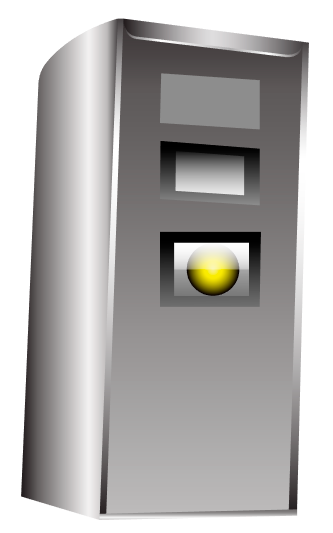
Here are two radar :
The first is a mobile radar used in Belgium.
The second is a fixed radar used in Germany.
Spoiler: imagesLast edited by Boki; 5th June 2018 at 08:36 AM. Reason: corrected image links
-
31st March 2018, 06:29 PM #22Member
- Join Date
- Nov 2015
- Location
- Slovak
- Posts
- 27
- Rep Power
- 12
-
31st March 2018, 06:45 PM #23Master
- Join Date
- Jul 2017
- Location
- France
- Posts
- 658
- Rep Power
- 2236
Distance between two vehicles or between two points ?
-
31st March 2018, 09:11 PM #24Member
- Join Date
- Nov 2015
- Location
- Slovak
- Posts
- 27
- Rep Power
- 12
Alain57, two vehicles .
-
31st March 2018, 10:29 PM #25Master
- Join Date
- Jul 2017
- Location
- France
- Posts
- 658
- Rep Power
- 2236
-
1st April 2018, 08:21 AM #26Member
- Join Date
- Nov 2015
- Location
- Slovak
- Posts
- 27
- Rep Power
- 12
Yes, this style is good. Do you have it in svg?
Is there still other style?
-
1st April 2018, 10:21 AM #27Master
- Join Date
- Jul 2017
- Location
- France
- Posts
- 658
- Rep Power
- 2236
Hello,
Unfortunately, I only have these three models :
Spoiler: picturesLast edited by Boki; 5th June 2018 at 08:36 AM. Reason: corrected image links
-
1st April 2018, 07:57 PM #28Master


- Join Date
- Dec 2014
- Location
- Portugal
- Posts
- 81
- Rep Power
- 131
Fixed radar mod Portugal/Spain
Svg/Png
Spoiler: IMG
This post requires you to click the "LIKE this post" button and hit F5 to read this content.Last edited by Boki; 5th June 2018 at 08:37 AM. Reason: corrected image links

-
7th April 2018, 02:33 PM #29Master


- Join Date
- Jan 2016
- Location
- TUSCANY - ITALY
- Posts
- 353
- Rep Power
- 298
@Ivka
I've also done them in Nextgen's style, in square and triangular shape...... (In square shape, having more surface area, you are best seen).....
[Only registered and activated users can see links. ]
But I do not understand this thing ... .....if you are able to replace the icons in svg, (which is not so simple), how you can not even be able to make them......
Last edited by Boki; 5th June 2018 at 08:37 AM. Reason: corrected image links
-
9th April 2018, 09:31 AM #30Member +
- Join Date
- Apr 2012
- Location
- España
- Posts
- 80
- Rep Power
- 41


Bookmarks