
 Likes:
 Reply With Quote
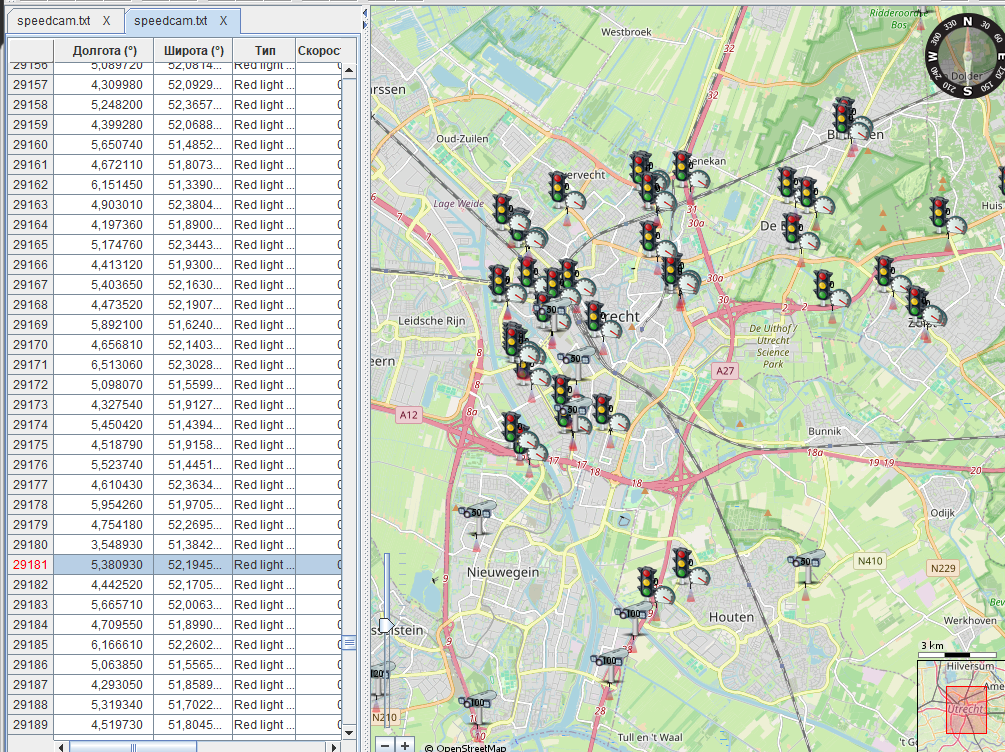
When I edit the OSC database, it happens on the OSM map, for example. I try not to remove the azimuth of the radar from the road by more than 17 degrees. The analysis that I did for BBS is based on the work of spudigo.
Welcome guest, is this your first visit? Click the "Create Account" button now to join.


Results 321 to 324 of 324
Thread: iGO Speedcam (DISCUSSION)
-
21st March 2026, 12:37 PM #321Member +


- Join Date
- May 2018
- Location
- España
- Posts
- 36
- Rep Power
- 8

Good morning friend, what program do you use to see the azimuths of the radars?
-
21st March 2026, 12:48 PM #322SUPER MODERATOR


- Join Date
- Oct 2019
- Location
- Belarus
- Posts
- 3,350
- Rep Power
- 2636

[Only registered and activated users can see links. ]
[Only registered and activated users can see links. ]
[Only registered and activated users can see links. ]
[Only registered and activated users can see links. ]
[Only registered and activated users can see links. ]
[Only registered and activated users can see links. ]
©AF_2020-26
-
Yesterday, 03:53 PM #323SUPER MODERATOR
- Join Date
- Oct 2019
- Location
- Belarus
- Posts
- 3,350
- Rep Power
- 2636
'Lufop' - Review.
Errors have been fixed for France, 4 errors out of 4796, a very good indicator.
4 Azimuth errors:
Problems with exporting speedcam.txt for iGO, (DIRTYPE = 1, DIRECTION = 0) this combination cannot be applied to all lines., if a circular notification is needed, it is applied (DIRTYPE = 0, DIRECTION = 0)6.384894,47.536585,1,0,1,186
3.13245,49.87916,1,0,1,60
2.837172,49.0094721,1,0,1,0
-0.380144,49.264178,1,110,1,201
On the map, it looks like a suspended fish, there will be no alerts for iGO.X,Y,TYPE,SPEED,DIRTYPE,DIRECTION
-2.12949,57.06996,1,70,1,0
-4.06547,53.21998,1,70,1,0
-2.48195,56.82178,1,70,1,0
-2.23322,53.83041,1,70,1,0
Spoiler: +++++Last edited by Andrey Form; Yesterday at 03:57 PM.
[Only registered and activated users can see links. ]
[Only registered and activated users can see links. ]
[Only registered and activated users can see links. ]
[Only registered and activated users can see links. ]
[Only registered and activated users can see links. ]
[Only registered and activated users can see links. ]
©AF_2020-26
-
Today, 05:46 AM #324SUPER MODERATOR
- Join Date
- Oct 2019
- Location
- Belarus
- Posts
- 3,350
- Rep Power
- 2636

FAQ For OSC users. How to use the OSC database.
The first step is registration. Then you can moderate, find the place you are interested in on the map, and find the alert. Each set point on the map has properties, creation history, creation date, and modification dates. Parameters, notification type, coordinates, speed, notification direction, one direction, two directions, any. You can make changes directly on the map. All changes are controlled by moderators to ensure that the changes comply with the OSC rules. All changes are saved and ready for export.
How to remove the radar from the OSC database if it is no longer there.
Leave a comment on the point on the map and turn the status to rating -1. It is important to understand that you need to be sure that you have correctly located the radar on the map. Since after the -1 rating, the radar will no longer be exported from the OSC database. The radar beam will change color from green to red and will be available for editing within one month. In a month, it will be completely transferred to the OSC database archive and will be unavailable for editing, it will no longer be visible on the map.
The list of alert types available for application to the OSC database
[Only registered and activated users can see links. ]Last edited by Andrey Form; Today at 05:48 AM.
[Only registered and activated users can see links. ]
[Only registered and activated users can see links. ]
[Only registered and activated users can see links. ]
[Only registered and activated users can see links. ]
[Only registered and activated users can see links. ]
[Only registered and activated users can see links. ]
©AF_2020-26


Bookmarks