
 Likes:
 Reply With Quote
The tutorial here by @LouBouha [Only registered and activated users can see links. ] shows how to change the speedcam image for the selected number to the one kindly provided above by @Alain57. I have changed other images using this tutorial and it is not too difficult.
I shall try it myself for my WinCE device but it may take a few weeks to find the time as I have a few other similar changes in mind....
The other changes are just simple sys.txt stuff (so long as you use TTS voices)
This of course assumes one uses @Andrey's suggested code 37. Using something else and changing the menu image and text will be, as @Spyder says, "not simple". I think I can find and change the menu image but I would need some help with the text if @Spyder or another user could provide pointers where to find it please?
Welcome guest, is this your first visit? Click the "Create Account" button now to join.


Results 141 to 150 of 363
Thread: iGO Speedcam (DISCUSSION)
-
9th May 2024, 08:04 PM #141Master


- Join Date
- Jul 2017
- Location
- France
- Posts
- 658
- Rep Power
- 2236
-
10th May 2024, 04:42 AM #142Master

- Join Date
- Apr 2014
- Location
- Taihape
- Posts
- 180
- Rep Power
- 156

Last edited by k1w1_123; 10th May 2024 at 06:25 AM.
-
11th May 2024, 12:43 PM #143Master


- Join Date
- Jan 2016
- Location
- TUSCANY - ITALY
- Posts
- 353
- Rep Power
- 298
You can't "invent" a new code, but you can replace one of the existing ones. The codes are still the same but many categories have changed from 2015 to today. Originally Posted by kwbs

It's not simple but not particularly complicated either, it is important to be familiar with both vector (svg) and raster (png and bmp) graphics or have someone do it for him. Originally Posted by Alain57
I changed all the images and at least half the categories.
Spoiler: img
There are 2 ways, either insert a new category, or "trick" the program by replacing the images and modifying the translations in Lang and Voice, in my opinion the easiest solution. Originally Posted by k1w1_123
Decide what you want to do and then ask specific questions about the steps you don't understand or can't do on your own.
-
11th May 2024, 09:52 PM #144Master
- Join Date
- Apr 2014
- Location
- Taihape
- Posts
- 180
- Rep Power
- 156
Thanks @Birbante I will continue this discussion when I get some time to look at it properly. For now I must go away for some weeks for work

-
26th June 2024, 05:06 AM #145Member +


- Join Date
- Jan 2015
- Location
- aa
- Posts
- 39
- Rep Power
- 0
Guys, i have a problem with avic armv8, it doesn't show the txt speedcams that i try to load. Is there a license problem, or what could it be? It doesnt even save the speedcams that i try to create. It shows them until i close the program, and if i restart it its as if i didnt create it
Thanks!
-
26th June 2024, 05:12 AM #146SUPER MODERATOR


- Join Date
- Oct 2019
- Location
- Belarus
- Posts
- 3,786
- Rep Power
- 2751
Hi, the speedcam folder must be located on the internal memory and you need to enable alerts in the program menu.

[Only registered and activated users can see links. ]
[Only registered and activated users can see links. ]
[Only registered and activated users can see links. ]
[Only registered and activated users can see links. ]
[Only registered and activated users can see links. ]
[Only registered and activated users can see links. ]
©AF_2020-26
-
26th June 2024, 09:06 AM #147Member +
- Join Date
- Jan 2015
- Location
- aa
- Posts
- 39
- Rep Power
- 0
It is, i dont have card, and it is enabled

-
30th June 2024, 08:07 PM #148SUPER MODERATOR
- Join Date
- Oct 2019
- Location
- Belarus
- Posts
- 3,786
- Rep Power
- 2751
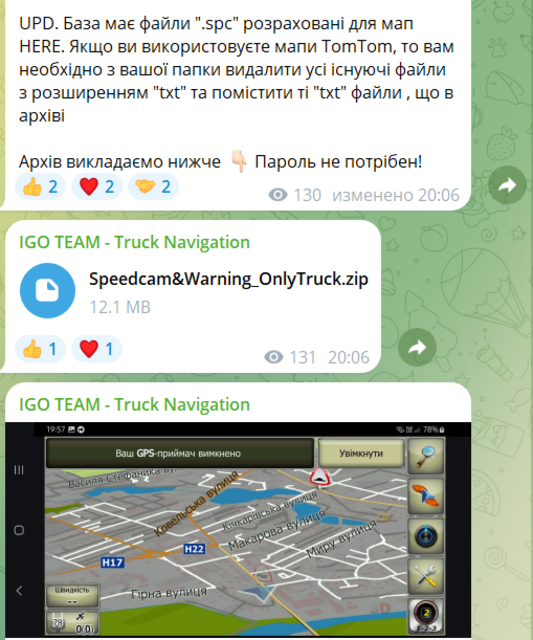
If you visit a telegram channel with the name
iGO TEAM - Truck Navigation
where it is stated that you can download speedcam files and they are compatible with all
versions that they offer. and Next is the file "POI BASE" dated June 24, 2024
I download and open the file, it’s EUR+:
X,Y,TYPE,SPEED,DIRTYPE,DIRECTION, // 21.06.24 iGO SCDB code 1,69 EUR+ Europe + Turkey Mod AF
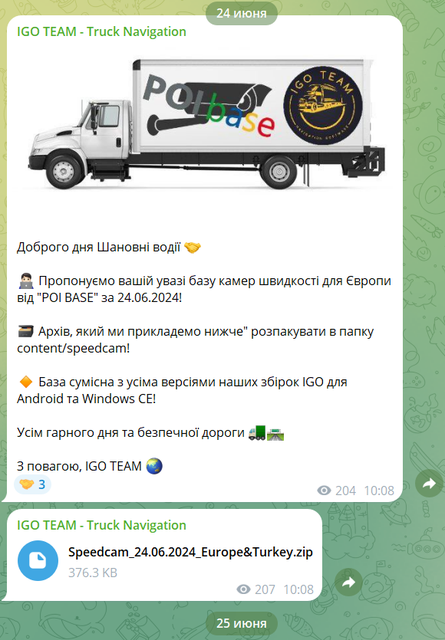
EUR+ encoding is very specific, but what iGO TEAM offers in the latest version
which I found on YouTube was released in VB encoding - Mod AF with the name
speedcam_mod_VB Mod AF 3DM - [Only registered and activated users can see links. ]
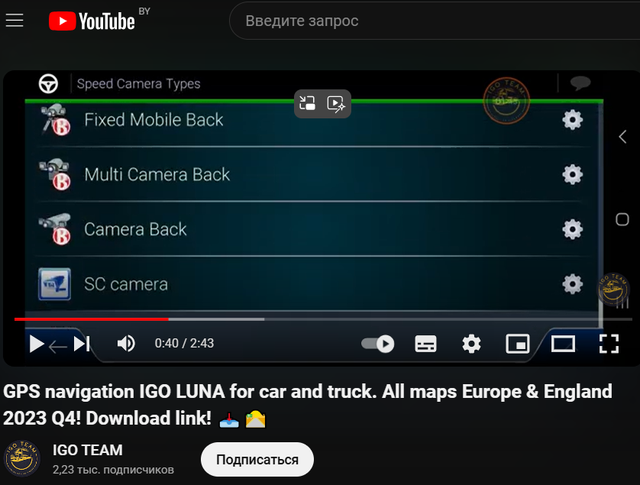
This Monstrous scam is sold for money, after analyzing the provided files for money, there is nothing new that can be downloaded for free on technical forums, do not waste money for deception.
[Only registered and activated users can see links. ]
[Only registered and activated users can see links. ]
[Only registered and activated users can see links. ]
[Only registered and activated users can see links. ]
[Only registered and activated users can see links. ]
[Only registered and activated users can see links. ]
©AF_2020-26
-
5th July 2024, 07:00 AM #149SUPER MODERATOR
- Join Date
- Oct 2019
- Location
- Belarus
- Posts
- 3,786
- Rep Power
- 2751
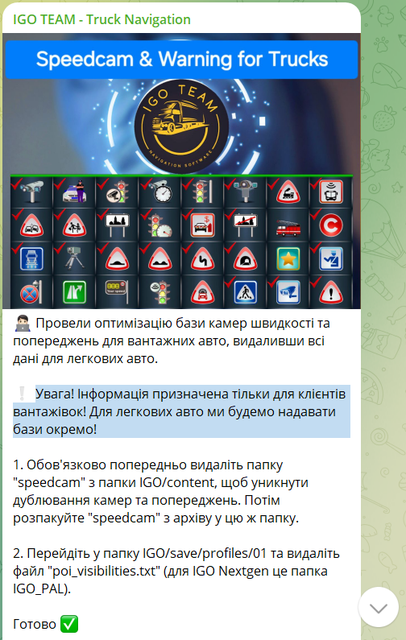
Originally Posted by zidrikson
Spoiler: Telegram
Optimized the database of speed cameras and warnings for trucks, removing all data for passenger cars.
WARNING! The information is intended for truck customers only! For passenger cars, we will provide bases separately!
Optimized the database of speed cameras and warnings for trucks - If over the course of 2 years you provided assistance with installation and only now optimized for trucks, what did the user end up receiving all this time, because everything indicates that your channel was created for trucks .
It’s very bad that you don’t indicate the source of the database, what does it mean that you optimized it, you took it here -
[Only registered and activated users can see links. ]
Code:Please Login or Register to see the links
Spoiler: gpspower
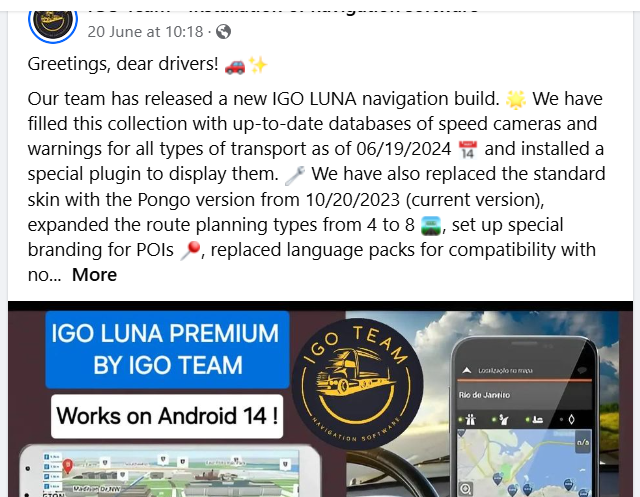
Greetings, dear drivers! 🚗✨
Our team has released a new IGO LUNA navigation build. 🌟 We have filled this collection with up-to-date databases of speed cameras and warnings for all types of transport as of 06/19/2024 📅 and installed a special plugin to display them. 🔧 We have also replaced the standard skin with the Pongo version from 10/20/2023 (current version), expanded the route planning types from 4 to 8 🛣️, set up special branding for POIs 📍, replaced language packs for compatibility with no...
We have filled this collection with up-to-date databases of speed cameras and warnings for all types of transport as of 06/19/2024 -
New LUNA build for trucks? I am shocked, you have provided invaluable assistance to the Internet community.
Spoiler: FLast edited by Andrey Form; 5th July 2024 at 07:47 AM.
[Only registered and activated users can see links. ]
[Only registered and activated users can see links. ]
[Only registered and activated users can see links. ]
[Only registered and activated users can see links. ]
[Only registered and activated users can see links. ]
[Only registered and activated users can see links. ]
©AF_2020-26
-
6th July 2024, 10:50 AM #150SUPER MODERATOR
- Join Date
- Oct 2019
- Location
- Belarus
- Posts
- 3,786
- Rep Power
- 2751
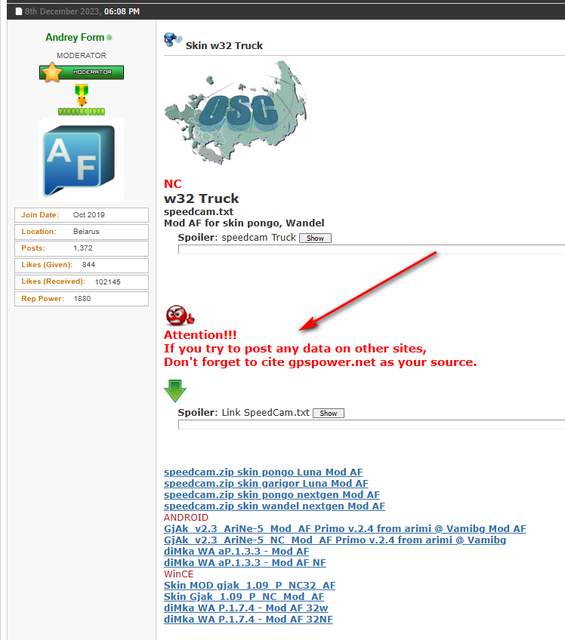
This is what a license to post files on social networks or technical forums looks like.
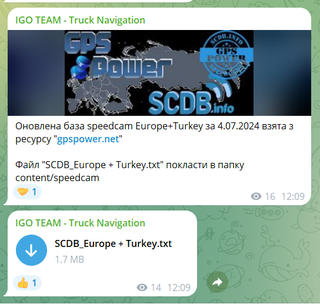

Attention!!!
If you try to post any data on other sites,
Don't forget to cite gpspower.net as your source.

speedcam.txt
_________________________________________________________________
It is also important to select the right files for further distribution or personal use.
[Only registered and activated users can see links. ]Last edited by Andrey Form; 6th July 2024 at 10:59 AM.
[Only registered and activated users can see links. ]
[Only registered and activated users can see links. ]
[Only registered and activated users can see links. ]
[Only registered and activated users can see links. ]
[Only registered and activated users can see links. ]
[Only registered and activated users can see links. ]
©AF_2020-26


Bookmarks