Welcome guest, is this your first visit? Click the "Create Account" button now to join.

Page 12 of 12 FirstFirst ... 2101112
Results 111 to 120 of 182

Hybrid View

  1. #1
    Master LouBouha's Avatar
    Join Date
    Mar 2017
    Location
    Tunisia
    Posts
    457
    Rep Power
    1284

    Default Icon Gift


    I share my Icone iGO Gift Svg. Big Thanks to Alain57


    Spoiler: pics
    iGO Gift


    Spoiler: Hide
    This post requires you to click the "LIKE this post" button and hit F5 to read this content.


    Regards
    Attached Files Attached Files
    Last edited by LouBouha; 13th November 2020 at 10:57 PM. Reason: Picture Renewal
    GPS: TomTom ONE

    Smartphone: THL T11 Android 4.2.2 Resolution 720x1280
    Sygic 14.3.4 IGO Primo 9.6.29.636868 Skins : Doupas V9.0h , Dimka/Frontzosd giphy

  2.    Advertissements


  3. #2
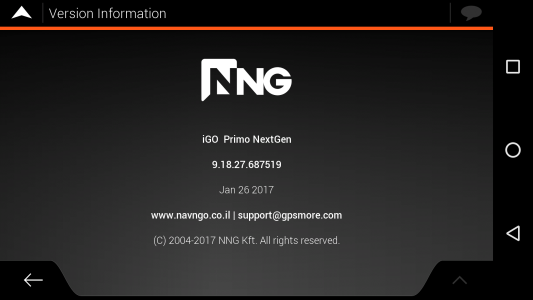
    iGO Enthusiast iGO Gift 9.18.27.687519 - 26.jan.2017
    Boki's Avatar
    Join Date
    Jun 2014
    Location
    Niš
    Age
    54
    Posts
    7,101
    Rep Power
    4767

    Default iGO Gift 9.18.27.687519 - 26.jan.2017 - copy of OP

    iGO Gift 9.18.27.687519 - 26.jan.2017


    GIFT


    Navi App can be installed in iGO or iGO_Gift folder
    No need licenses
    VR working
    Full folder (package) - Apps (make.sys/no.make.sys), ux, data.zip:

    Spoiler: link
    This post requires you to click the "LIKE this post" button and hit F5 to read this content.


    Only apps, made by iVoy, changed name from Israel to Gift
    in [Only registered and activated users can see links. ]
    Last edited by Boki; 18th January 2019 at 08:46 AM.
    Before asking a question, know it's already discussed here and at 99.9% is not unique. Use search.
    NO ONE IS A SEER, READ (click on): [Only registered and activated users can see links. ] <- Click!
    [Only registered and activated users can see links. ] <- Click!

    Spoiler: obs
    Many questions become very arduous, a lot of time chewed deja vu...Since we have lost all the year of work and effort, many people have no will to answer the same questions again. Me neither. Use a search, please.

  4. #3
    Member +
    Join Date
    Apr 2011
    Location
    Greece
    Age
    56
    Posts
    47
    Rep Power
    16

    Default

    In my sys.txt i have the following lines for speedcams type 20,21,22

    Code:
    Please Login or Register to see the links
    In Dictionary.lang I have the lines
    Dangerous turn="Dangerous Turn"
    Dangerous turn.="Dangerous Turn"
    Dangerous turn,="Dangerous Turn"

    the same for the other 2 types.

    When I get near a "Dangerous Turn" the voice is ok but in the top of the Igo Gift doesn't display "Dangerous Turn ahead" !!! It displays only "ahead".
    Any idea why ?

    The description of all other speedcam types displayed correctly except those 3.

  5. #4
    Master BIRBANTE's Avatar
    Join Date
    Jan 2016
    Location
    TUSCANY - ITALY
    Posts
    353
    Rep Power
    298

    Default

    Quote Originally Posted by gvp View Post
    In my sys.txt i have the following lines for speedcams type 20,21,22......
    What is written in the sys (or in the plugin.ini) concerns only the warnings with TTS or with Audio sounds of the Speedcams.

    In Dictionary.lang I have the lines
    Dangerous turn="Dangerous Turn"
    Dangerous turn.="Dangerous Turn"
    Dangerous turn,="Dangerous Turn"
    The dictionary.lang is used to translate the various names and phrases into the various languages, but the "original" names of the categories should be found in the speedcam.zip in speedcam.ui, (it also depends on the type of Skin you use).

    So it depends on which speedcam.zip is used, Arimi's has these names to translate:

    <row text="Dangerous Turn" id=20
    <row text="Tunnel" id=21
    <row text="POI" id=22

    while Pongo uses these:

    <row text="Fake Speed Camera" id=20
    <row text="Tunnel" id=21
    <row text="POI" id=22

    The names to be translated must match exactly, including upper and lower case.

    It displays only "ahead".
    That ahead should depend to this line:

    %s ahead="%s ahead"

    and it should appear with each category.


Tags for this Thread

Bookmarks

Posting Permissions

  • You may not post new threads
  • You may not post replies
  • You may not post attachments
  • You may not edit your posts
  •
