
 Likes:

@AnthonyGreek I read and hear loud and clear!
I won't say no but it needs more spare time....
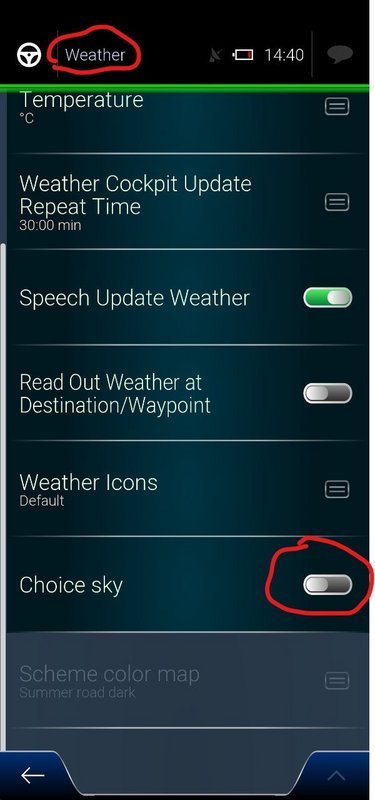
@BIRBANTE map_config.zip takes the map color scheme selector role in case choice sky is not activated in weather menu.Originally Posted by BIRBANTE

Spoiler: Weather Menu
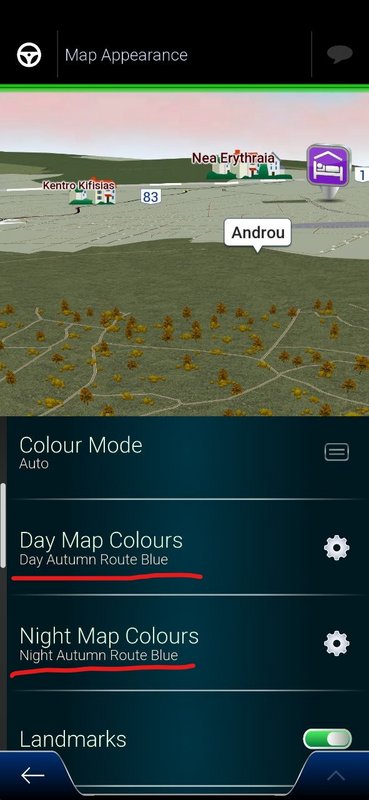
In this case you have to choose the day and night map color schemes under Map appearance menu.
Spoiler: Map Appearance Menu
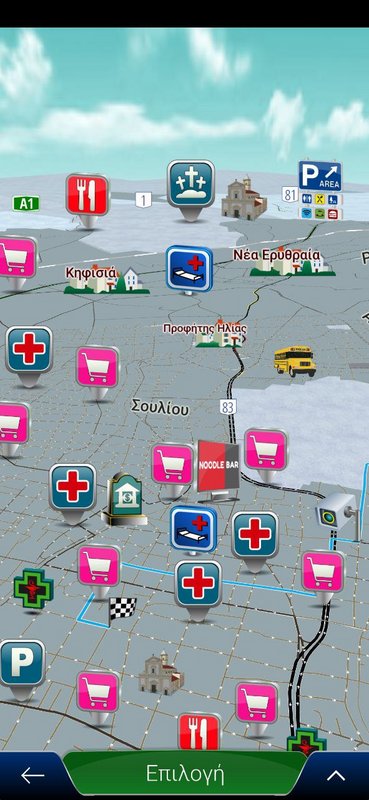
Using the original released map_config.zip I see the below result, when choice sky is not activated and I select Night Autumn Route Blue map color scheme:
Spoiler: Winter day with blue route
which is clearly a Winter day with blue route. You can also find it out by opening the original map_config.zip\ui_nextgen\common\mapconfig\night_autumn_blue\signs.lua file.
At the beginning of this file the below line exits:
colorconfig = "day_winter_blue"
This is wrong. It should be corrected to:
colorconfig = "night_autumn_blue"
And this is the thing I did [Only registered and activated users can see links. ]
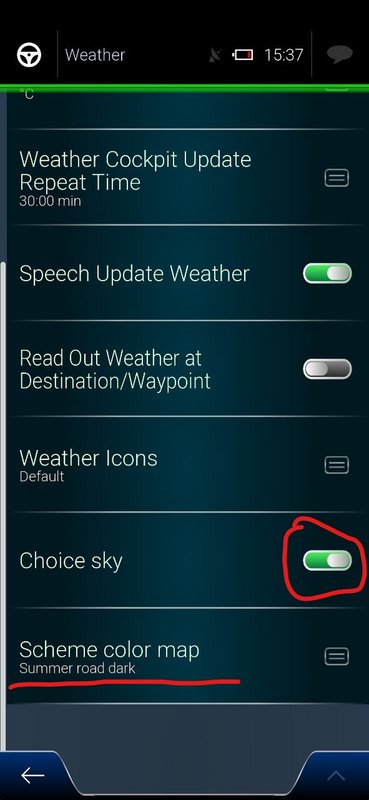
In case Choice Sky is activated (in Weather menu) everything works fine as weather.zip takes on the map color scheme selector role.
Day and night Color schemes are registered fine in weather.zip
Spoiler: Choice Sky activated
So what is your case? Do you have Choice Sky activated or not? Is the Choice Sky switch on or off?
Welcome guest, is this your first visit? Click the "Create Account" button now to join.


Results 1 to 10 of 1232
Threaded View
-
10th January 2023, 03:16 PM #11Master


- Join Date
- Sep 2021
- Location
- Greece
- Posts
- 132
- Rep Power
- 410

Last edited by NikonM; 10th January 2023 at 03:54 PM.


 Reply With Quote

Bookmarks