
 Likes:


Just in case, check the content of each line starting from the 204th, if one of them is malformed it is possible to interrupt the import from the one that is defective
you can use excel to open the user.upoi file with the pipe as separator field (ALTGR+6) and check if the structure of the lines is good
in the incriminated line there may be malformed or misplaced data
Welcome guest, is this your first visit? Click the "Create Account" button now to join.


Results 41 to 50 of 1255
Hybrid View
-
11th November 2024, 08:49 PM #1Master


- Join Date
- Nov 2017
- Location
- europa
- Posts
- 138
- Rep Power
- 279

-
13th November 2024, 02:39 PM #2Junior Member
- Join Date
- Feb 2019
- Location
- france
- Posts
- 6
- Rep Power
- 0
thank you for helping you, I don't understand how it works well with igo israel. I don't have Excel and I don't know how to use it, sorry
-
14th November 2024, 12:11 AM #3Master
- Join Date
- Nov 2017
- Location
- europa
- Posts
- 138
- Rep Power
- 279
download Upoi Editor at [Only registered and activated users can see links. ]
( not the link but attached file), extract content and run UPOI Editor.exe
This is an old program designed at the time for primo, it is not certain that the compatibility of user.upoi data from nextgen is complete, you will have to keep a backup copy of your original file, only 11 fields out of 18 in total are editable with this program,
I think I remember that there was a more advanced version that had been made by the administrator of the DREAM-TEAM but the site having closed old members may still have it
when you open your user.upoi you will see if you find all of your saved contacts there, save it then inject it again into your nextgen to see if the number of contacts is maximum
-
14th November 2024, 11:52 AM #4Master


- Join Date
- Mar 2012
- Location
- France
- Age
- 77
- Posts
- 341
- Rep Power
- 294
Hi all
I will search in D.T cupboards and ask to TANUKI... but I'm not sure to find it because this was many years ago :-(I think I remember that there was a more advanced version that had been made by the administrator of the DREAM-TEAM but the site having closed old members may still have it
EDIT : I did not find it... and WmLogistic (ex-admin) has gone away since a long time. We cannot contact him nowadaysLast edited by BIBUOT; 14th November 2024 at 03:30 PM.
TANUKI 's Team stay alive in the dark, in the old days was named Dreamteam-DT... my moderator pseudo Bilouteam
-
16th November 2024, 09:41 PM #5Super Member

- Join Date
- Sep 2023
- Location
- Spain
- Posts
- 149
- Rep Power
- 7
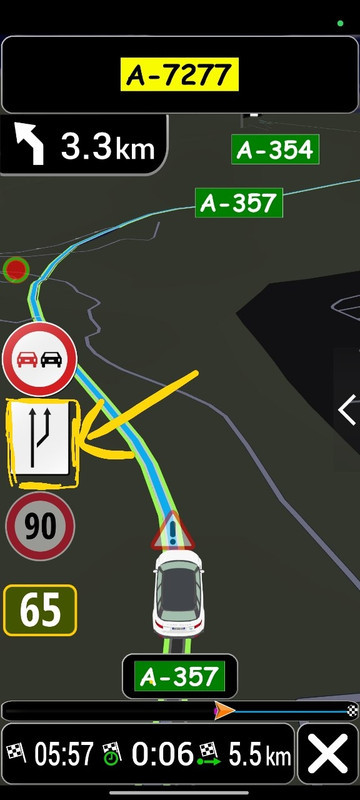
Where the traffic signs are located inside the igo-Luna folder?
I want to edit the sign that I show in the screenshot, the one that I point to in yellow.
Spoiler: screenshots
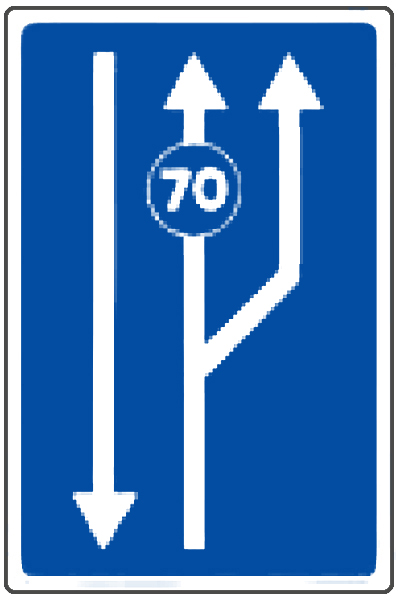
And change it for this one that we see in the image:
Spoiler: imageLast edited by Jaloga; 17th November 2024 at 06:26 AM.
Here I will thank all the contributions
Thank You so Much.

Greetings of Jaloga
-
17th November 2024, 09:05 AM #6Master

- Join Date
- Dec 2014
- Location
- Hungary
- Posts
- 160
- Rep Power
- 188
-
17th November 2024, 09:27 AM #7Super Member
- Join Date
- Sep 2023
- Location
- Spain
- Posts
- 149
- Rep Power
- 7
@segaal
The white one comes out in iGO, but on the road it comes out blue,
I think you haven't understood me, the blue image is the one I want to put inside the file and change it to the white one
That's why I'd like to know in which file those signs are,Here I will thank all the contributions
Thank You so Much.
Greetings of Jaloga
-
17th November 2024, 09:36 AM #8Master

- Join Date
- Jan 2016
- Location
- Germany
- Posts
- 514
- Rep Power
- 894
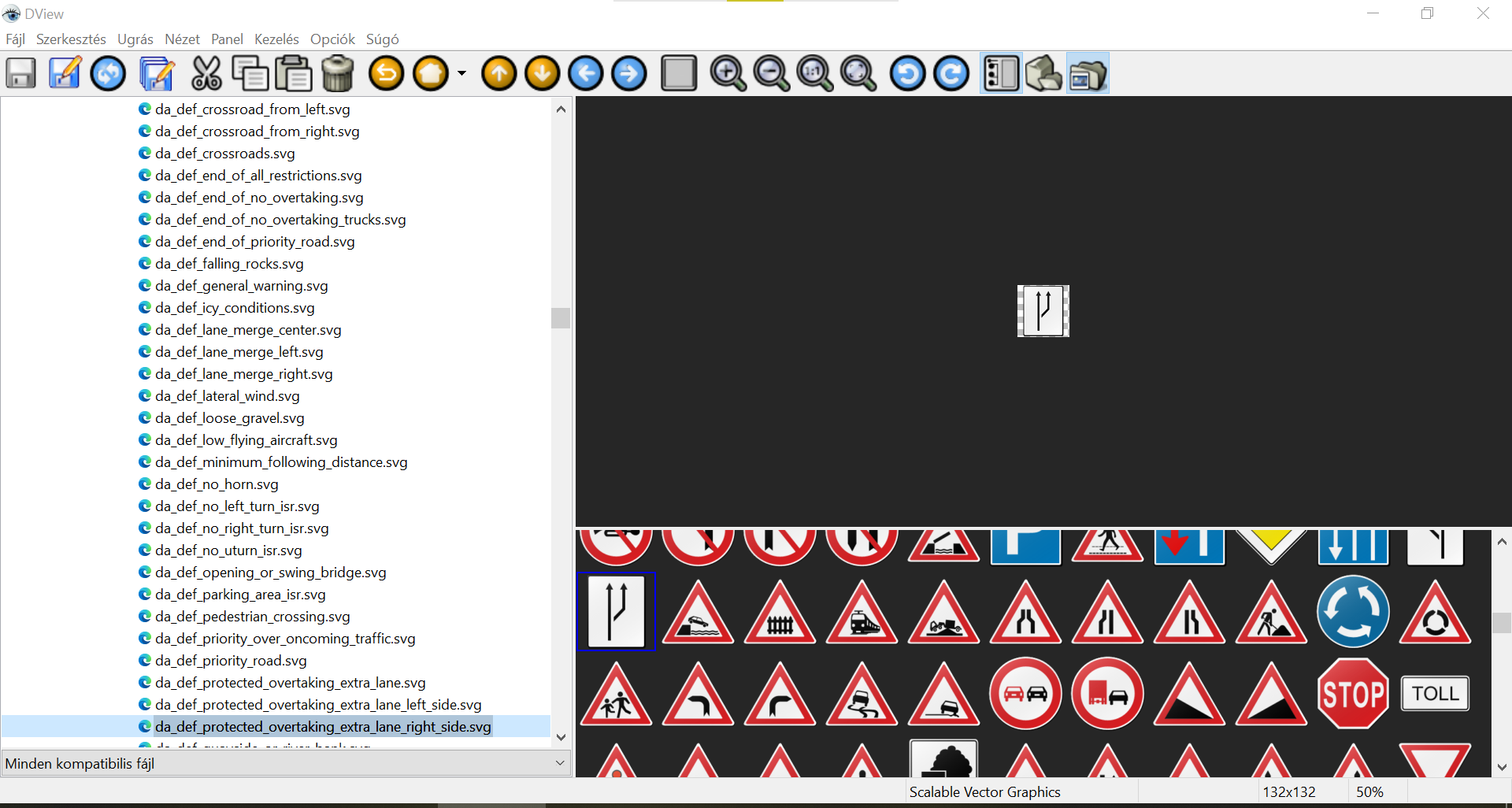
Search in the global_cfg.zip
Maybe it's the one in driveralerts.zip as segaal wrote, I never played with it
"da def protected overtaking extra lane right side"
You seem to be bored
Last edited by Golom; 17th November 2024 at 10:55 AM.
-
17th November 2024, 10:24 AM #9Master
- Join Date
- Dec 2014
- Location
- Hungary
- Posts
- 160
- Rep Power
- 188
@Jaloga
-If you want to modify it for yourself:
-Of course it is in driveralerts.ux.
-driveralerts/ui_nextgen/res/common/nodpi/da_def_protected_overtaking_extra_lane_right_side.svg
Spoiler: screenshot
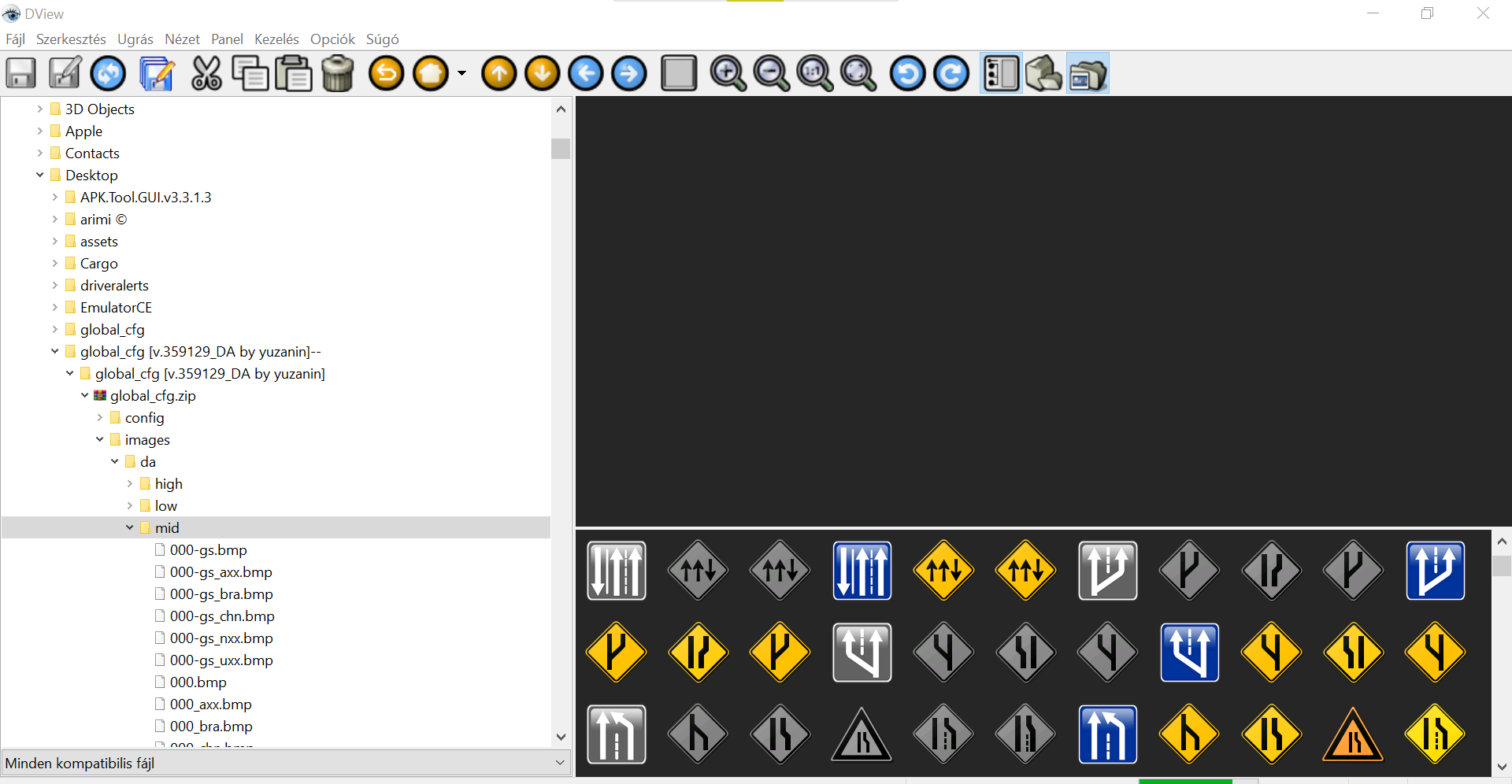
-Try changing global_cfg.
-There are many mods (3d etc...)
Spoiler: screenshot
-
17th November 2024, 11:37 AM #10Master


- Join Date
- Jul 2017
- Location
- France
- Posts
- 658
- Rep Power
- 2237
Hello,
You can test the archive file attached.
Insert it in the location indicated by “segaal”.
Please note that this sign, which prohibits vehicles travelling at 70 km/h or less from using the central lane, does not exist in “global_cfg”. I created it for you !
Spoiler: png
Of course, the archive file is an “svg” file !Last edited by Alain57; 17th November 2024 at 11:40 AM.

 Reply With Quote


Bookmarks