
 Likes:
 Reply With Quote
You have to rename skin acording to Neoss's structure.
Neoss's external SkinChanger work with folders :
- ux_alt
- ux_alt2
- ux_default
- ux_pongo
VW code verify all ux_xxx folders that contain a file like the_skin_yyy.zip.
The next structure should work with both SkinChanger :
- folder ux => skin vw ( rename : the_skin_vw_nextgen.zip -> the_skin_alt.zip & .zip\ux\the_skin_vw_nextgen -> the_skin_alt )
- folder ux_alt2 => skin frontzosd ( rename : the_skin.zip -> the_skin_alt2.zip & .zip\ux\the_skin -> the_skin_alt2 )
- folder ux_default => skin arimi ( rename : the_skin_ari_nextgen.zip -> the_skin_default.zip & .zip\ux\the_skin_ari_nextgen -> the_skin_default )
- folder ux_pongo => skin pongo ( rename : the_skin_by_pongo.zip -> the_skin_pongo.zip & .zip\ux\the_skin_by_pongo -> the_skin_pongo )
vw, I think it is better if the script would check for a txt file ( the_skin_vicewandel.txt ) and not for a zip file.
Something like [Only registered and activated users can see links. ].
Also, there are some problems in translation :
1.
the_skin_vw_nextgen\lang\0422.lang
The Blue Skin motrex-kia are deleted!\nNow you use the default skin.\nOr go to Map Settings(Extended) and turn ON the other skin.=Видалено Синій Скін Motrex-KIA!\nВикористайте Класичний,\або виберіть інший скін в Налаштуваннях Мапи (розширені)."
2.
ttspro\lang\0422.lang
"Route Changing"=Через зміну маршруту"
3
send_message\lang\0422.lang
Will be there: %s at %s=Буду там: %s в %s"
Welcome guest, is this your first visit? Click the "Create Account" button now to join.


Results 161 to 170 of 290
-
20th October 2019, 03:16 PM #161Master


- Join Date
- Mar 2016
- Location
- NYC
- Posts
- 140
- Rep Power
- 275

@vw
Any way to make it work both with your skin changer and Neoss's? Not a programmer so I do not know.If you think I helped you, please add to my reputation
-
21st October 2019, 07:47 AM #162GPSPower Helper


- Join Date
- Dec 2009
- Location
- ro
- Age
- 38
- Posts
- 501
- Rep Power
- 947
Last edited by costas3850; 21st October 2019 at 12:22 PM.
-
21st October 2019, 12:17 PM #163Master

- Join Date
- May 2007
- Location
- Ukraine
- Posts
- 168
- Rep Power
- 1151
Better "AS IS ..": The fewer options and sources we have, the more reliable the system !!! Originally Posted by costas3850

I did a complete set that fulfills everything I need. Who needs a different approach, please read those authors.
Thank you. I'll correct Originally Posted by costas3850
Last edited by wandel; 21st October 2019 at 12:44 PM.
-
17th November 2019, 04:45 PM #164Master
- Join Date
- May 2007
- Location
- Ukraine
- Posts
- 168
- Rep Power
- 1151
 Update
[Only registered and activated users can see links. ]
pass 4pna
Significantly changed the entire Favorites group
- Added means of forming a name
- Added the ability to transfer to different POI groups based on currently available groups
- Added button for quick (in one click) save favorite
Folders and all other pribludy are not required if you master this tool with your head.
There is everything for conservation and selection for every taste.
Added a whole new group of visualization notifications
- Labels with and without sound
- See their controls in ttspro
Spoiler: Cinema here
-
24th November 2019, 02:38 PM #165Master
- Join Date
- May 2007
- Location
- Ukraine
- Posts
- 168
- Rep Power
- 1151
- Present:
- name builder
- the ability to transfer to different groups of POI based on cash groups at the moment
- quick button (in one click) to save favorite
- Added:
- ability to control group visibility
- the ability to select by group (search)
By the way, this way you can hide the labels on the buttons and therefore you can control it both from sys.txt, and through the sys.txt control
Code:Please Login or Register to see the links
-
24th November 2019, 02:56 PM #166Master

- Join Date
- Oct 2013
- Location
- EU
- Posts
- 776
- Rep Power
- 1316
Hello, wandel
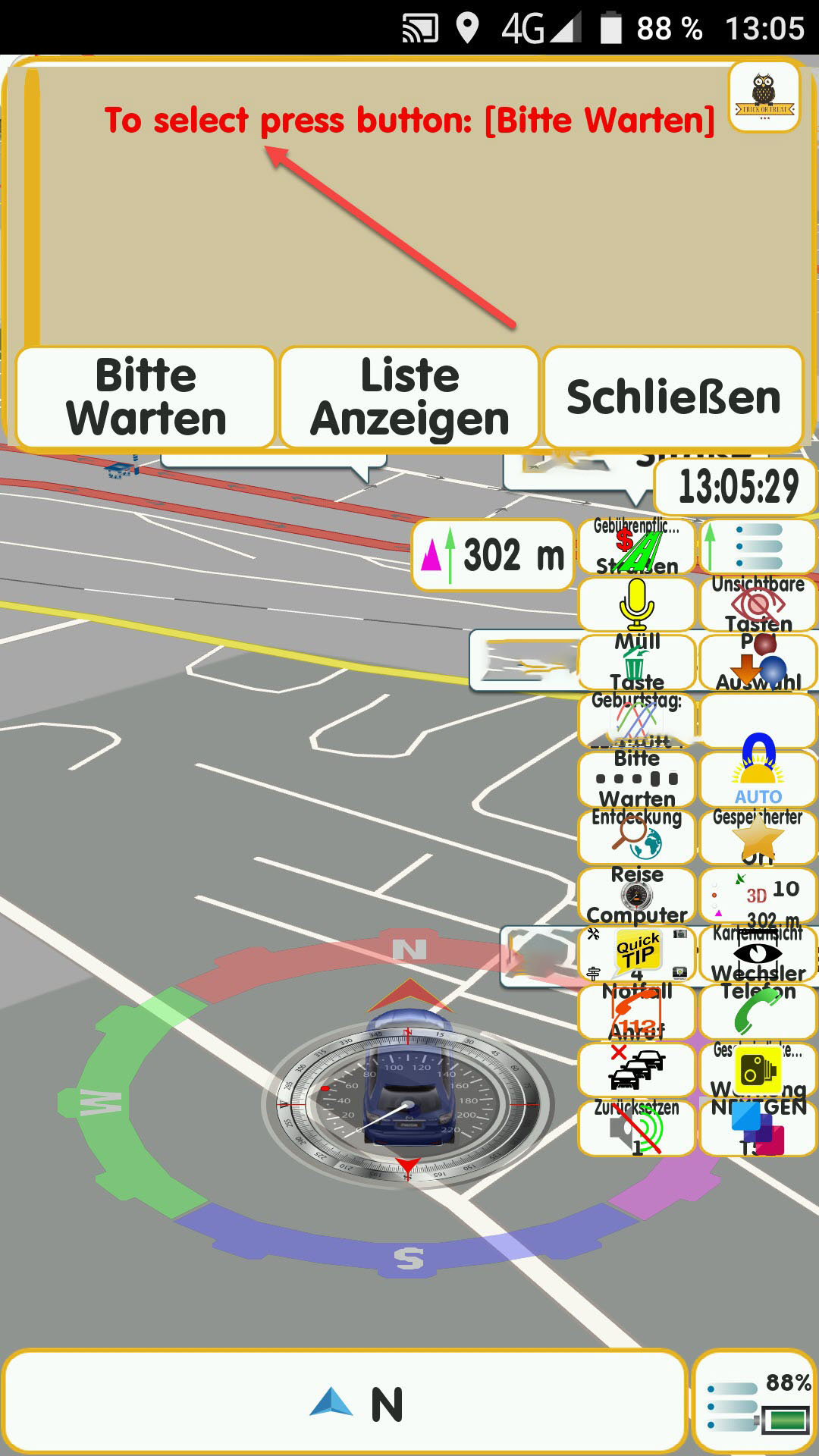
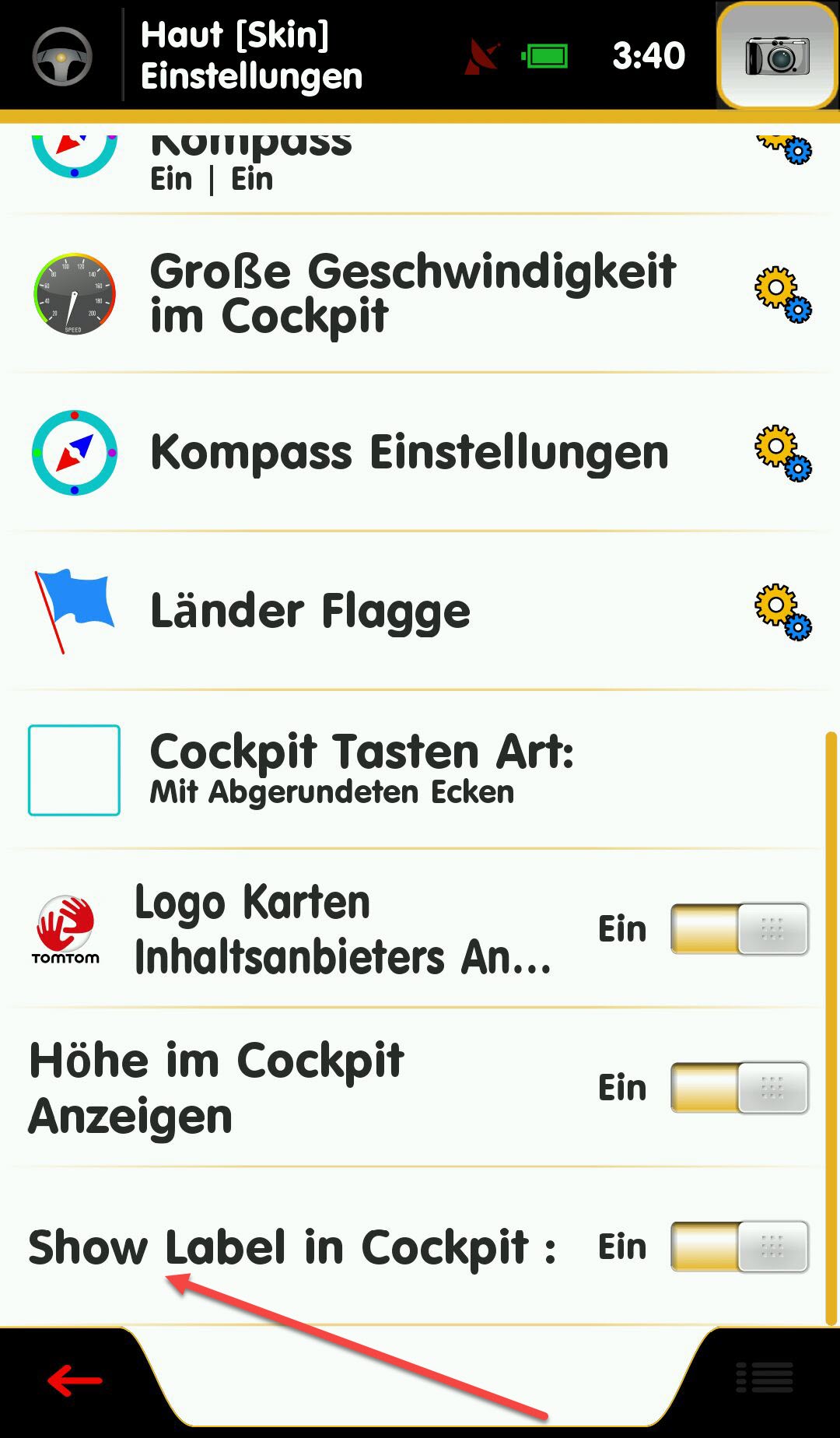
can you please write these words the Dictionary.lang please as with i can translate sincere thank you, for your effort i have marked with arrow.
screen
Spoiler: screen
-
24th November 2019, 03:08 PM #167Master
- Join Date
- May 2007
- Location
- Ukraine
- Posts
- 168
- Rep Power
- 1151
Its should be translated in apropriate Dictionary.lang
I present only Ukrainian and russian and of course English languages.Last edited by wandel; 24th November 2019 at 03:18 PM.
-
24th November 2019, 03:25 PM #168Master
- Join Date
- Oct 2013
- Location
- EU
- Posts
- 776
- Rep Power
- 1316
thanks but I can not find these words!
no only Ukrainian and russian language Dictionary.lang
therefore the translation does not fit translate the words stay it is still english
Show Label in Cockpit :="Beschriftung im Cockpit Anzeigen:"
To select press button:="Zum Auswählen Drücken Sie die Taste:"Last edited by Titanic52; 24th November 2019 at 03:29 PM.
-
24th November 2019, 03:44 PM #169Master
- Join Date
- May 2007
- Location
- Ukraine
- Posts
- 168
- Rep Power
- 1151
It's in .lang.
You should know that the internal RAR search does not always find what it is looking for.
You should select the original English interface and try to find item in "ui".
One of them: Show Label in Cockpit=Last edited by wandel; 24th November 2019 at 04:42 PM.
-
24th November 2019, 08:12 PM #170Member
- Join Date
- Mar 2015
- Location
- Italy
- Posts
- 17
- Rep Power
- 0
HI,
I think there is a small syntax error on your translate:
you need to add a space between":" and "=" signs , something like this:
Show Label in Cockpit : ="Beschriftung im Cockpit Anzeigen:"
To select press button: ="Zum Auswählen Drücken Sie die Taste:"
Regards,


Bookmarks