
 Likes:
 Reply With Quote
DA1044=Norwegian voice
SC1044=Norwegian voice
DA1055=Turkish voice
SC1055=Turkish voice
help
Welcome guest, is this your first visit? Click the "Create Account" button now to join.


Results 1,731 to 1,740 of 3973
-
29th July 2019, 10:22 PM #1731Member


- Join Date
- Feb 2016
- Location
- Frankfurt
- Posts
- 21
- Rep Power
- 11

The button "poi-around" showed before the kind of poi written in the button. I miss this in the new version, or is there any adjustment to do ?
-
29th July 2019, 11:40 PM #1732Member


- Join Date
- Nov 2015
- Location
- Norge
- Posts
- 20
- Rep Power
- 0

Last edited by kadir tatar; 29th July 2019 at 11:45 PM.
-
30th July 2019, 11:59 AM #1733Member
- Join Date
- Mar 2019
- Location
- Netherlands
- Posts
- 14
- Rep Power
- 0
charlesrond
You can switch text on buttons on/off.
Settings-Skin-Main screen-Buttons-
-
30th July 2019, 06:40 PM #1734Master


- Join Date
- Mar 2017
- Location
- Tunisia
- Posts
- 457
- Rep Power
- 1335
-
31st July 2019, 09:05 PM #1735Member
- Join Date
- May 2017
- Location
- Türkiye
- Posts
- 10
- Rep Power
- 0
how can i turn off "duration zone 100 meters" tts warnings with the road signs.
Spoiler: Img
EDIT: I've found my solution. In the voice file we use there is i18n/dictionary.voice file. Open it and find the line:
Duration zone %s="xxxxxx %s"
and change it like this:
Duration zone %s=" "Last edited by harunyildiz; 3rd August 2019 at 09:18 AM.
-
1st August 2019, 01:17 PM #1736Master

- Join Date
- Nov 2017
- Location
- Romania
- Posts
- 349
- Rep Power
- 167
Hello all,and thx for help You do a verry good job here
Im facing this issue with skin pongo since last 3 or 4 version and still exist
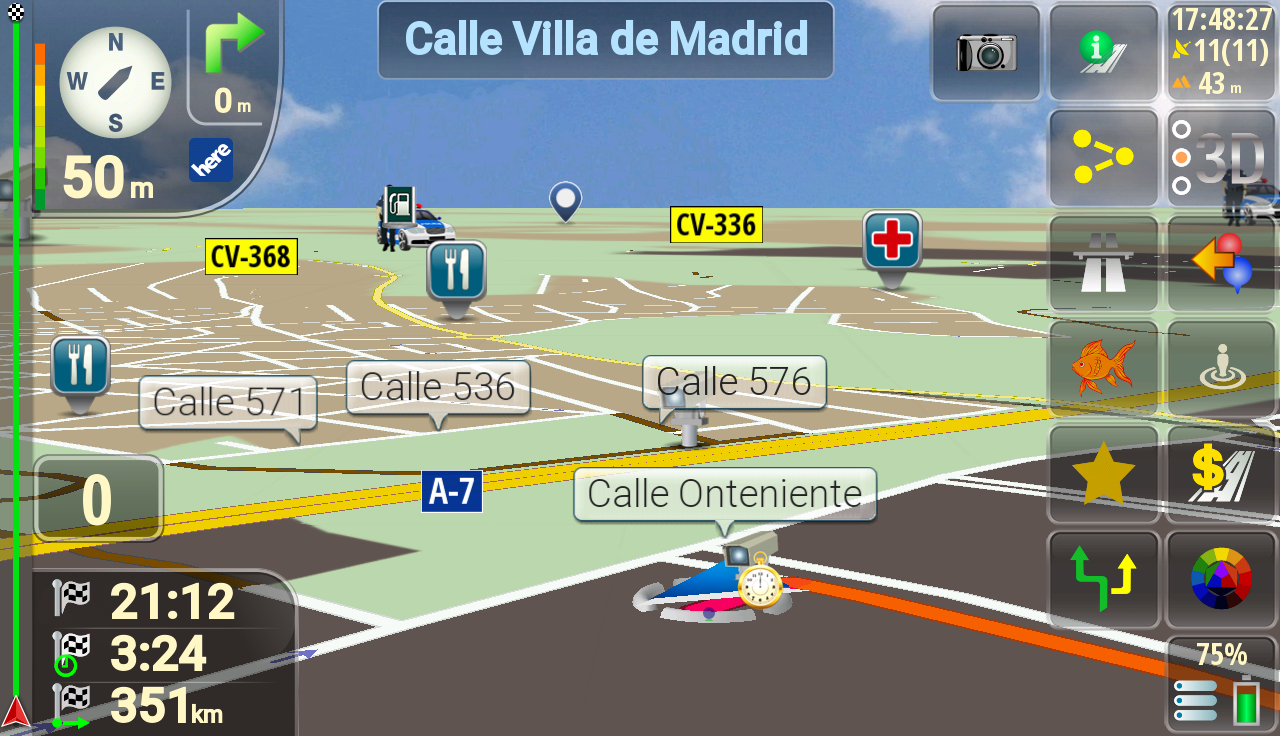
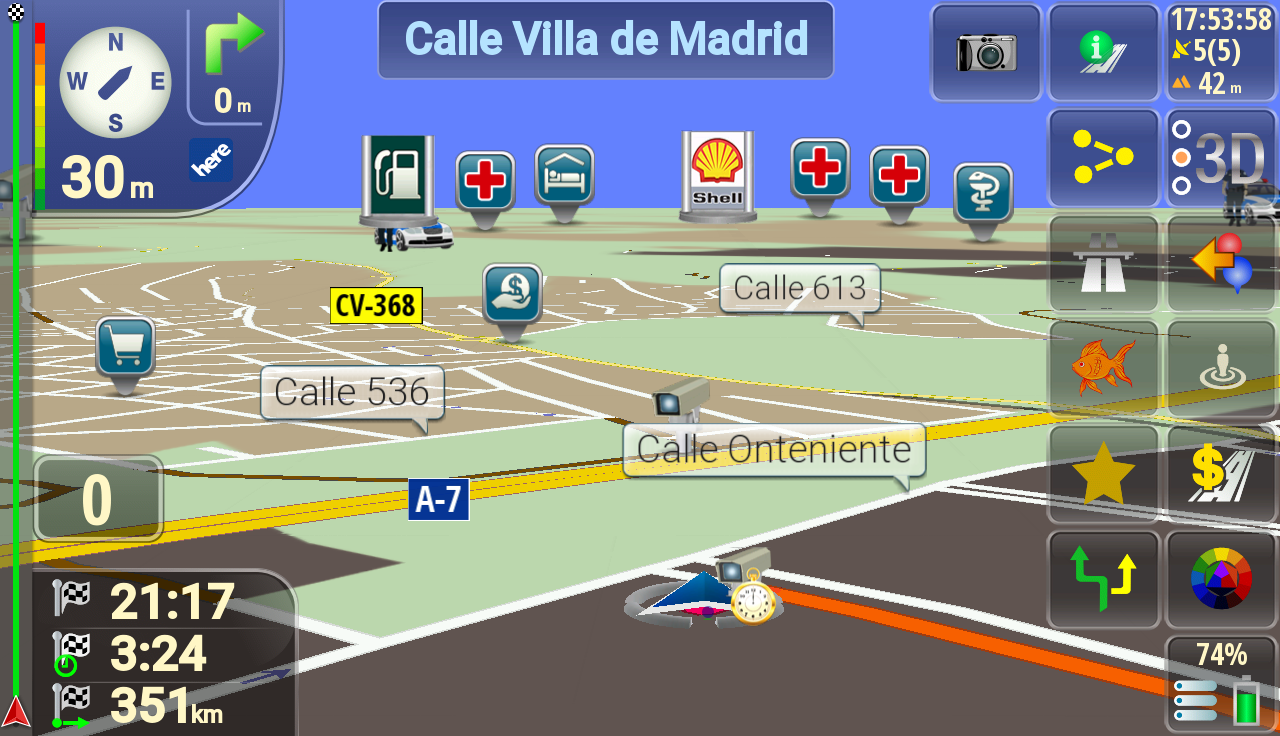
On the map appear only 5 icons ,on the old version of skin map was fully populated with icons
I put this line on sys
[map]
poi_distant_zoomlevel = -1 ,but still no more than 5 icons
Please help if its any way to fix this
Spoiler: pic1
This its from old skin and its good
And this its from new skin
Spoiler: pic 2
And its not good
Its any way to fix this error Sorry if the answer was posted before And big thanks for helpLast edited by Boki; 1st August 2019 at 09:21 PM.
-
1st August 2019, 02:39 PM #1737Master


- Join Date
- Dec 2014
- Location
- Portugal
- Posts
- 81
- Rep Power
- 131
Hi Originally Posted by cristianyxtl

On ux laneassist ui_nextgen/common/default.vis you need to change the following line..
Instead of 5 you write the number of pois you want to see on the screen
[SignLayer]
sign="poi", "POI", "", 5, 0
Ps: The edited default.vis file needs to be in two places
laneassist ui_nextgen/common/default.vis
laneassist ui_nextgen/layout/medium/default.vis
-
1st August 2019, 03:22 PM #1738Master
- Join Date
- Nov 2017
- Location
- Romania
- Posts
- 349
- Rep Power
- 167
@cam1981 Tryed your instruction but without succes Only way to make more icons to appear on map its to not use laneassist Tested without laneassist on phone and tablet and icons appear but the road its verry skinny
Thx alot for tip,maybe in next pongo update will be fix
PS Also work well with older version of laneassist_560 ,4 version back
I do this way :
1 delete all laneassist
2 make a route and make a simulation for 2-3 minute
3 exit igo
4 copy laneassist_560.zip from an older version of skin
5 launch igo make a route (preferably same route for comparison) run a simulation .Job done
laneassist that i use it: [Only registered and activated users can see links. ]Last edited by cristianyxtl; 1st August 2019 at 04:45 PM.
-
1st August 2019, 05:15 PM #1739Master
- Join Date
- Dec 2014
- Location
- Portugal
- Posts
- 81
- Rep Power
- 131
For me it works, see the images below Originally Posted by cristianyxtl
picture with original ux laneassist_560
screen with 5 pois
Spoiler: picture
picture with ux laneassist_560 modified
Spoiler: picture
In order for the farther icons to be seen the same size as the closest ones, you need to add to sys
[map]
poi_distant_zoomlevel = -1
[Only registered and activated users can see links. ]Last edited by cam1981; 1st August 2019 at 05:41 PM.
-
2nd August 2019, 12:36 PM #1740Member
- Join Date
- Nov 2015
- Location
- Norge
- Posts
- 20
- Rep Power
- 0
Read TTS Or Audio speedcam Audio not work




Bookmarks