
 Likes: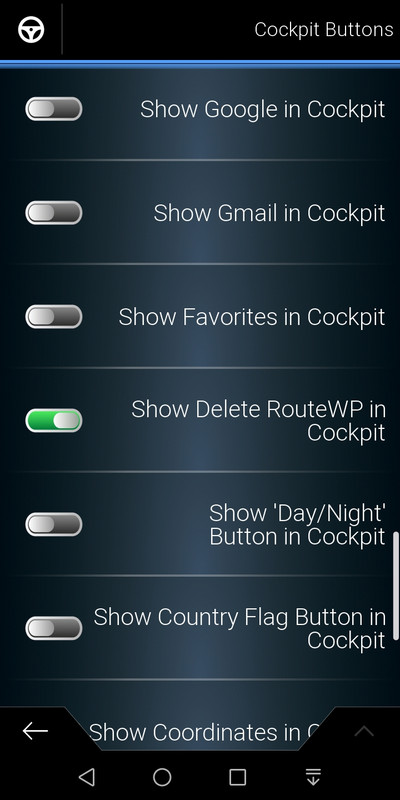

 Reply With Quote
The button only appears on the cockpit if a route has been created.
Welcome guest, is this your first visit? Click the "Create Account" button now to join.


Results 11 to 17 of 17
-
30th May 2020, 11:13 AM #11Master


- Join Date
- Jul 2017
- Location
- IL
- Posts
- 847
- Rep Power
- 307

@jorgeultra
Thank You.
Done but, the button_deleteroutewp "refuses to appear" in the Cockpit.
Spoiler: button_deleteroutewp
-
30th May 2020, 11:23 AM #12Master


- Join Date
- Apr 2016
- Location
- Rio de Janeiro
- Posts
- 476
- Rep Power
- 762
-
30th May 2020, 11:44 AM #13Master
- Join Date
- Jul 2017
- Location
- IL
- Posts
- 847
- Rep Power
- 307
@jorgeultra
Thank you so much. You made me happy.
Spoiler: Happy to...Last edited by kwbs; 15th August 2020 at 09:16 AM.
-
30th May 2020, 02:26 PM #14Pro-Member


- Join Date
- Dec 2017
- Location
- Austria
- Posts
- 213
- Rep Power
- 20
Unfortunately not for me. Tested several times. But not a big deal... Originally Posted by kwbs

Last edited by userninenine; 30th May 2020 at 02:49 PM.
-
13th July 2020, 08:29 AM #15Master
- Join Date
- Jul 2017
- Location
- IL
- Posts
- 847
- Rep Power
- 307
Good day to you too @jorgeultra
It's about button_deleteroutewp.
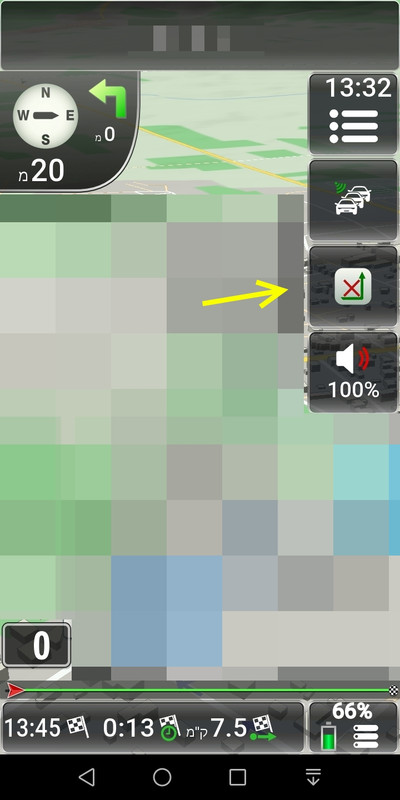
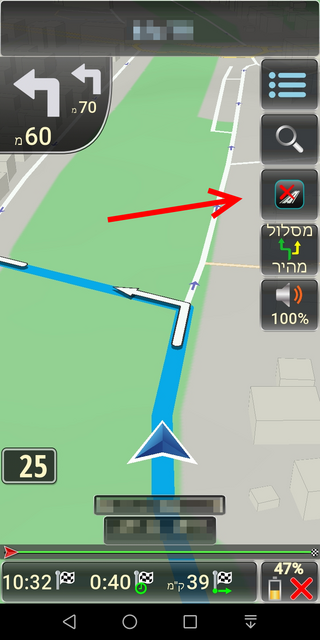
The "route delete" button functions OK in navigation screen BUT, it appears that it does not function at all in simulation screen.
Spoiler: "route delete" button in simulation screen
Can it be fixed please? Or, can it be removed only from the simulation screen?
Thank YouLast edited by kwbs; 13th July 2020 at 09:50 AM.
-
13th July 2020, 03:21 PM #16Master
- Join Date
- Apr 2016
- Location
- Rio de Janeiro
- Posts
- 476
- Rep Power
- 762
I don't write codes.
I imagine that the likely author (cam1981) of this ux had some special reason for not providing what you want.
But if you click on the X in the Menu Button in a few seconds, you will be returned to the cockpit and then you can delete the route.
-
13th July 2020, 03:45 PM #17Master
- Join Date
- Jul 2017
- Location
- IL
- Posts
- 847
- Rep Power
- 307
Indeed it is. Thank you. Originally Posted by jorgeultra


Bookmarks