
 Likes:
 Reply With Quote
Originally Posted by Boki_Srb

Thanks Boki_Srb
I installed the application in multimedia device with 1024 * 600 resolution.
As you mentioned in the 9th message, 1024 * 600 resolution devices are problematic for iGO primo. Nextgen versions are running smoothly.
However, iGO Primo is faster than nextgen versions and has a simpler interface. That is why it is preferred.
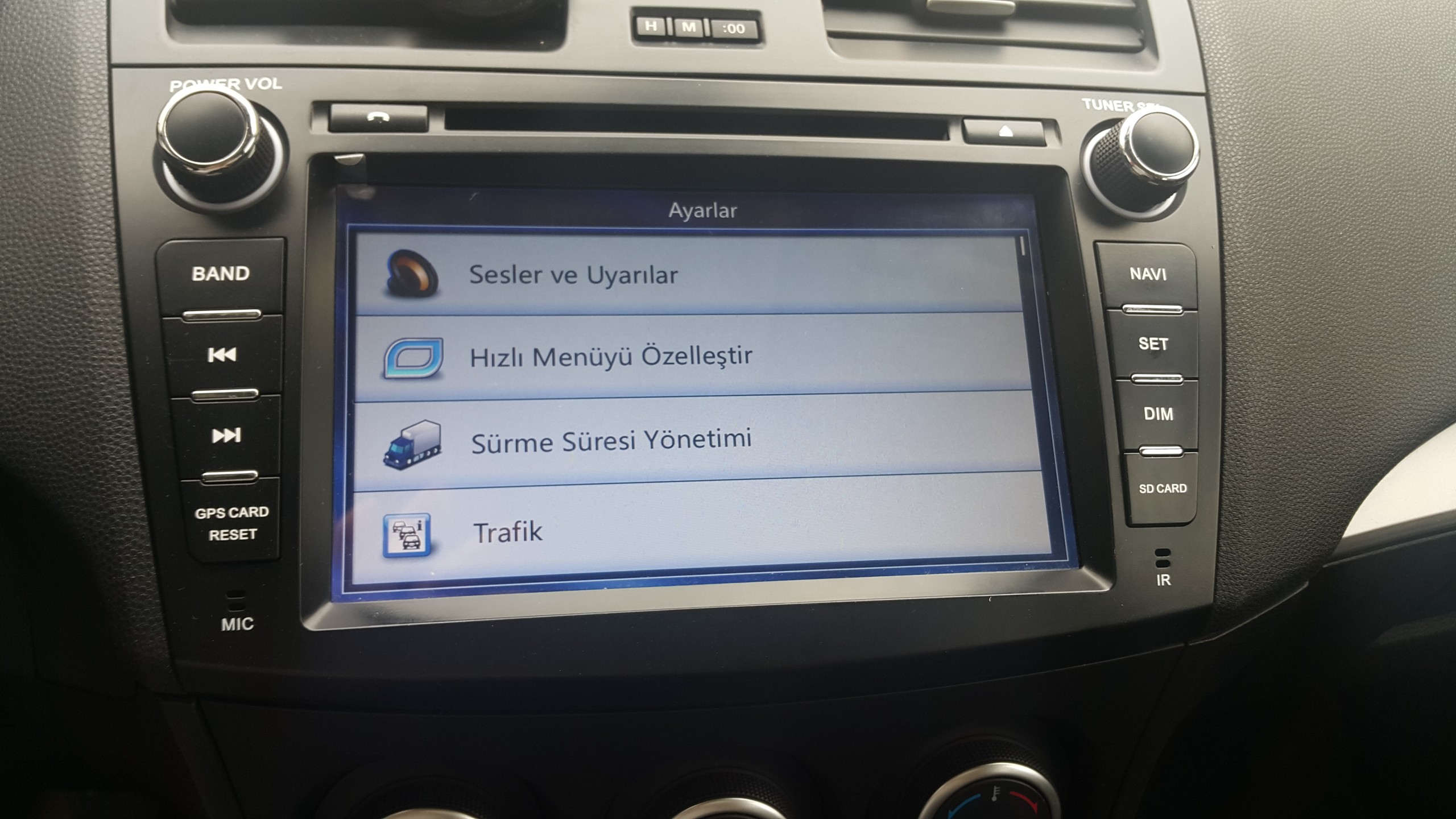
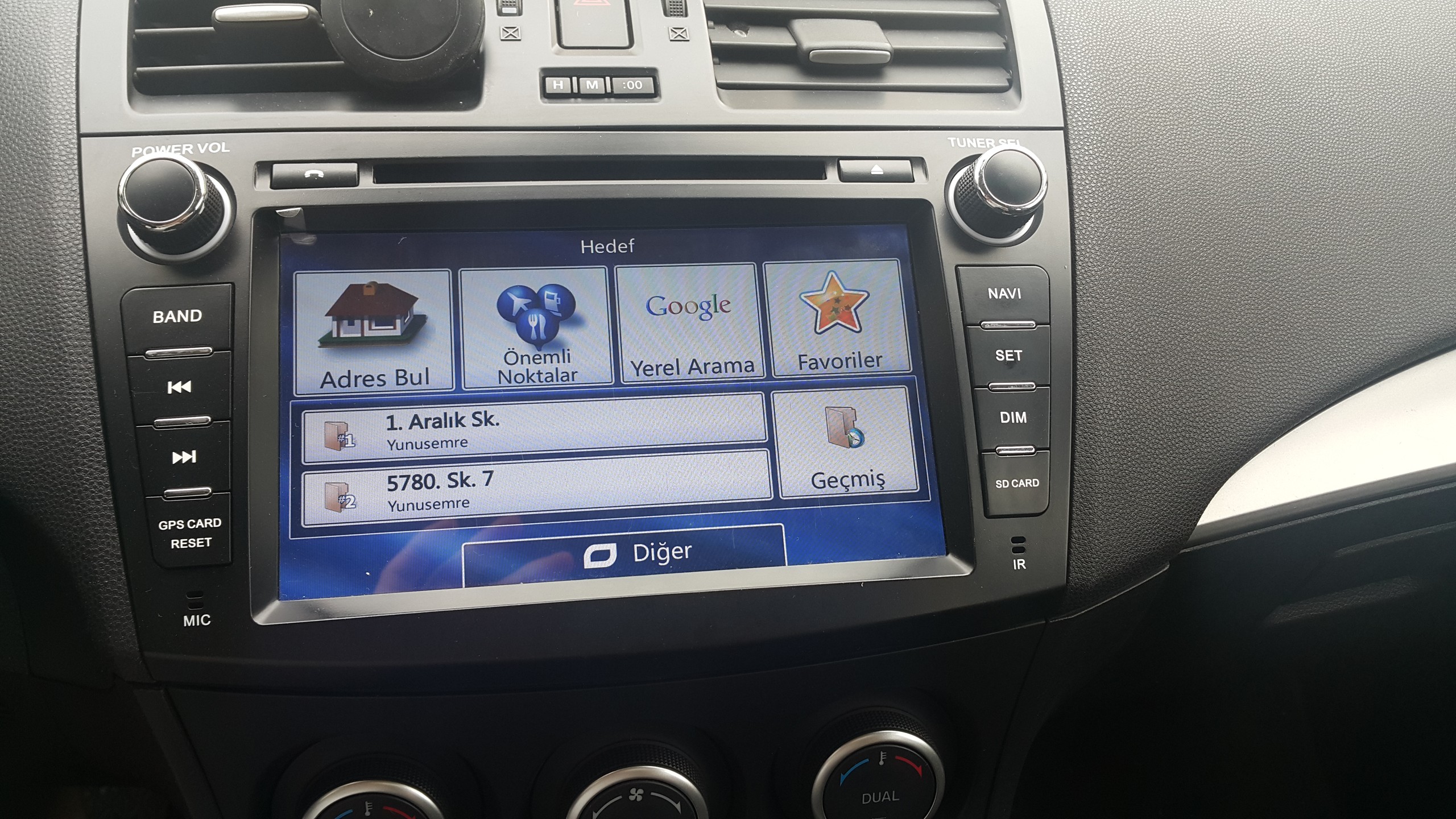
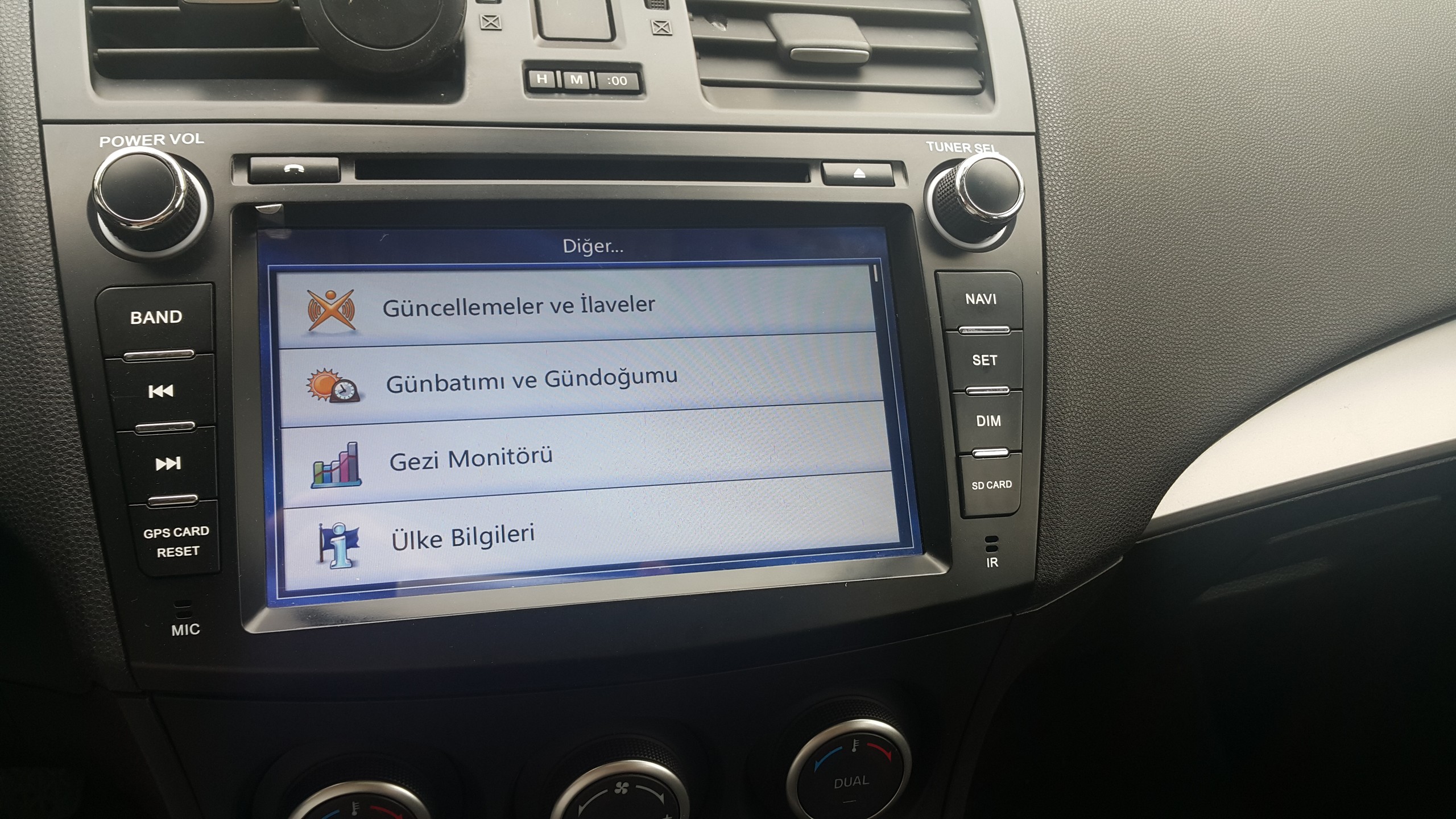
As shown in the following illustrations, the application is not fully seated.
The forward and backward direction keys are disappearing.
I would like to ask sys.txt or multimod.ini for the settings that need to be done in order for the application to fit on the screen.
Spoiler: pics
Welcome guest, is this your first visit? Click the "Create Account" button now to join.


Results 11 to 20 of 42
-
6th January 2018, 09:20 PM #11Master



- Join Date
- Sep 2015
- Location
- Athens Greece
- Posts
- 413
- Rep Power
- 1381

no my friend...just put only the multimode.ini without folder...
like as data.zip is the same folder-files structure....
Spoiler: imgLast edited by modemakias; 10th May 2018 at 08:38 PM.
-
1st May 2018, 09:42 AM #12Member +


- Join Date
- Apr 2017
- Location
- Turkey
- Posts
- 30
- Rep Power
- 0
Last edited by Boki; 2nd May 2018 at 07:29 PM.
-
2nd May 2018, 10:27 AM #13Global Moderator


- Join Date
- Aug 2009
- Location
- EU
- Posts
- 1,117
- Rep Power
- 3257
There is no simple answer.
You can find thread dedicated completely to problems with this resolution.
Use "search" button
-
18th September 2019, 11:41 PM #14Junior Member
- Join Date
- Sep 2019
- Location
- france
- Posts
- 1
- Rep Power
- 0
hello Boki_Srb can you ofer another link to download the application i have pasat android car and cherch for application gps
thankyou
-
19th September 2019, 06:07 AM #15iGO Enthusiast


- Join Date
- Jun 2014
- Location
- Niš
- Age
- 54
- Posts
- 7,231
- Rep Power
- 4867
Download is working perfect. If your national provider or country policy block link, then use some VPN service, and Opera or Tor for download.
-
25th October 2019, 10:23 AM #16Master


- Join Date
- Aug 2011
- Location
- Republic of Macedonia
- Posts
- 310
- Rep Power
- 997
I'm trying to install this version on Pumpkin device with Android 5.1.1 and 1024*600 resolution, when app starts for the first time I'm choosing language, for log collection I choose NO, configuration wizard I choose next and after that black screen and nothing happens.
What can cause this problem?MGU ID7 / ID8 Remotely
NBT EVO Apple CarPlay Full Screen, Navigation, Video in Motion, SSH, CP
EntryNav EVO Apple CarPlay, Navigation, CP, SSH, full FSC Pack
BMW FSC Retrofit CIC/NBT/EVO
8HP ISN Reset F Series Remote
-
25th October 2019, 10:34 AM #17iGO Enthusiast
- Join Date
- Jun 2014
- Location
- Niš
- Age
- 54
- Posts
- 7,231
- Rep Power
- 4867
Hardly anyone can know, you're in front of the device

And when describing the problem you have to give details of the setup, did you add something, change, what content ... etc.
The [Only registered and activated users can see links. ] is not here for decoration
And since the device is relatively new, I recommend using Nextgen.
-
25th October 2019, 11:18 AM #18Master
- Join Date
- Aug 2011
- Location
- Republic of Macedonia
- Posts
- 310
- Rep Power
- 997
No changes at all, downloaded from the first post and copy folder iGO to the root of the 8 GB SD card.
Maps are Q2.2019, speed cameras from this thread Europe Speedcams from SCDB, device is Pumpkin with Android 5.1.1 and 1024*600 resolution, when app starts for the first time I'm choosing language, for log collection I choose NO, configuration wizard I choose next and after that black screen and nothing happens.MGU ID7 / ID8 Remotely
NBT EVO Apple CarPlay Full Screen, Navigation, Video in Motion, SSH, CP
EntryNav EVO Apple CarPlay, Navigation, CP, SSH, full FSC Pack
BMW FSC Retrofit CIC/NBT/EVO
8HP ISN Reset F Series Remote
-
25th October 2019, 11:30 AM #19iGO Enthusiast
- Join Date
- Jun 2014
- Location
- Niš
- Age
- 54
- Posts
- 7,231
- Rep Power
- 4867
-
25th October 2019, 11:43 AM #20Master
- Join Date
- Aug 2011
- Location
- Republic of Macedonia
- Posts
- 310
- Rep Power
- 997
Original languages and voice files from your link in first post, I have tried to set English, Croatian and Serbian languages and always facing with black screen.
One and only change is in sys.txt, I have added only this from the third post:
[rawdisplay]
force_renderer="RENDER_MOYA"
driver=engine
screen_xy="auto"
With this change application starts and came to configuration wizard.MGU ID7 / ID8 Remotely
NBT EVO Apple CarPlay Full Screen, Navigation, Video in Motion, SSH, CP
EntryNav EVO Apple CarPlay, Navigation, CP, SSH, full FSC Pack
BMW FSC Retrofit CIC/NBT/EVO
8HP ISN Reset F Series Remote



Bookmarks