
 Likes: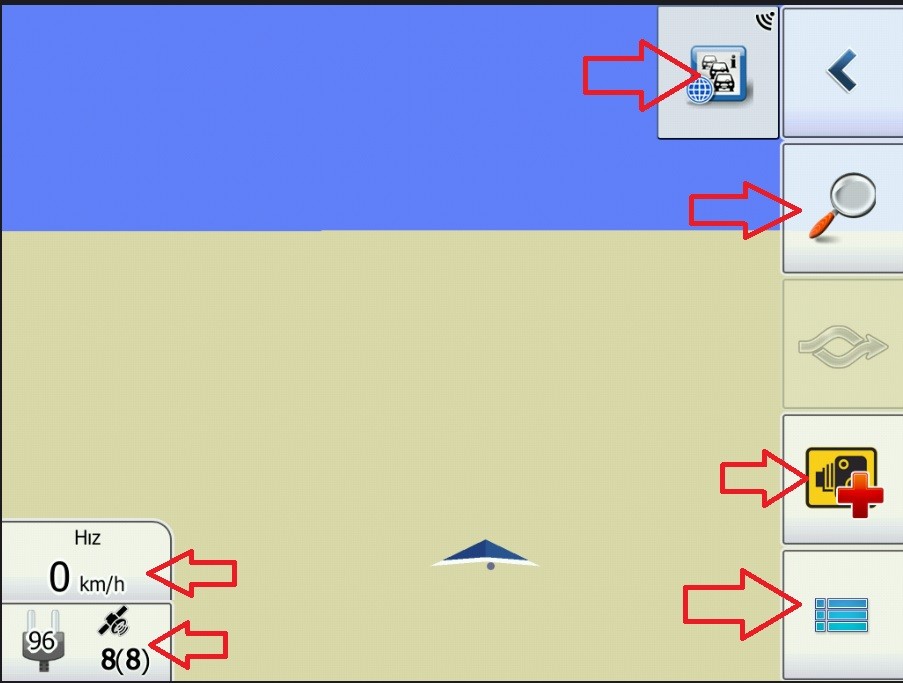

 Reply With Quote
As Primo is using bitmap images to create picture on screen, only way is to force it to use lower resolution skin which is using smaller images.
You can do it in file multimode.ini which is in folder ui_android inside of data.zip file.
This must be changed to force program to use smaller resolution than it is by default, but that doesn't guarantee that something else will not be messed up (too small).Code:Please Login or Register to see the links
Try and test is best method.
It is discussed and described many times on forum how to change those parameters, please use search.
Welcome guest, is this your first visit? Click the "Create Account" button now to join.


Results 1 to 10 of 17
Thread: iGO primo resolution setting?
-
9th September 2017, 10:41 PM #1Member


- Join Date
- Mar 2016
- Location
- Earth
- Posts
- 15
- Rep Power
- 0
 iGO primo resolution setting?
Hello
I have a question I want to ask,
I used many versions of iGO.
nextgen is pretty nice, but i love primo more.
I just want to ask, I think the only thing that's missing is primo.
Spoiler: İgo Primo
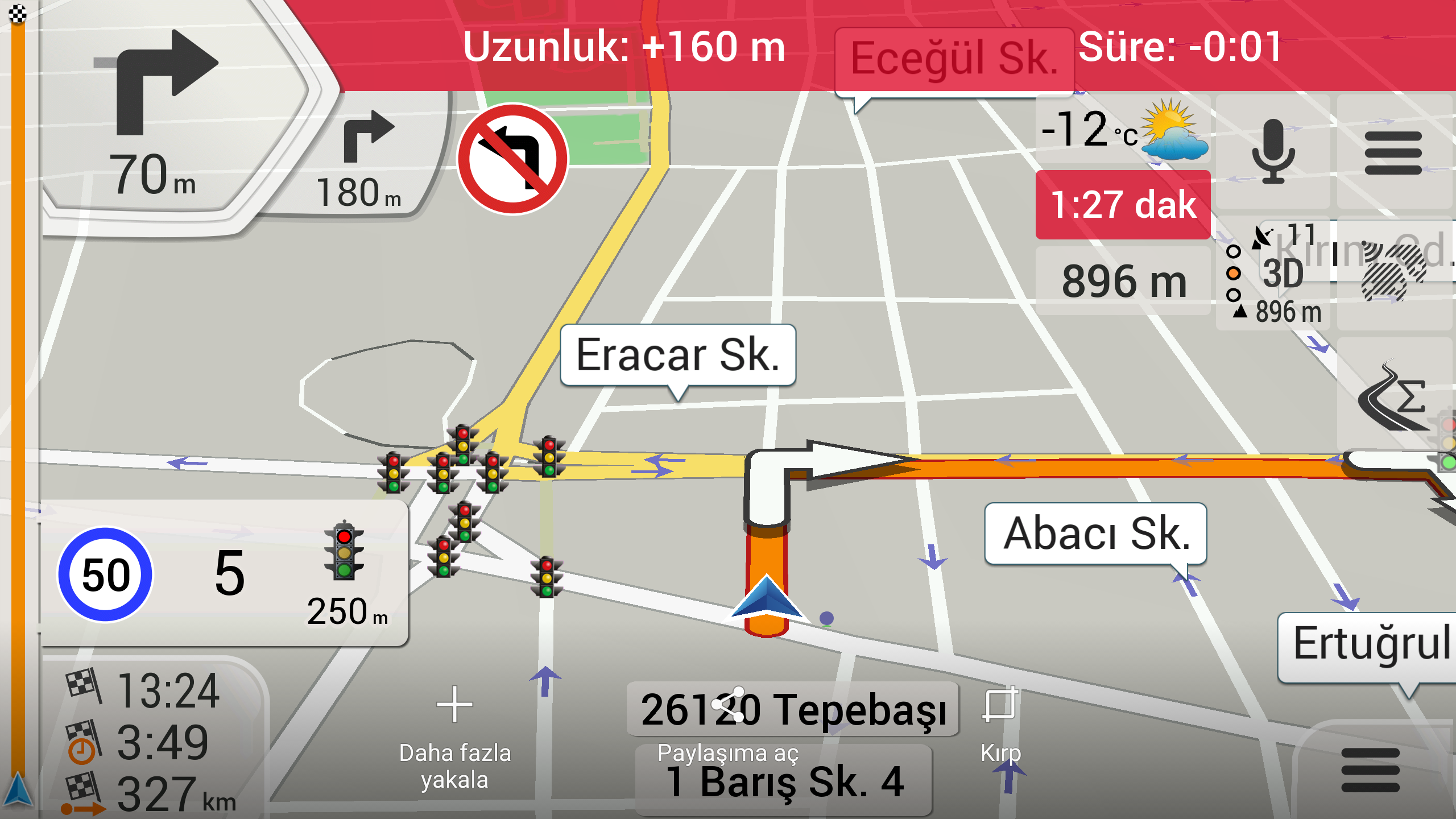
Is there any way to downsize the buttons in primo?
Smaller buttons, letters, icons, like in Nextgen ...
In short, like NextGen, is it possible to make it look more polite and elegant?
Spoiler: İgo Nextgen
I have tried the sys.txt file, but it did not.
I changed the dpi settings, did not happen.
If you help in this matter, I am very happy.
Thank you..

Last edited by openstar; 9th September 2017 at 10:53 PM.
-
10th September 2017, 06:36 AM #2Global Moderator


- Join Date
- Aug 2009
- Location
- EU
- Posts
- 1,117
- Rep Power
- 3257

-
10th September 2017, 10:14 AM #3Member
- Join Date
- Mar 2016
- Location
- Earth
- Posts
- 15
- Rep Power
- 0
Thank you soo much..
I know that. But I do not know how to do it. When I change multimode.ini, iGO primo does not open. The resolution of my device is 1024x600.
-
10th September 2017, 01:58 PM #4Global Moderator
- Join Date
- Aug 2009
- Location
- EU
- Posts
- 1,117
- Rep Power
- 3257
1024x600 was critical information needed to get useful answer, missing in your first post

That is "tricky" resolution
Try with this modified version:
It will force device to work with 800x480 instead of 1024x768 (default for landscape)Code:Please Login or Register to see the links
BTW, it was discussed many times on forum, and answered by Boki, wojpen, me and others many times.Last edited by Midnight Blues; 10th September 2017 at 02:09 PM.
-
10th September 2017, 02:52 PM #5Member
- Join Date
- Mar 2016
- Location
- Earth
- Posts
- 15
- Rep Power
- 0
user interface resolution 1024x600 is not supported or compatible skin can not be found
it does not open with this error..
-
10th September 2017, 03:14 PM #6Global Moderator
- Join Date
- Aug 2009
- Location
- EU
- Posts
- 1,117
- Rep Power
- 3257
Do you have 800_480 folder in ui_android folder of data.zip?
If yes, then this one must work (i hope):
BTW, no need for red bold letters, I can read normalCode:Please Login or Register to see the links
Last edited by Midnight Blues; 10th September 2017 at 03:18 PM.
-
10th September 2017, 04:46 PM #7Member
- Join Date
- Mar 2016
- Location
- Earth
- Posts
- 15
- Rep Power
- 0
"iGO stops" error..
Within the "ux android" folder, one
More multimode.ini file is available. can it stem from it?
When I wiped it, it did not open again.
-
10th September 2017, 05:13 PM #8Master


- Join Date
- Sep 2015
- Location
- Athens Greece
- Posts
- 413
- Rep Power
- 1381
Hello...
update your post with the content from second multimode...
delete save folder from iGO base folder...
and from android settings -> app manager -> iGO -> force stop and clear cache mem
but if you change multimode.ini within data.zip remove the second...Last edited by modemakias; 10th September 2017 at 05:19 PM.
-
10th September 2017, 06:17 PM #9Member
- Join Date
- Mar 2016
- Location
- Earth
- Posts
- 15
- Rep Power
- 0
No, it does not.

Last edited by openstar; 10th September 2017 at 06:20 PM.
-
10th September 2017, 06:42 PM #10Important User


- Join Date
- Apr 2012
- Location
- Darkside of the Moon
- Posts
- 2,849
- Rep Power
- 1398
It would be easier, if you just post data.zip and any files under .../content/skin directory.
Do not PM me with questions. That's what a forum is for.
Advertissements



Powered by vBulletin
Copyright © 2026 vBulletin Solutions, Inc. All rights reserved.
Copyright © 2026 vBulletin Solutions, Inc. All rights reserved.
All times are GMT +1. The time now is 03:05 AM.
Bookmarks