Have you copied the contents of the "save_TMC_Weather" folder to the correct location?
For me, meteo don't work. I use last version posted here without modifications.
Have you copied the contents of the "save_TMC_Weather" folder to the correct location?
I think they'll fix the bug in this week's update.
Last edited by Papp G; 23rd February 2025 at 12:34 PM.
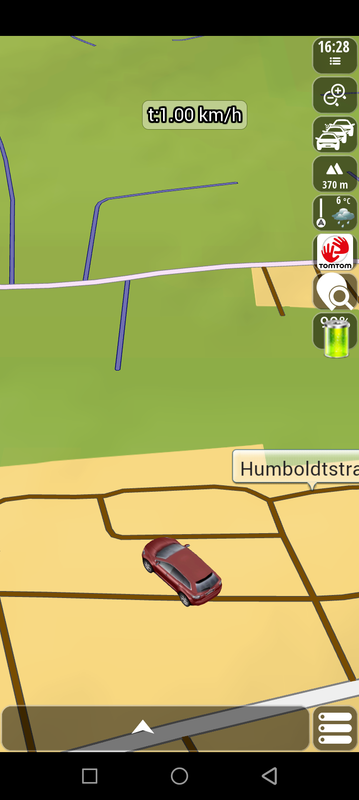
I only noticed this in practice. For those who use trucks, it does not show overtaking prohibition warnings.
Spoiler: [only not truck
Last edited by Mayhom; 13th February 2025 at 11:20 PM.
The king of European Roads


I read at the beginning; Basar has no Truck support 🤔
Last edited by rondoan; 14th February 2025 at 10:29 AM.
---
ex calipoint say: my Knowledge of today is what I read yesterday 🧐😉

if you use TomTom maps, we won't see these signs. you only have the option to set warnings/road signs
In fact, if you insert the appropriate FTR files and set up the software, the TT maps also show truck warnings and restrictions. Some restrictions are already built into them
But, as colleague @rondoan pointed out - Basar has no Truck support, the big question is whether any of the 64bit apks have it at all
We need one of the colleagues who modified the apk to confirm if appropriate modules exist
But, given the lack of licenses, it may be pointless to use it for that purpose
Hi!
This version is a full-fledged truck navigation!
When used with the right settings and components, it plans well!
From the 64bit versions, Avic, World and Basar are suitable for truck navigation!
Spoiler: screenshot
Spoiler: screenshot
Spoiler: screenshot
I agree with segaal. I am not a truck driver, so maybe I don't understand something, but Avic 9.35 has settings for truck. Dimensions, load that carries etc.
Also there are licenses for ftr files.
Is there something more needed?
Last edited by AnthonyGreek; 14th February 2025 at 09:38 AM.
Bookmarks