
 Likes:
 Reply With Quote
SOUTH AMERICA DOES NOT WORK
TNK!...
Welcome guest, is this your first visit? Click the "Create Account" button now to join.


Results 1 to 10 of 40
-
12th January 2019, 07:55 AM #1Member


- Join Date
- Nov 2012
- Location
- Romania
- Posts
- 28
- Rep Power
- 298
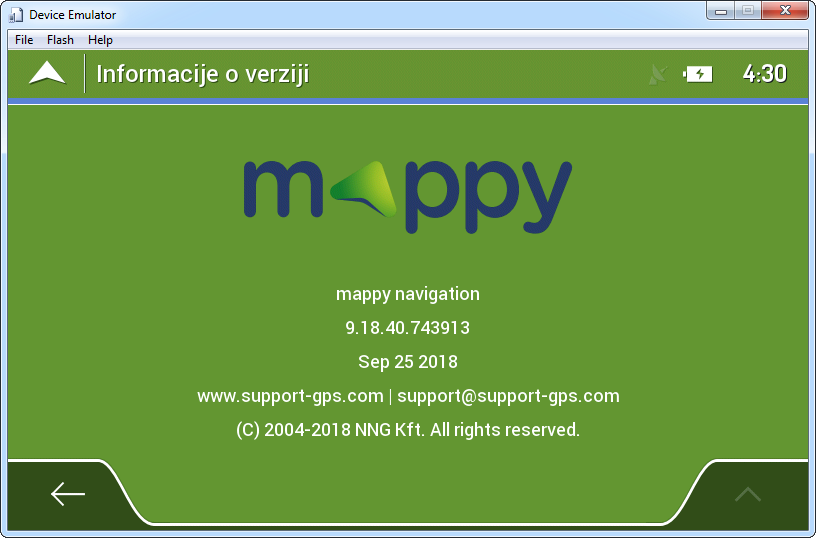
 Nextgen 9.18.40.743913 - Mappy, 25 Sep. 2018
Nextgen 9.18.40.743913 - Mappy, 25 Sep. 2018
Spoiler: download
Treated (with iGO NextGen WinCE patcher).
TTS is working.

link renewed
-
12th January 2019, 05:33 PM #2Member +


- Join Date
- Apr 2009
- Location
- ARGENTINA
- Age
- 55
- Posts
- 62
- Rep Power
- 0
-
12th January 2019, 07:32 PM #3iGO Enthusiast


- Join Date
- Jun 2014
- Location
- Niš
- Age
- 54
- Posts
- 7,141
- Rep Power
- 4807
What is not clear?

For every WinCE NextGen you must have proper licenses. That's how it was and will be.
Everything other is OK
Spoiler: screenshots
and...Spoiler: germany is too big, must be single
-
16th April 2019, 10:31 PM #4Junior Member
- Join Date
- Mar 2016
- Location
- Austria
- Posts
- 7
- Rep Power
- 0
@Boki_Srb:
How did you make this working within CE-Emulator? I only get tons of crashes. I stripped to one lang-file, one voice, no tts, latest global_cfg, one car, one map (Andorra), no poi/dem/...
I Tried 4 different WinCE6-bin-images, 256MB, but nothing works.
Did you deactivate uxs?
-
17th April 2019, 06:08 AM #5iGO Enthusiast
- Join Date
- Jun 2014
- Location
- Niš
- Age
- 54
- Posts
- 7,141
- Rep Power
- 4807
-
17th April 2019, 04:44 PM #6Junior Member
- Join Date
- Jun 2015
- Location
- DK
- Posts
- 3
- Rep Power
- 0
very nice nextgen!!
But after 20 minutes, i get this error:
"REPOSITORY: (OASIS_SQLITE) not freed properly refcnt:1"
Anyone else getting that error?
Kind regards Torben5247
-
17th April 2019, 05:27 PM #7iGO Enthusiast
- Join Date
- Jun 2014
- Location
- Niš
- Age
- 54
- Posts
- 7,141
- Rep Power
- 4807
Last edited by Boki; 17th April 2019 at 05:33 PM.
-
17th April 2019, 08:19 PM #8Member
- Join Date
- Jul 2015
- Location
- Hungary
- Posts
- 9
- Rep Power
- 0
Hello! I have a problem with this program. I can't set the "dpi" to 240. When I make this, the keyboard for searching is empty. Only with dpi=180 is OK. But the map and the street name is too small with 180 dpi. Is much better 240. I have a chinese 1 din head 800x480. Is some solution for?
-
17th April 2019, 08:33 PM #9iGO Enthusiast
- Join Date
- Jun 2014
- Location
- Niš
- Age
- 54
- Posts
- 7,141
- Rep Power
- 4807
Emulator has max res 800x480 and I don't see any problems
Btw, your assumption and values are wrong. When you write higher dpi value, it is actually much smaller details.
Lower dpi values make picture much bigger > extends beyond the screen...
Write this in sys:
[rawdisplay]
driver="GDI"
dpi=280
screen_x=800
screen_y=480
You can also play with base_dpi parameter.
Example:
For 1024x600, values are
[rawdisplay]
dpi=300
base_dpi=240
For 1280x1200
[rawdisplay]
dpi=380
base_dpi=280
etc...Last edited by Boki; 17th April 2019 at 08:43 PM.
-
17th April 2019, 08:55 PM #10Member
- Join Date
- Jul 2015
- Location
- Hungary
- Posts
- 9
- Rep Power
- 0
Thank You Boki!
I have in the sys:
[rawdisplay]
driver="GDI"
dpi=240
screen_x=800
screen_y=480
but whit dpi 240 the keyboard is empty. Only with 180 is ok.



Bookmarks