
 Likes:


As promissed here it is...
iGO_PAL - All configured
PW: noskin
This version is made so people can just add their map files and run it. It has been tested. I tried to make changes that will improve overall driving experience. My moto is to minimize graphics change. I am against any big change related to original skin. I did only what I found to be necessary based on user experience.
Spoiler: click to expand
Spoiler: click to expand
Spoiler: click to expand
Spoiler: click to expand
Spoiler: click to expand
Spoiler: click to expand
First of all this is based on the OP. It it is still iGO_PAL with minor changes under the hood. I will list what I did so that before any of you decide to try it you can see what is new there.
CHANGES:
- Increased ETA BAR Font
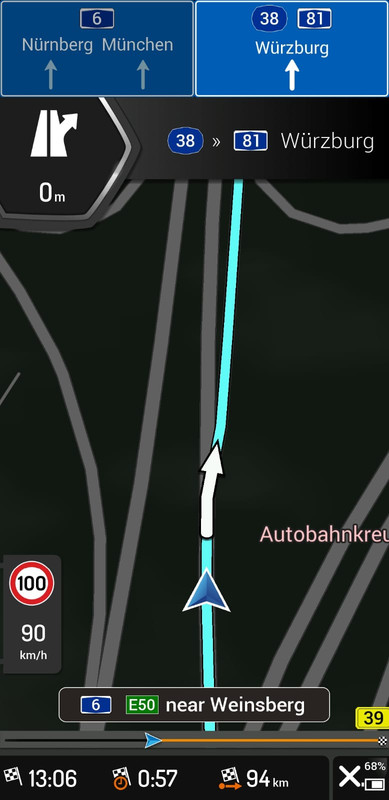
My problem was that the default font was always a bit small. I believe any of us keeps their phone 50 to 70cm far from your face. It makes reading ETA and other data a bit difficult for older drivers or people with poor sight. For that reason I decided to increase the font size.
- 2D view at every turn or intersection
Awesome, absolutely awesome feature done by TomTom and Pongo skinners. At every turn or intersection this version ZOOMS IN and changes from 3d to 2d view. It helps a great deal when we enter a difficult intersection or Turn.
- Clock font increased
I enabled the clock in the right corner but by default it was small and hard to read, no it is bigger and easier to read.
- Changed default scheme road color
I tried many options but I was driving with a friend of mine in his FORD KUGA and I fell in love with his navigation NIGHT scheme so I decided to changed mine to look like.
Daily scheme - changed default road color to match blue signpost so it can easily seen and still non invasive. I always use default scheme no extra.
- Minor Speedcam settings change
I set it to notify 2km ahead and to beep every 500m. Some highway speedcams can catch up to 1800m so I decided to prevent possible fines.
- IMEI hidden
For all kinds of reasons it is better to have IMEI hidden, so I did. Inside this sys IMEI protect command is there.
- Geotagg photos
You can use your GeoTag photos as a favorite
- GPS signal lost
This audio warning is disabled
- Roundabout camera disabled
Since we have a 2d view this useless feature has been disabled
- Itiner removed
The moment we reach our destination our navigation finishes navigating. I find it useful especially if we have to make a turn than it keeps saying..recalculation etc. This way is better.
This version has been tested for a long time. ENjoy it.
This post requires you to click the "LIKE this post" button and hit F5 to read this content.
Welcome guest, is this your first visit? Click the "Create Account" button now to join.


Results 51 to 60 of 245
Hybrid View
-
18th December 2018, 12:47 PM #1Master


- Join Date
- Jul 2015
- Location
- Near you
- Posts
- 613
- Rep Power
- 316

Last edited by Texas; 18th December 2018 at 04:58 PM.
NOTICE: By no means I advise installing illegal software nor I support such actions. This is just for EDUCATIONAL PURPOSES. Please use my post in order to understand or learn something new. I am a proud owner of LICENSED NAVIGATION but just to satisfy my curiosity I test, read and research. Sharing illegal material is against the law.
-
20th December 2018, 12:37 PM #2Member +

- Join Date
- Mar 2017
- Location
- Australia
- Posts
- 53
- Rep Power
- 11
I have downloaded this and installed it.
This is not IGO PAL,
or if you call this Pal it is very different, looks more like Igo Israel with skin Pongo
-
20th December 2019, 11:53 PM #3Member +
- Join Date
- Aug 2012
- Location
- Germany
- Age
- 45
- Posts
- 38
- Rep Power
- 17
Hi, can you pls share the new working link pls ? Your download link is expired Originally Posted by Texas

Last edited by Boki; 21st December 2019 at 09:25 AM. Reason: quote shortened
-
20th December 2018, 03:57 PM #4Master

- Join Date
- Mar 2013
- Location
- Blath
- Posts
- 285
- Rep Power
- 71
This skin pack does not display the clock in the corner as per the images in post #27, see picture below;
Spoiler: click to expand
-
20th December 2018, 04:06 PM #5Master
- Join Date
- Jul 2015
- Location
- Near you
- Posts
- 613
- Rep Power
- 316
Pongo has nothing to do with this version. I only changed some .css files and minor sys changes.
It is iGO_Pal and you have.probably never seen pongo skin otherwise you would not compare this to it. Pongo is so much colorful and changed.you cannot.tell.if it is iGO anymore.
Try OP and you will.see no difference.
Hmm this clock thing is confusing hmm. Did you use.mine sys or you did something?
[interface]
show_time_in_title=1
Sent from my SM-N950F using TapatalkNOTICE: By no means I advise installing illegal software nor I support such actions. This is just for EDUCATIONAL PURPOSES. Please use my post in order to understand or learn something new. I am a proud owner of LICENSED NAVIGATION but just to satisfy my curiosity I test, read and research. Sharing illegal material is against the law.
-
20th December 2018, 04:56 PM #6Master
- Join Date
- Mar 2013
- Location
- Blath
- Posts
- 285
- Rep Power
- 71
I used my own sys.txt and did not have this line in the sys.txt, with this line added the clock is now displayed, thank you for this information. Originally Posted by Texas
-
21st December 2018, 11:31 AM #7Member +
- Join Date
- Mar 2017
- Location
- Australia
- Posts
- 53
- Rep Power
- 11
OK if you say so it is Pal. Originally Posted by Texas
Pal that I have installed earlier starting skin or logo was different than this one.
I have installed your version of Pal and the resolution is so small for me an old man nearly 70 yo.
any way to increase the resolution?
Also navi volume is set at high but it is not high enough.
I have played around with car settings volume to high,
also navi volume is high as well but still sound is low.
any way to make volume higher?
-
21st December 2018, 11:59 AM #8Master
- Join Date
- Jul 2015
- Location
- Near you
- Posts
- 613
- Rep Power
- 316
As for the Sound - Go to
Settings
Volume
and check equalizers...
Screen resolution is set to auto in my case. In Your case you have to play with screen settings.
You have to play with DPI...
First of all disable
[rawdisplay]
screen_xy="auto
by putting ; in front of screen so it looks.like this
[rawdisplay]
;screen_xy="auto
; is on/off switch
In your sys file play with it. Try different.
dpi=640 is in my (Note 8) for your device try something else. Keep increasing or decreasing by 40
Here you have four different options
[rawdisplay]
dpi = 640
base_dpi = 240
[rawdisplay]
dpi = 640
base_dpi = 320
[rawdisplay]
dpi = 480
base_dpi = 240
[rawdisplay]
dpi = 320
base_dpi = 120
Sent from my SM-N950F using TapatalkNOTICE: By no means I advise installing illegal software nor I support such actions. This is just for EDUCATIONAL PURPOSES. Please use my post in order to understand or learn something new. I am a proud owner of LICENSED NAVIGATION but just to satisfy my curiosity I test, read and research. Sharing illegal material is against the law.
-
22nd December 2018, 12:22 PM #9Member +
- Join Date
- Mar 2017
- Location
- Australia
- Posts
- 53
- Rep Power
- 11
Thank you,
I shall try in the morning
I have tried every solution you gave me here but still can't get the resolution any bigger.
doesn't matter about the resolution, I am happy the way it is,
Problem is I don't get speed cameras and overspeed spoken warnings, All I get is a Red overspeed showing bu not spoken and does not warn me of coming cameras. The most important things, cameras and overspeed not spoken warnings.
my unit is as below
8-Core Android 8.1 double 2din Car stereo GPS Player DAB+ WiFi DVR DVB-T TPMS 4GLast edited by Salimismail; 23rd December 2018 at 10:08 AM.
-
27th December 2018, 11:27 AM #10Member +
- Join Date
- Mar 2017
- Location
- Australia
- Posts
- 53
- Rep Power
- 11
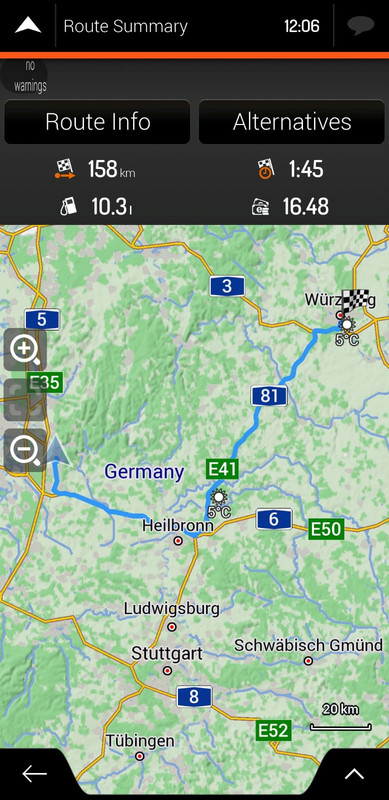
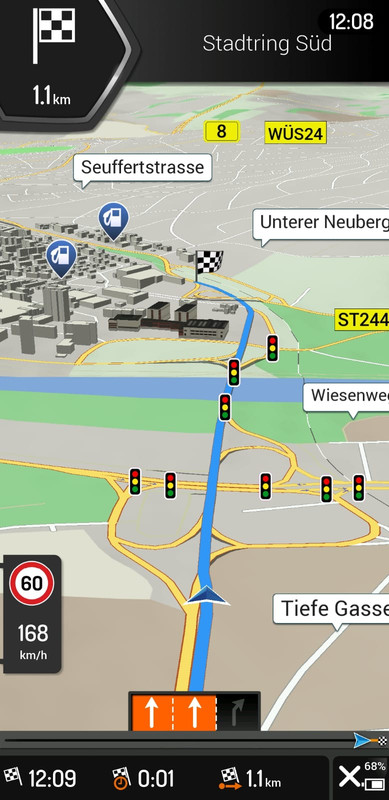
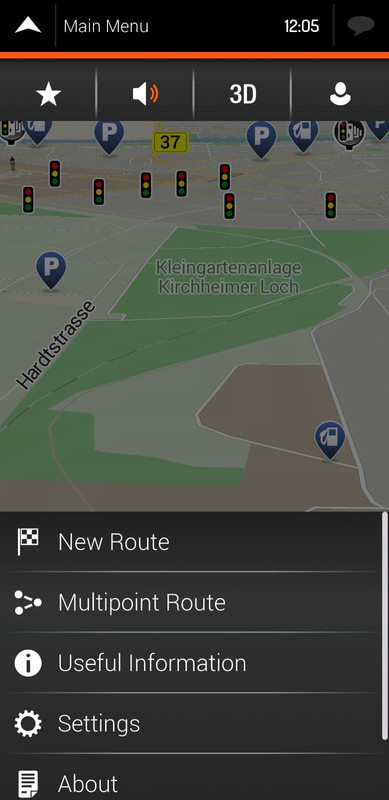
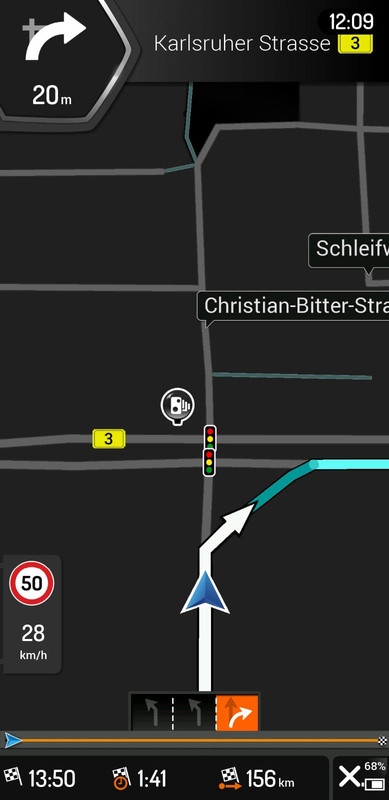
Igo Pal
IGO PAL
Everything works fine except warning,
Overspeed and speed cameras are not warn,
they are shown with red colour but they don' talk to meLast edited by Salimismail; 27th December 2018 at 11:48 AM.


 Reply With Quote


Bookmarks