Welcome guest, is this your first visit? Click the "Create Account" button now to join.

Page 7 of 8 FirstFirst ... 5678 LastLast
Results 61 to 70 of 75
  1. #61
    Junior Member
    Join Date
    Sep 2025
    Location
    france
    Posts
    8
    Rep Power
    0

    Default

    I see the image perfectly at home! I didn't know that in 2026 we had to know how to take a screenshot!
    Good day

  2.    Advertissements


  3. #62
    Master
    Join Date
    Mar 2017
    Location
    Germany
    Posts
    1,053
    Rep Power
    907

    Default

    Getting offended doesn't help anyone... 😒
    Why not try, after clearing *both* the cache and data in the app manager, using the 64bit skin by @wal24 that's based on the Pongo skin
    [OT]
    I recall an acquaintance who had a Lenovo tablet, used solely for navigation, where a lot of things just wouldn't work as configured; it was a bizarre device somehow...
    He gave up on it and bought a Samsung tablet; everything works perfectly on that one.
    [/OT]
    ---
    ex calipoint say: my Knowledge of today is what I read yesterday 🧐😉

  4. #63
    Junior Member
    Join Date
    May 2017
    Location
    serbia
    Posts
    5
    Rep Power
    0

    Default

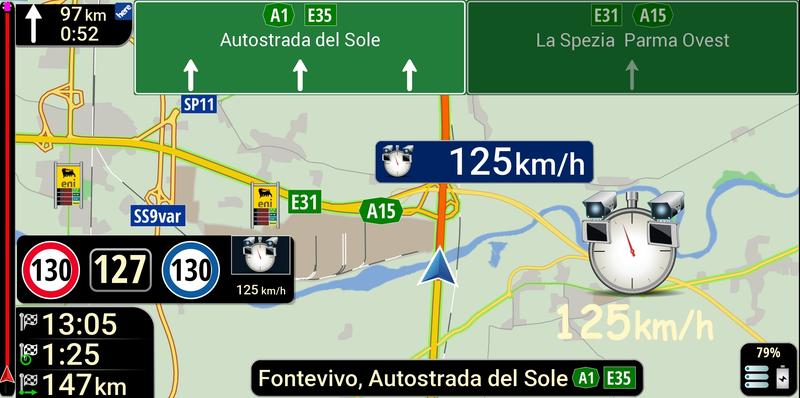
    How do I increase the size of the arrow/car and reduce the thickness of the street. The arrow is small, the street is wide, in the car/arrow settings it is set to 250% and nothing

  5. #64
    Member + Cheldron's Avatar
    Join Date
    Nov 2021
    Location
    Another Side of the Moon
    Age
    71
    Posts
    36
    Rep Power
    19

    Default

    Quote Originally Posted by miledjor View Post
    How do I increase the size of the arrow/car and reduce the thickness of the street. The arrow is small, the street is wide, in the car/arrow settings it is set to 250% and nothing
    1. Try changing the car dimensions here: in the selected file, for example, ...\content\car\Car.zip\info.ini:
    display_scale=130
    map_scale=130
    2. To reduce the street width, try deleting the a_width_road_480.zip file in the folder UX.

  6. #65
    Junior Member
    Join Date
    May 2017
    Location
    serbia
    Posts
    5
    Rep Power
    0

    Default

    nothing happened, I deleted the save. I have some old licenses that I delete, but when I reboot, they come back

  7. #66
    Master
    Join Date
    Mar 2017
    Location
    Germany
    Posts
    1,053
    Rep Power
    907

    Default

    I use the @wal24 (Pongo) skin on my Samsung S21, and under "Standard Car" I can save the arrow in any size; it is displayed accordingly right away 👍
    Road "width" can also be influenced by a scheme.
    ---
    ex calipoint say: my Knowledge of today is what I read yesterday 🧐😉

  8. #67
    Member + Cheldron's Avatar
    Join Date
    Nov 2021
    Location
    Another Side of the Moon
    Age
    71
    Posts
    36
    Rep Power
    19

    Default

    Quote Originally Posted by miledjor View Post
    nothing happened, I deleted the save. I have some old licenses that I delete, but when I reboot, they come back
    How did you determine that the licenses were outdated?
    Don't delete licenses. You are interfering with the program's operation.
    The arrow size and road width are not related to licenses.
    Last edited by Cheldron; 12th July 2026 at 09:08 PM.

  9. #68
    Junior Member
    Join Date
    May 2017
    Location
    serbia
    Posts
    5
    Rep Power
    0

    Default

    Spoiler: =
    [Only registered and activated users can see links. ]


    I use 2025.Q4
    Last edited by Andrey Form; 13th July 2026 at 11:26 AM. Reason: Spoiler added

  10. #69
    Master
    Join Date
    Jan 2016
    Location
    Germany
    Posts
    497
    Rep Power
    893

    Default

    As always, no details about the system.
    Device?
    Android?
    Application?
    Latest Pongo Skin with data.zip, ux, and sys.txt?


    Edit: I don't have any of those problems with iGO Avic and the latest Pongo skin.
    Last edited by Golom; 13th July 2026 at 09:21 AM.

  11. #70
    Member + Cheldron's Avatar
    Join Date
    Nov 2021
    Location
    Another Side of the Moon
    Age
    71
    Posts
    36
    Rep Power
    19

    Default

    @miledjor
    Add to sys.txt section:

    [device]
    type="android"
    device_nng_path_primary=""
    device_nng_path_secondary_disable=1

    And delete device.nng in to License.
    Install this APK [Only registered and activated users can see links. ]

    P.S. We are waiting for the test results.
    Last edited by Cheldron; 13th July 2026 at 12:26 PM.


Bookmarks

Posting Permissions

  • You may not post new threads
  • You may not post replies
  • You may not post attachments
  • You may not edit your posts
  •