
 Likes:
 Reply With Quote
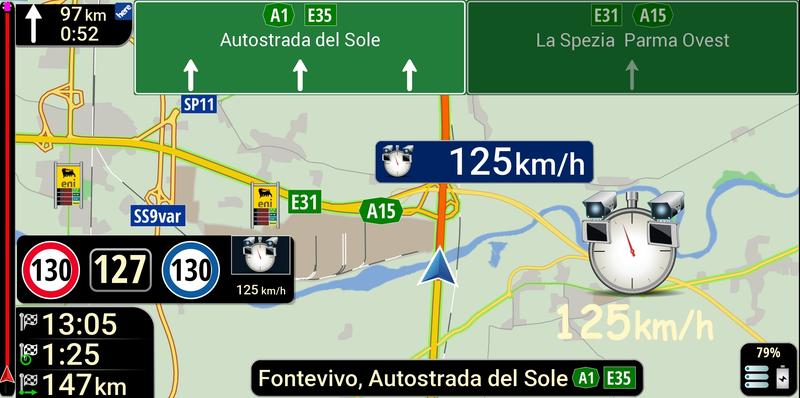
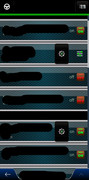
With the new UX 'then_skin_by_pongo', I'm seeing double screenshot icons in the cockpit, and I'm also having problems with the on/off buttons. Can you check? Thanks. Bye.
Spoiler: [url=https://postimg.cc/grwfnYGP
PS: Sorry, the post has been moved to this thread but I was referring to the 'skin nextgen LUNA 32bit by pongo' version.
Welcome guest, is this your first visit? Click the "Create Account" button now to join.


Results 1 to 10 of 84
-
24th July 2025, 11:30 AM #1SUPER MODERATOR


- Join Date
- Oct 2019
- Location
- Belarus
- Posts
- 3,786
- Rep Power
- 2751
 Skin IGO NextGen 64 bit by Pongo (DISCUSSION)
Skin IGO NextGen 64 bit by Pongo (DISCUSSION)
Skin IGO NextGen 64 bit by Pongo (DISCUSSION)
Last edited by Andrey Form; 28th June 2026 at 10:42 AM.

[Only registered and activated users can see links. ]
[Only registered and activated users can see links. ]
[Only registered and activated users can see links. ]
[Only registered and activated users can see links. ]
[Only registered and activated users can see links. ]
[Only registered and activated users can see links. ]
©AF_2020-26
-
30th July 2025, 01:35 PM #2Member

- Join Date
- Mar 2023
- Location
- Roma
- Posts
- 29
- Rep Power
- 4

Last edited by Pensionato; 31st July 2025 at 07:09 PM.
-
30th July 2025, 03:43 PM #3Master


- Join Date
- Mar 2012
- Location
- France
- Age
- 77
- Posts
- 339
- Rep Power
- 294
Hi all
I confirm the two Screenshot icons, also in the 32 bits skin
For your problem with On/Off buttons, perhaps you should try to remove the A_On_Off_Button.zip from the ux folderLast edited by BIBUOT; 30th July 2025 at 03:48 PM.
TANUKI 's Team stay alive in the dark, in the old days was named Dreamteam-DT... my moderator pseudo Bilouteam
-
30th July 2025, 04:01 PM #4SUPER MODERATOR
- Join Date
- Oct 2019
- Location
- Belarus
- Posts
- 3,786
- Rep Power
- 2751
There is advice from @Tajfun
- Remove the plugin from the UX folder - add_buttons.zip
[Only registered and activated users can see links. ]
[Only registered and activated users can see links. ]
[Only registered and activated users can see links. ]
[Only registered and activated users can see links. ]
[Only registered and activated users can see links. ]
[Only registered and activated users can see links. ]
©AF_2020-26
-
30th July 2025, 06:40 PM #5Master

- Join Date
- May 2022
- Location
- Kaunas
- Posts
- 26
- Rep Power
- 867
Hello, I updated all my skins
 pongo®
-
31st July 2025, 12:23 PM #6Member
- Join Date
- Mar 2023
- Location
- Roma
- Posts
- 29
- Rep Power
- 4
With the new version, the screenshot icon is fine, but the double on/off button is still there. 'add_buttons.zip' and 'A_On_Off_Button.zip' are missing. If I use the old UX of 'the_skin_by_pongo', everything is fine. Thanks.
PS: I'm referring to the 'skin nextgen LUNA 32bit by pongo' version.Last edited by Pensionato; 31st July 2025 at 07:06 PM.
-
2nd August 2025, 08:50 AM #7SUPER MODERATOR
- Join Date
- Oct 2019
- Location
- Belarus
- Posts
- 3,786
- Rep Power
- 2751
Last edited by Andrey Form; 2nd August 2025 at 09:43 AM.
[Only registered and activated users can see links. ]
[Only registered and activated users can see links. ]
[Only registered and activated users can see links. ]
[Only registered and activated users can see links. ]
[Only registered and activated users can see links. ]
[Only registered and activated users can see links. ]
©AF_2020-26
-
8th August 2025, 06:32 PM #8Member
- Join Date
- Nov 2015
- Location
- bangkok
- Posts
- 17
- Rep Power
- 0
i has installed iGO_Skin_World_64_bits_by_pongo_2025.07.26 -Mod GupailoV - Mod GupailoV Post#26
[Only registered and activated users can see links. ]
But I'm having trouble: several consonant keys are missing (Keyboard thai language)
Spoiler: +
And the language change menu only has 3 languages(in picture), no Thai language.
Spoiler: +
The previous Skin Post#22
[Only registered and activated users can see links. ]
All consonant keys + the language change menu is completed.
Spoiler: +
Spoiler: +
i has test with Galaxy A53+A51+Tab A7 lite, They all encountered the same problem.Last edited by netthai; 8th August 2025 at 06:36 PM.
-
8th August 2025, 07:21 PM #9Master

- Join Date
- Apr 2017
- Location
- Athens, Greece
- Age
- 55
- Posts
- 447
- Rep Power
- 950
Replace with the following in your sys.txt so you can see all languages.
Any language name you add inside the "" won't be shown.
[keyboard]
skip_panels=""
-
9th August 2025, 03:01 AM #10Member
- Join Date
- Nov 2015
- Location
- bangkok
- Posts
- 17
- Rep Power
- 0
Thanks for the advice, now the problem is fixed and the Keyboard working perfectly same previous version.
 Please don't quote the post immediately above.
Last edited by Neil; 9th August 2025 at 08:09 AM. Reason: Remove quote of immediately preceding post.
 [/url][Only registered and activated users can see links.
Bookmarks