Welcome guest, is this your first visit? Click the "Create Account" button now to join.

Page 9 of 17 FirstFirst ... 7891011 ... LastLast
Results 81 to 90 of 161

Hybrid View

  1. #1
    Master
    Join Date
    Jan 2016
    Location
    Germany
    Posts
    583
    Rep Power
    891

    Default

    @Xabregas

    The "problem" isn't new.
    These 64-bit apps (World, Basar, Israel (Luna)) only work on my Samsung with Android 14 with Vocalizer 3.8.2 (available here) or with VocalizerEx2 (on "only" 64-bit devices in conjunction with SmartVoice).

    Edit: I doubt that "rondoan" has tried my solutions
    Last edited by Golom; 6th April 2025 at 11:10 AM.

  2.    Advertissements


  3. #2
    Master
    Join Date
    Mar 2017
    Location
    Germany
    Posts
    952
    Rep Power
    707

    Default

    I had no problems with the Redmi Note series 👍 Now, with the Samsung S21 Ultra, I get a single TTS message displayed endlessly in the list, and no matter which engine or TTS.zip I use, it sounds terrible and incomprehensible 😖

    I now have non-TTS voice as an announcement, which is at least understandable 👍😉
    +-+-+-+-+-+-+-

    Rem: TTS has nothing to do with the skin itself - actually wrong category here
    Last edited by rondoan; 6th April 2025 at 10:13 AM.
    ---
    ex calipoint say: my Knowledge of today is what I read yesterday 🧐😉

  4. #3
    Master pavolino's Avatar
    Join Date
    Mar 2017
    Location
    italy
    Posts
    215
    Rep Power
    219

    Default

    I had the same problem on Samsung, first Flip 4 then S24 Ultra. I solved it with these steep:
    -selected the tts voice I went to save to check the system.ini file in the following section:
    [regional]
    default_voice_dir_name="voice/iGO LUNA TTS_Ita.zip"
    default_voice_engine_capabilities="|,default,can_play_loc_string,1,engine_name,android,language_name,ces-CZE,speaker_name,N/A"
    default_voice_id="3641"

    I then noticed that the language in "android,language_name,ces-CZE" was not in fact Italian, despite being selected.

    -I then inserted the correct strings in the sys.zip/plugin:
    [regional]
    default_voice_dir_name="voice/iGO LUNA TTS_Ita.zip"
    default_voice_engine_capabilities="|,default,can_play_loc_string,1,engine_name,android,language_name,ita-ITA,speaker_name,N/A"
    default_voice_id="3641"
    default_voice_key="TTS_android_ita_Gg"

    Obviously you will have to check and insert the correct strings for your language

    This trick worked for me...

  5. #4
    Member + For Basar 64bit, skin_package segaal_mod 2025 , Pongo_Skin modification.
    Join Date
    Dec 2015
    Location
    Portugal
    Posts
    64
    Rep Power
    42

    Default

    Thanks for your answers, for now i'm stuck with using the old 32 bit app... might try pavolino's trick later...

  6. #5
    Master
    Join Date
    Jan 2016
    Location
    Germany
    Posts
    583
    Rep Power
    891

    Default

    The "trick" is still to use the recommended TTS engines.
    It works for me on three different Samsung devices (A53, A54, A55).
    Pavolino didn't mention which TTS engines worked for him...........

  7. #6
    Master pavolino's Avatar
    Join Date
    Mar 2017
    Location
    italy
    Posts
    215
    Rep Power
    219

    Default

    Quote Originally Posted by Golom View Post
    Pavolino didn't mention which TTS engines worked for him...........
    a normal unisex tts voice for use with system engine or google

  8. #7
    Master segaal's Avatar
    Join Date
    Dec 2014
    Location
    Hungary
    Age
    67
    Posts
    145
    Rep Power
    125

    UX

    @ Papp G
    Hi!
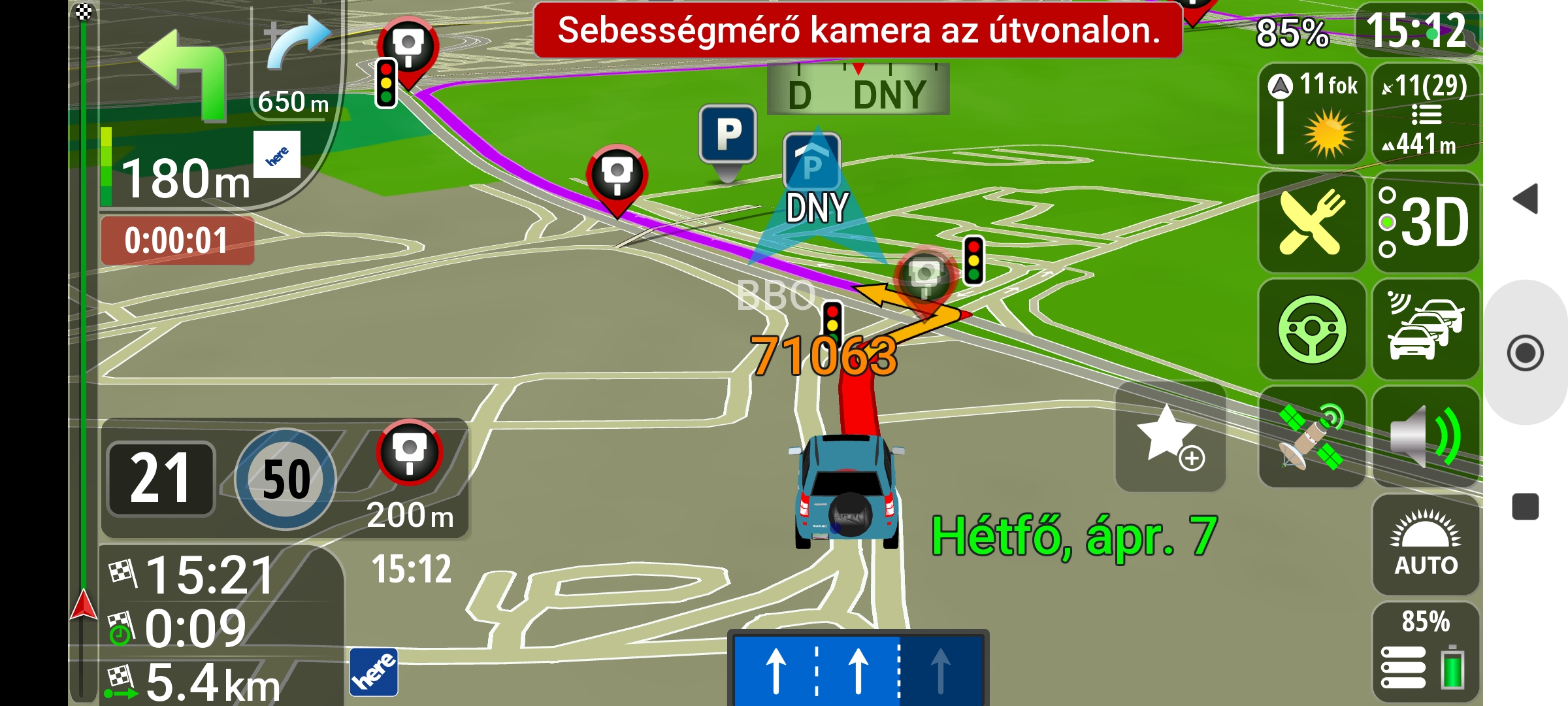
    -Camera distance increased to 1.5
    Spoiler: screenshot
    Screenshot 2025 04 07 15 12 37 662 com.basarsoft.igonextgen.javaclient
    Attached Files Attached Files
    • This post requires you to click the "LIKE this post" button to see Attachments.
    [Only registered and activated users can see links. ]

    by-segaal®

  9. #8
    Senior Member
    Join Date
    Aug 2015
    Location
    Hungary
    Posts
    120
    Rep Power
    20

    Default

    @Segaal
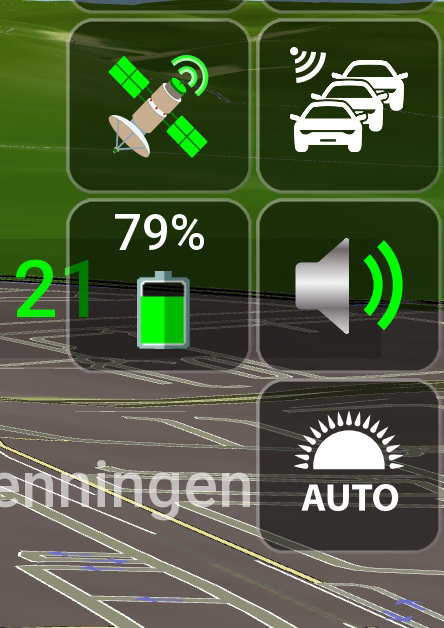
    I increased it a little, as well as the battery % value.
    Thank you, now I don't have any problems with the appearance, it's perfect for me!
    This is what I have:

    Spoiler: Screenshot:
    [Only registered and activated users can see links. ]

  10. #9
    Master segaal's Avatar
    Join Date
    Dec 2014
    Location
    Hungary
    Age
    67
    Posts
    145
    Rep Power
    125

    UX

    Hi!
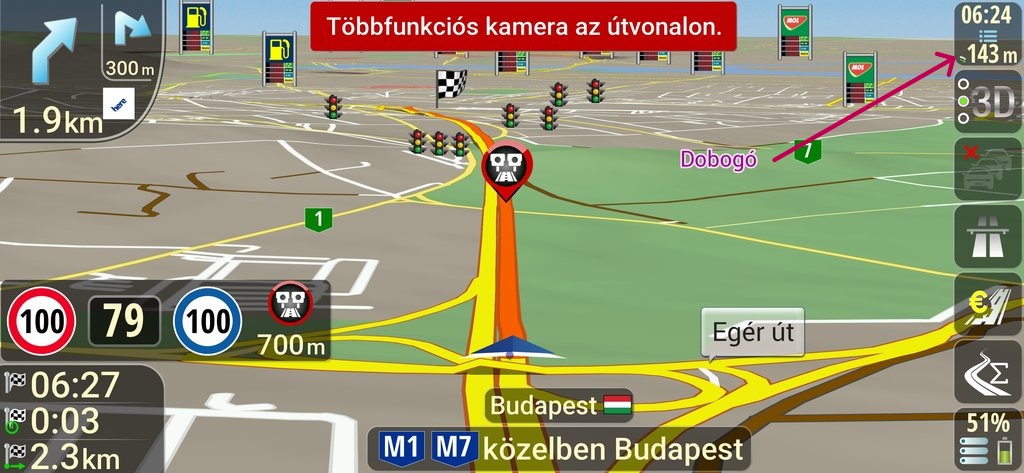
    -You can increase or decrease the size minimally, but it will be at the expense of the proportions...
    Spoiler: screenshot
    Screenshot 20250409 062423

    --Solution is to use a Extra ux plugin!
    Spoiler: battery.ux
    bat
    Last edited by segaal; 9th April 2025 at 11:23 AM.
    [Only registered and activated users can see links. ]

    by-segaal®

  11. #10
    Senior Member
    Join Date
    Aug 2015
    Location
    Hungary
    Posts
    120
    Rep Power
    20

    Default

    The "mountain icon" is so tiny on the 1+6 button layout, it could probably be made a little bigger, but it doesn't bother me.
    Why is it that yours has white text and mine has pale yellow text? Let's just say I like the pale yellow better.


Tags for this Thread

Bookmarks

Posting Permissions

  • You may not post new threads
  • You may not post replies
  • You may not post attachments
  • You may not edit your posts
  •