
 Likes:

Skin_VW_Nextgen by vicewandel
This is the skin mod "arimi" but the difference is already substantial. On utilities still the compatibility preserved.
Almost everything is compatible, but some fundamental things have already been changed.
I'm trying to get away from discreteness in defining parameters.
This means that the sizes and proportions of images, boxes and other visual material should depend on the screen resolution and the aspect ratio of the screen.
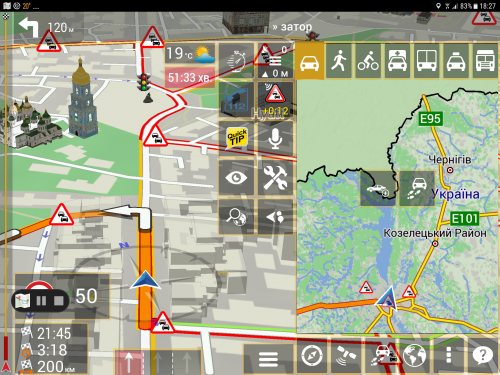
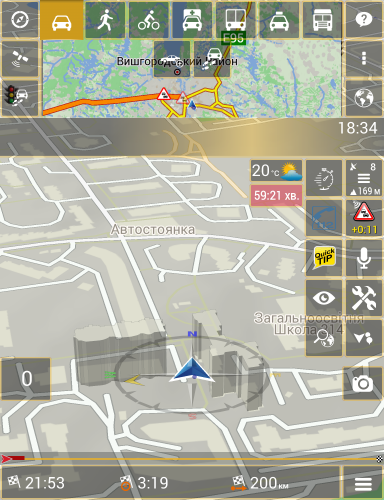
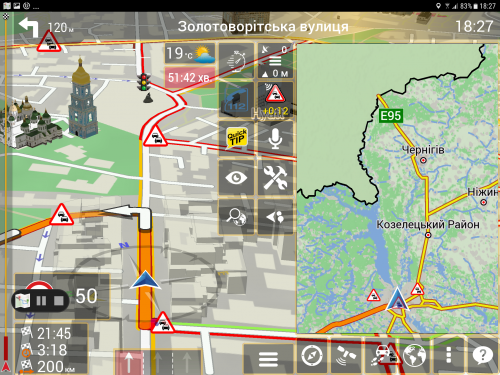
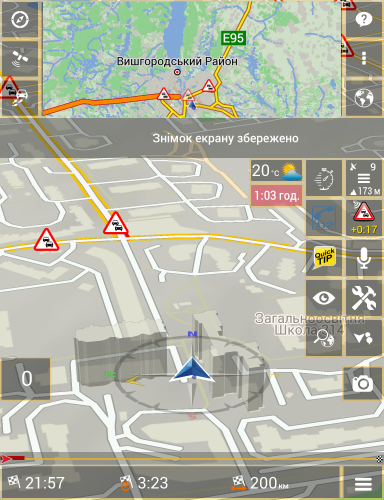
The first step is made in this skin: the size of the "map message box" now corresponds to the Golden Section . This ratio is 8/13 for landscape and the aspect-dependent dimension in portrate .
In this regard, the parameters of boxing are changed to these relations. At the same time, a bug in the parameters that we did not notice before ... well, it turned out))
There are other changes related mainly to the functionality and sequence of loading utilities. This is an attempt to avoid collisions when resolving external links of utilities and as a result fast and conflict-free downloading.
The debugger.zip utility is now mandatory. it performs not only the role of the debugger, but also a means of collecting statistics about contingencies.
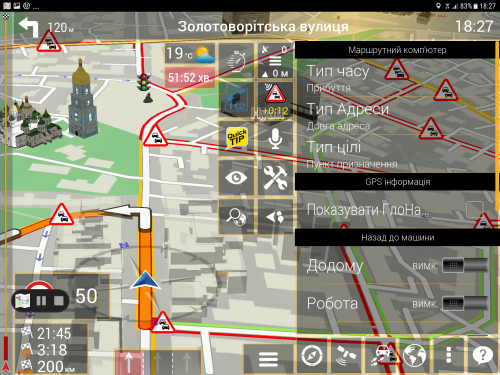
The second is the new utility VWTripComputer.zip , created according to these rules and prompting to make the above changes.
Tap onActivates the utility, reapplies - Deactivates. She "lies" on top of all the boxes (if before that box was just "wipe" it).
A long tap on the button will display a selection of variants of activation types. In total there are 7 of them. These are the buttons at the bottom (sides) of the right (top) screen.
Tap on one of the buttons to activate the corresponding mode.
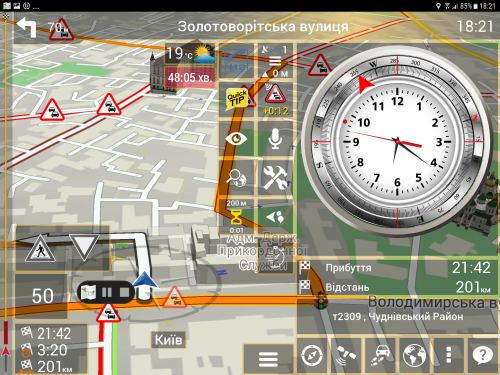
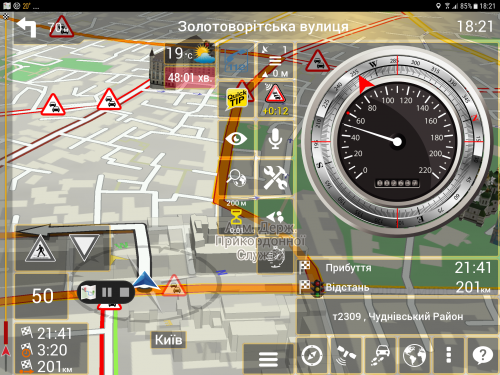
Spoiler: Trip computer
All areas are active:
- Clock - change to speedometer and back.
- Arrival - change for the first period and back. Long there is a choice
- Address - change for the first period and back. Long there is a choice
Now for limbs:
- Compass:
The compass itself and the direction to the first intermediate or end point
- Clock The
actual analog clock and the time of arrival at the first intermediate or end point - "." on the dial
-Speedometer:
Actually an analog speedometer and speed limit in this country ... in this place - "." on the limiter of the speedometer
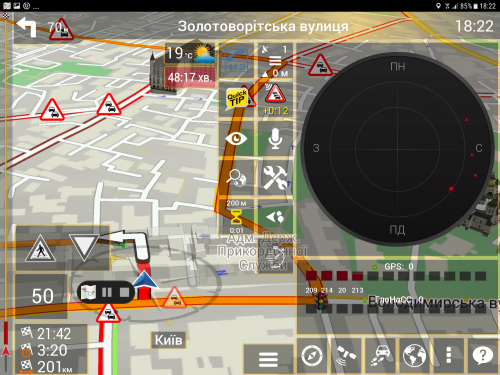
Spoiler: GPS info
Tap on the chart turns on or off the GLONASS display.
Spoiler: Back to the car
At the top of the button for selecting the means of delivering your body to the car
Two quick action buttons in the middle of the screen:
Button to save GPS coordinates
Button to create a route to the place where you left the car
In this regard, another utility has been modified and now we have the Favorites: Home, Work and Car (car)
Any of them can be chosen as a place where you forgot your auto.
To correctly display the name, delete in save / userlist / locations.txt
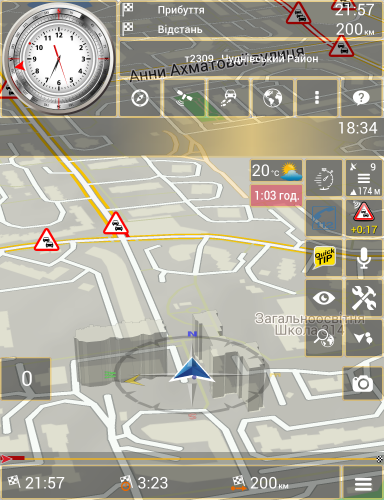
Spoiler: A point on the map
For parallel observation of your position in the route scale. The screen is automatically scaled to your route.
Tap on the map quickly leads to scaling (well, it's for choleric people). You can drag a map with your finger. In fact, this is an alternative navigator in 2D.
Spoiler: Configuration
The summary configuration of all modes.
A configuration is available and individually, if you use the long one there on the corresponding button.
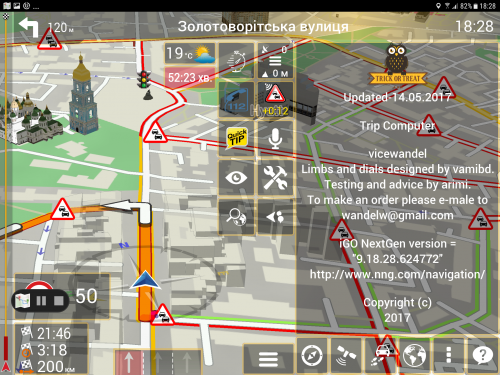
Spoiler: About
About the authors and perhaps there will be this instruction.
Huge gratitude to Vamibg and arimi for visual materials, tips and help in testing.
The update is extensive and versatile the_skin_VW_Nextgen
The latest update Skin_VW_Nextgen.zip .
What's new:
- Added contextual search in low-level settings sys.txt
- Added DPI settings
- Significantly expanded debugger.zip functionality
- Some fixes
Old versions
Spoiler: Link
If the application does not start with this skin, try deleting or renaming the "current_content_provider.zip" file in ux folder
Welcome guest, is this your first visit? Click the "Create Account" button now to join.


Results 281 to 290 of 290
Threaded View
-
24th September 2017, 04:27 PM #1Smartphone MOD


- Join Date
- Nov 2014
- Location
- WALLACHIA
- Posts
- 941
- Rep Power
- 1628
 Skin_iGO_Nextgen by Wandel - DISCUSSION
Last edited by Andrey Form; 3rd December 2023 at 03:40 PM.



 Reply With Quote

Bookmarks