
 Likes:
 Reply With Quote
@LouBouha ,,,,,,(1) represent tickness? Bcs i want to make it and more thick. As for the new scheme that its in last pongo build its the same location?
Welcome guest, is this your first visit? Click the "Create Account" button now to join.


Results 3,091 to 3,100 of 3974
-
22nd February 2021, 11:15 PM #3091Master


- Join Date
- Mar 2017
- Location
- Tunisia
- Posts
- 457
- Rep Power
- 1335
 Border
Try in :

iGO \ content \ scheme \ xxxx.zip \ color.ini \ international_border=-1 xxx,xxx,xxx
xxxx.zip = scheme you are using
xxx,xxx,xxx, = RGB colour code you want to use
RegardsGPS: TomTom ONE
Smartphone: THL T11 Android 4.2.2 Resolution 720x1280
Sygic 14.3.4 IGO Primo 9.6.29.636868 Skins : Doupas V9.0h , Dimka/Frontzosd
-
23rd February 2021, 08:26 AM #3092Master

- Join Date
- Nov 2017
- Location
- Romania
- Posts
- 349
- Rep Power
- 167
-
23rd February 2021, 09:05 AM #3093Master


- Join Date
- Jul 2017
- Location
- IL
- Posts
- 847
- Rep Power
- 307
Hello @cristianyxtl
It makes sense that this is so.
Try to play in the direction of the + ("plus" value) > higher than 1...
Show us the money at the end The screenshot...
-
23rd February 2021, 11:21 AM #3094Master
- Join Date
- Nov 2017
- Location
- Romania
- Posts
- 349
- Rep Power
- 167
@kwbs I will try thx for tip, im not familiar with those values its 1 try Always i show the money at the end
PS i was able to change color like @LouBouha show me, but not the tickness ,and change - with + or change number from 1 to others numbers doesnt help I think its more complicated than manipulate color.ini in scheme Maybe in skin its somethig to do Still investigateLast edited by cristianyxtl; 23rd February 2021 at 11:33 AM.
-
23rd February 2021, 01:32 PM #3095Master
- Join Date
- Jul 2017
- Location
- IL
- Posts
- 847
- Rep Power
- 307
@cristianyxtl
Try to play with this value " International_Border=7,0,"international_border",0 "
ux > map_visual_config.zip > ui_nextgen > common > default.vis
-
23rd February 2021, 05:00 PM #3096Master
- Join Date
- Nov 2017
- Location
- Romania
- Posts
- 349
- Rep Power
- 167
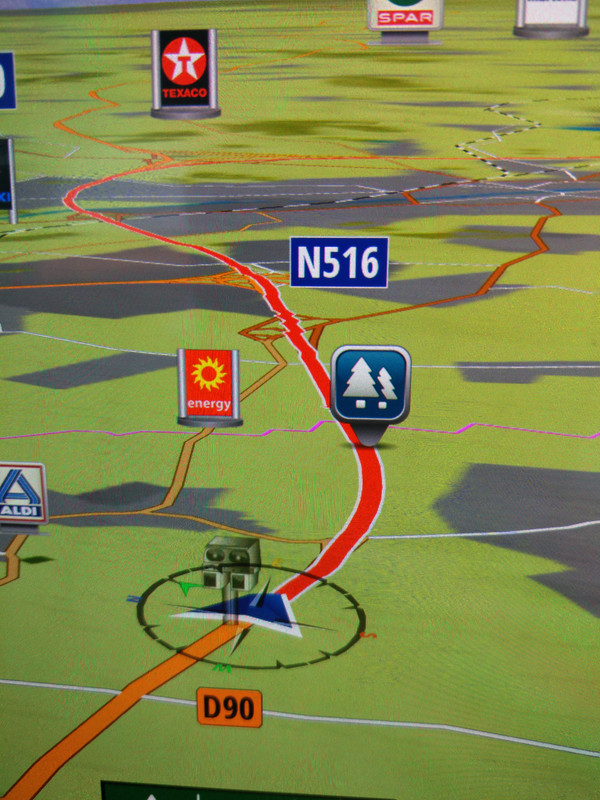
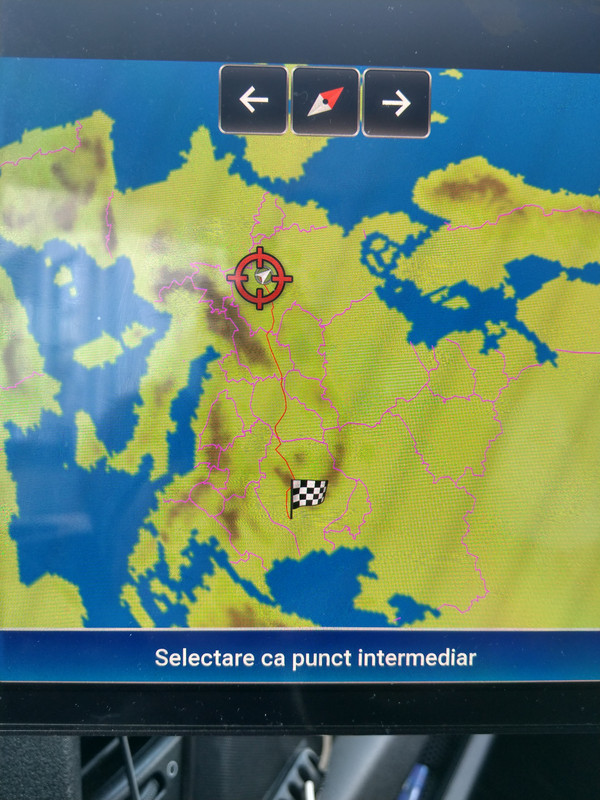
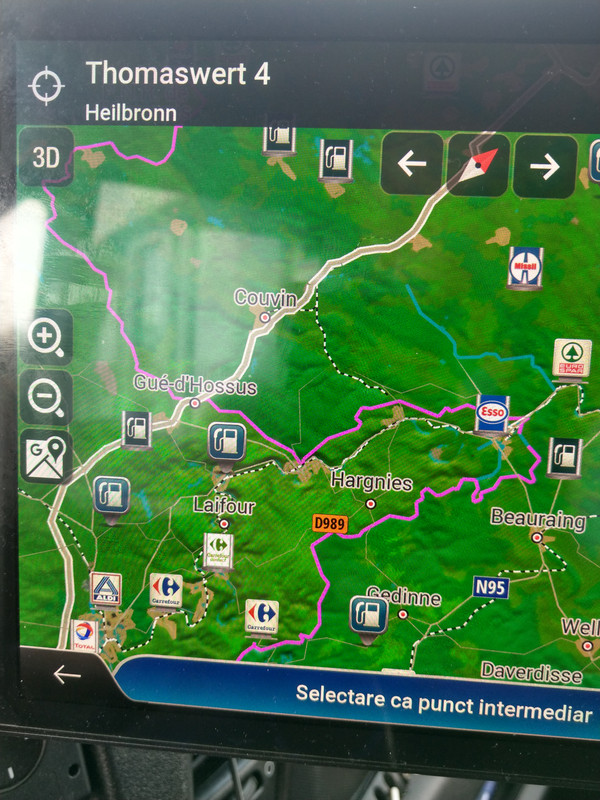
Well, both solution from @kwbs and @LouBouha works only in terms of colours. Manny thx to both. Problem that remains its for tickness I would like to have border more thicker, but i have no succes untill now Appreciate any other suggestion
Spoiler: img
The purple line near to poi its border, too thinLast edited by cristianyxtl; 23rd February 2021 at 05:38 PM.
-
23rd February 2021, 06:30 PM #3097Master
- Join Date
- Jul 2017
- Location
- IL
- Posts
- 847
- Rep Power
- 307
@cristianyxtl
I think (not sure), that the line with the value above is not for color and, I think that the default.vis file is the correct place (as I found out about it later in osiris4isis's post). Originally Posted by kwbs

Try to find a clue in osiris4isis hack (I'm short in time for deep searching today). Originally Posted by osiris4isis
Last edited by kwbs; 23rd February 2021 at 07:18 PM.
-
24th February 2021, 08:56 AM #3098Master

- Join Date
- Apr 2016
- Location
- Rio de Janeiro
- Posts
- 476
- Rep Power
- 762
@cristianyxtl
To increase the size of the roads we have the file width_road.zip, which contains a small change made by the user of a Brazilian forum.
This ux accompanied the Pongo skin update packages a long time ago. Recently, the master Pongo replaced it with the file map_visual_config.zip.
To use the ux width_road.zip it is necessary to delete the file map_visual_config.zip.
For those interested in testing this solution, the file width_road.zip is attached.
Spoiler: download
Thanks: max81, claudiotrg
-
24th February 2021, 09:46 AM #3099Master
- Join Date
- Jul 2017
- Location
- IL
- Posts
- 847
- Rep Power
- 307
@cristianyxtl
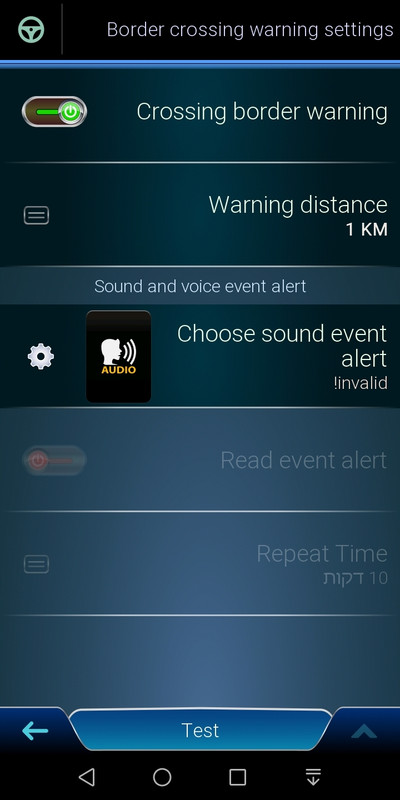
In addition to your desire to visually thicken the boundary line, do you use the BORDER alert?
If so, does it work effectively for you?
Spoiler: BORDER alert
I've looked at the UX width_road.zip
If the intention is to take care of the line thickness of "BORDER" (International_Border) is of course a change of values in the above UX file, then the line in the default.vis file: * International_Border = 7.0," international_border ", 0 * -Is the same line as in map_visual_config.zipLast edited by kwbs; 27th February 2021 at 08:20 AM.
-
24th February 2021, 02:58 PM #3100Master
- Join Date
- Nov 2017
- Location
- Romania
- Posts
- 349
- Rep Power
- 167
@kwbs, this cross border setting its enabled and work well.. @jorgeultra, im aware about with_road since was on inp18, but dont solve my problem,road_widh solve only road widh not tickness of border Hoewer i change the color of border and now its more visible
This particular line
International_Border = 7.0," international_border ", 0
Can be found in data/config/overview.vis
data/ui_nextgen/common/overview.vis
I try it already to change value in overview.vis and places idicates by coleagues, without result Only the color i manage to change not the tickness
Maybe its depper than simple line,maybe its related and to zoom level
Here its how look like in becker scheme
Spoiler: img
And this its from last pongo build Rm day mostly cloudy spring ( only this one i modified)
Spoiler: img
Anyway now border its visible now when your are far from it about 3km
So, im happy for now
.gif ":)))")
When i will be home at pc i will try more, but on tablet its difficult
Code for border colour: (-1, 255,0,255,0)Last edited by cristianyxtl; 27th February 2021 at 08:23 AM.
Advertissements


Powered by vBulletin
Copyright © 2026 vBulletin Solutions, Inc. All rights reserved.
Copyright © 2026 vBulletin Solutions, Inc. All rights reserved.
All times are GMT +1. The time now is 05:10 AM.
Bookmarks