
 Likes:
 Reply With Quote
Hello.
@Cristianyxtl,
Before it was before, today you have to move forward, adapt to Pongo updates and "leave your little habits aside" !
The Ux "removestopover.zip" no longer exists because it is integrated with a different working !

Welcome guest, is this your first visit? Click the "Create Account" button now to join.


Results 2,811 to 2,820 of 3975
-
24th August 2020, 10:13 AM #2811Master


- Join Date
- Nov 2017
- Location
- Romania
- Posts
- 349
- Rep Power
- 167

@CChoupi "delete the route and only the next step" This is what im talking about But with older version of skin, a list appear and we can choose, delete entire route or waypoint by name
Last edited by cristianyxtl; 24th August 2020 at 10:26 AM.
-
24th August 2020, 02:15 PM #2812Member +


- Join Date
- Aug 2014
- Location
- France
- Posts
- 62
- Rep Power
- 49
-
24th August 2020, 02:56 PM #2813Master
- Join Date
- Nov 2017
- Location
- Romania
- Posts
- 349
- Rep Power
- 167
@CChoupi, i know but im good with this version of skin Thx alot to all for clarification
-
26th August 2020, 02:43 PM #2814Junior Member
- Join Date
- Jun 2020
- Location
- czech
- Posts
- 5
- Rep Power
- 0
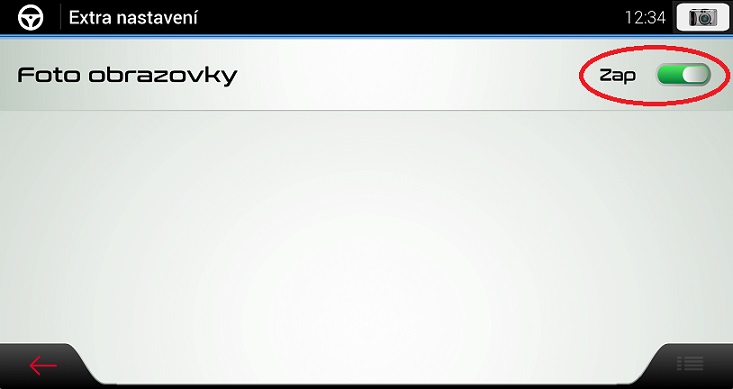
Hi, would anyone know the name of the icon in this picture? And where to look for it? I would like to try to change it. Thanks for the information.
Spoiler: [url=https://postimages.org/
-
26th August 2020, 02:54 PM #2815Master


- Join Date
- Jul 2017
- Location
- France
- Posts
- 658
- Rep Power
- 2236
-
26th August 2020, 10:28 PM #2816Junior Member
- Join Date
- Sep 2018
- Location
- Serbia
- Posts
- 7
- Rep Power
- 0
How did you do it? Originally Posted by janch

I have tried to do someting similar with Serbian translation but obviously I was doing something wrong...
I use iGO PAL with Pongo skins and I have "Lang_Serbian_Latin_BD.zip" file from 7 Sep 2017. (If there is a newer version, can anyone point me where can I find it?)
Anyway, I found some incorrect translations there so I wanted to fix it and share it with community!
I have updated Dictionary.lang on my PC using 7-Zip, ver. 19.00.(Open archive, right click on i18n/Dictionary.lang file and then Edit)
After updating the archive and copying the file back to android device, I was able to select the language in IGO but the text was in English.
Copying back the original zip file resolved the issue so I guess I did someting wrong with unzipping/updating the archive.
Please help!Last edited by Boki; 27th August 2020 at 07:52 AM. Reason: quote shortened
-
27th August 2020, 12:25 AM #2817Master

- Join Date
- Jan 2016
- Location
- TUSCANY - ITALY
- Posts
- 353
- Rep Power
- 298
[Only registered and activated users can see links. ] Originally Posted by npekec
You can't use 7 zip to edit iGO zip, you have to use either Total Commander or Win Rar version lower than 4.I have updated Dictionary.lang on my PC using 7-Zip, ver. 19.00.(Open archive, right click on i18n/Dictionary.lang file and then Edit)
There will probably be no further Skin updates from Pongo, but if there is, you will be able to update the Lang yourself.
-
27th August 2020, 10:39 AM #2818Junior Member
- Join Date
- Sep 2018
- Location
- Serbia
- Posts
- 7
- Rep Power
- 0
Huh!
This answer would be probably helpful for an experienced user (which I'm not.gif "beating") ) .
) .
I did not explicitly change the coding and I was editing text in Notepad.
I have tried now with Notepad++ and it shows Encoding: UCS-2 LE BOM.
I get the same Encoding info after updating Dictionary.lang file. Yet, when I select updated zip file in Regional settings in iGO, I get the text in English.
Should I use some other tool or this Encoding is not what you had in mind?
I have a thousand questions but I don't want to pollute forum with all of that.
I would appreciate if you can provide guidance about the steps and tools that I should use.
E.g. Should I extract Dictionary.lang from zip file, edit it and get it back into zip file, or this is not recommended procedure?
After copying updated zip file into lang folder, do I need to clear cache/data from iGO? I guess not, but I'm not sure what the proper procedure is.
For translating text related to pongo skin, do I need to simply add new lines of text into Dictionary.lang file mentioned here, or there are other files that needs to be updated?
Thanks!Last edited by Boki; 27th August 2020 at 10:43 AM. Reason: removed unnecessary quote
-
27th August 2020, 11:32 AM #2819Master


- Join Date
- Apr 2016
- Location
- Rio de Janeiro
- Posts
- 476
- Rep Power
- 762
You must double click on the .zip file in your Lang folder.
Then open the i18n folder and you will find the Dictionary.lang file.
Open it with Notepad ++
Make the necessary changes and then click save.
A window will open asking if you really want to save, click OK.
Your Lang file is ready to be used.
Here at this link [Only registered and activated users can see links. ] you have a list of the necessary entries to be included in the dictionary.
-
27th August 2020, 04:11 PM #2820Junior Member
- Join Date
- Sep 2018
- Location
- Serbia
- Posts
- 7
- Rep Power
- 0
@jorgeultra
I did exactly that, like 100 times, and I'm losing my mind right now!
Editing text in lang file should be simple, right?!
After so many unsuccessful attempts, I assumed there was something else wrong...
I have noticed strange values in info.ini file, in Lang_Serbian_Latin_BD.zip:
name="Srpska latinica od BD
; there is no ending quotation mark above
iso_lang="en-gb"
; it should be "sr-sp"
However, translation works fine with the original file with these incorrect settings in info.ini file (except some missing and incorrect translations that I wanted to fix)!
If I edit anything in info.ini file, iGO PAL crashes immediatelly after starting!
What is strange here is that I select some other language in iGO app and close it. Then I modify info.ini for Serbian language and copy the file to device.
iGO displays "Loading iGO PAL..." for 1 sec and then crashes!
Why this was happening when Serbian language wasn't even selected in iGO?
Then I thought maybe there was some problem with this specific .zip file, so I have tried with few other languages... with the same result.
After I edit Dictionary.lang and select respective language in iGO - it says it needs to restart, and then restarts with English language.
Here are the steps that I performed, many, many times, with different files:
1) Copy perfectly working zip file from content/lang folder from mobile device to PC
2) On PC double click on zip file, which opens with 7-Zip ver. 19.00 (x64)
3) Double click on i18n folder and then on Dictionary.lang file, which opens in Notepad++ ver. 7.8.7 (64-bit)
4) I edit a single line of text (for testing) and close Dictionary.lang file
5) I get prompt in Notepad++ "Save file 'C:\Users...\Dictionary.lang'?" (click Yes)
6) I get prompt in 7-Zip "'Dictionary.lang' was modified. Do you want to update it in the archive?" (click Yes)
7) Copy zip file that I just modified from PC to android device
8) Run iGO PAL, go to Settings/Regional and select the language
9) iGO restarts and displays the interface in English
P.S. I just tried it again with 32-bit versions of 7-Zip and Notepad++... That did not help either.
I have tried this using two Samsung devices, tablet - Android 7.1.1, phone - Android 10.
Any idea what am I doing wrong or what am I missing?Last edited by Boki; 27th August 2020 at 06:03 PM. Reason: approved
.gif ":)))")

 [/url]]


Bookmarks