
 Likes:


@ anonymvs
many tks. now everything is clear about the new tutor system.
Welcome guest, is this your first visit? Click the "Create Account" button now to join.


Results 701 to 710 of 3978
Hybrid View
-
23rd January 2018, 10:06 AM #1Member


- Join Date
- Mar 2017
- Location
- milan
- Posts
- 12
- Rep Power
- 0

-
22nd January 2018, 11:17 PM #2Master


- Join Date
- Mar 2017
- Location
- España
- Posts
- 155
- Rep Power
- 524
-
23rd January 2018, 09:41 PM #3Junior Member
- Join Date
- Jan 2012
- Location
- Greece
- Age
- 56
- Posts
- 1
- Rep Power
- 0
Hi I have 2 questions if someone can help me.
What is the name of starting plugin for Igo-Pal?
I must copy-paste all the folder ux of iGO-Israel folder in the new ux (empty) folder? I am waiting about 2 hours to paste it. is it normal? Many .svg files..
Thank you all for yours great work!!!Last edited by gassious; 23rd January 2018 at 09:43 PM.
-
24th January 2018, 03:55 PM #4Member
- Join Date
- Mar 2017
- Location
- Spain
- Posts
- 18
- Rep Power
- 0
Hello, thank you very much, Atencion does not say, but now it says sound in English, I do not know what to do, and it's the last penultimate
-
23rd January 2018, 10:34 AM #5Senior Member
- Join Date
- Aug 2014
- Location
- United Kingdom
- Posts
- 143
- Rep Power
- 40
@ anonymvs
Excuse my ignorance, but how do you set the first camera to the speed you do not want to overrun?
-
23rd January 2018, 05:09 PM #6Member

- Join Date
- Nov 2014
- Location
- here and there
- Posts
- 16
- Rep Power
- 0
... first of all, you have to tap on map to determine a location where you want to set a "Average speed camera", then in lowest right corner of screen tap and hold the "add favorite" icon, when "add speed camera" icon appears next to it, tap on it and in a new screen choose a speed camera type you want to add (in our case we want a "average speed camera"). On a right side of screen is a speed limiting button, tap on it and set the "speed which you do not want to overrun". After that, tap on the camera direction button (all directions, left, right or both direction). Then save the camera, and that's it. Originally Posted by 1franka

Last edited by anonymvs; 24th January 2018 at 04:09 AM.
-
23rd January 2018, 10:44 AM #7Master
- Join Date
- Mar 2017
- Location
- España
- Posts
- 155
- Rep Power
- 524
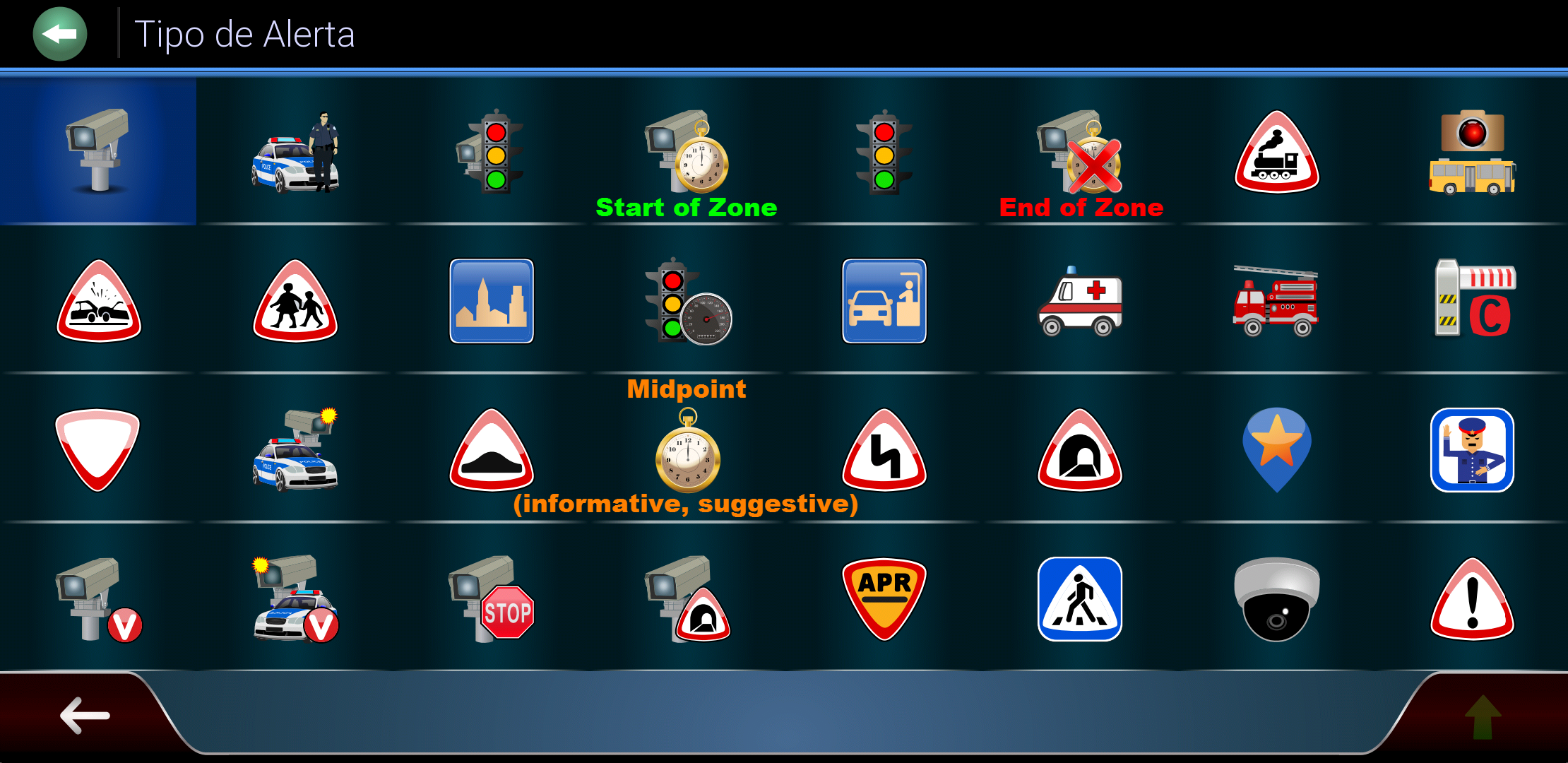
In Spain long time exist three points (Start of Zone, Midpoint and Fin of Zone) which are updated (thanks to laradiobbs) with the base of the speedcams.
Spoiler: Screenshot
Thanks to the latest version of the skin by Pongo (Thanks to Pongo and of all Masters from 4pda ) this category work very well.
Regards.....
-
23rd January 2018, 05:17 PM #8Senior Member
- Join Date
- Aug 2014
- Location
- United Kingdom
- Posts
- 143
- Rep Power
- 40
I have the latest skin from pongo and i am not able to show the alerts shown in "Railroads" spoiler.
-
23rd January 2018, 05:47 PM #9Member
- Join Date
- Nov 2014
- Location
- here and there
- Posts
- 16
- Rep Power
- 0
... tap on map anywhere, and then in lowest right corner of screen tap and hold the "add favorite" icon, when "add speed camera" icon appears next to it ... go back in "settings/skin settings", tap on "warnings", and the menu item "warning points" will appear. Or, if you want to permanently activate this menu item, put this sentence in sys.txt : Originally Posted by 1franka
[autorad]
detect=10
disabled=1Last edited by anonymvs; 23rd January 2018 at 09:31 PM.
-
23rd January 2018, 11:43 PM #10Master
- Join Date
- Mar 2017
- Location
- España
- Posts
- 155
- Rep Power
- 524
Hi.... Originally Posted by CChoupi
Is not necessary, but I'm used to it because I do different samples and for each sample I need to delete the save folder. So, every time when start up, I make fewer initial settings
Hi..... Originally Posted by 1franka
This alerts are from a one version NextGen made for Spain, and in the original skin by Pongo are not exsist!
In this version have been removed:
Spoiler: categories
and in their place are the Spanish:
Spoiler: categories
Regards.....

 Reply With Quote



Bookmarks