
 Likes:
 Reply With Quote
@Andrey Form,
Perfect!!
I've tried to create it myself
Where was my mistake?
Welcome guest, is this your first visit? Click the "Create Account" button now to join.


Results 231 to 240 of 252
Thread: SVG developments
-
31st August 2025, 08:01 AM #231SUPER MODERATOR


- Join Date
- Oct 2019
- Location
- Belarus
- Posts
- 3,786
- Rep Power
- 2751

Not a big fix
Last edited by Andrey Form; 31st August 2025 at 08:14 AM.

[Only registered and activated users can see links. ]
[Only registered and activated users can see links. ]
[Only registered and activated users can see links. ]
[Only registered and activated users can see links. ]
[Only registered and activated users can see links. ]
[Only registered and activated users can see links. ]
©AF_2020-26
-
31st August 2025, 04:24 PM #232Super Member


- Join Date
- Sep 2023
- Location
- Spain
- Posts
- 149
- Rep Power
- 6
Here I will thank all the contributions
Thank You so Much.

Greetings of Jaloga
-
19th November 2025, 07:56 AM #233Master

- Join Date
- Mar 2017
- Location
- España
- Posts
- 155
- Rep Power
- 524
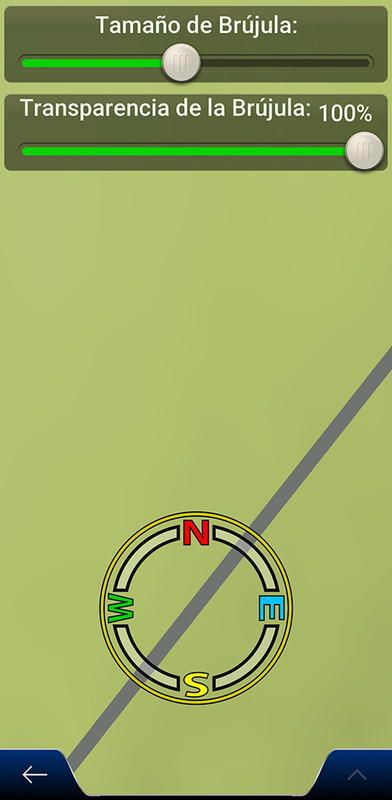
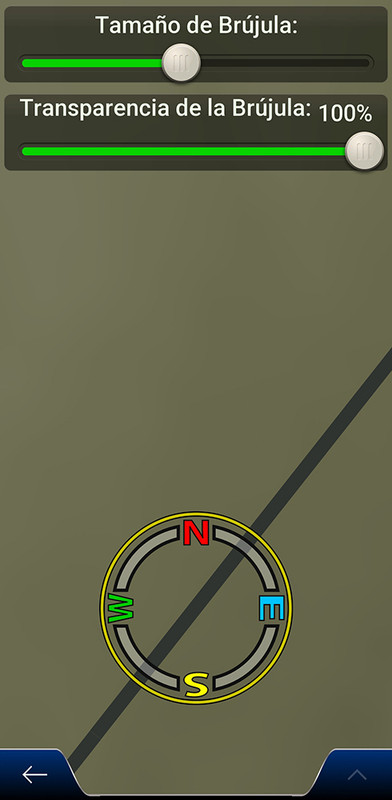
 spr_compass_new.svg
spr_compass_new.svg for skin by Pongo - 64 bit
Spoiler: Day/Night in the map
the_skin_by_pongo.zip \ ui_nextgen \ res \ the_color \ nodpi - spr_compass_new.svg
This post requires you to click the "LIKE this post" button and hit F5 to read this content.Last edited by railroad; 19th November 2025 at 11:57 PM. Reason: Clarification for copying the file
-
16th February 2026, 08:16 PM #234Member +
- Join Date
- Jul 2017
- Location
- France
- Posts
- 34
- Rep Power
- 10
Hi guys,
I'm getting crazy !
I made some custom SVG pictures for speedcams with Adobe Illustrator and Inkscape, and I'm having lot of issues to be able to display it in the Speedcam Test menu of skin Pongo.
Some are displayed, some are wrongly displayed and some are not displayed at all.
It sounds that inherit for gradient like <linearGradient id="B" xlink:href="#A"/> is not supported by iGo. I made a script to resolve it, but it's not enough.
What is the right settings to use and what iGo is not supporting ?
Here is an example of an element I'm trying to add (a cone). It is not displayed into the speedcam test menu.
-
16th February 2026, 08:31 PM #235SUPER MODERATOR
- Join Date
- Oct 2019
- Location
- Belarus
- Posts
- 3,786
- Rep Power
- 2751
16 Adobe Illustrator creates a valid SVG file. Otherwise, follow the instructions for working in Adobe Illustrator.
Last edited by Andrey Form; 16th February 2026 at 08:33 PM.
[Only registered and activated users can see links. ]
[Only registered and activated users can see links. ]
[Only registered and activated users can see links. ]
[Only registered and activated users can see links. ]
[Only registered and activated users can see links. ]
[Only registered and activated users can see links. ]
©AF_2020-26
-
17th March 2026, 06:39 PM #236Member +
- Join Date
- Jul 2017
- Location
- France
- Posts
- 34
- Rep Power
- 10
Hi,
I'm reworking my speedcam mod for Nextgen World, using Adobe Ai. I'm using a pattern to draw the zebras arround the windows.
But on Nextgen World, the zebras are not present.
When I'm using Inkscape with optimized SVG output mode, the zebras are present, but iGo is taken a very long while to generate the pictures.
Is it a limitation in the SVG plugin of this iGo version, or is there any special settings to use in Ai to get it in iGo ?
Spoiler: image
-
17th March 2026, 06:45 PM #237SUPER MODERATOR
- Join Date
- Oct 2019
- Location
- Belarus
- Posts
- 3,786
- Rep Power
- 2751
To understand these errors, you need to publish the files. If you do not host problematic files, it will be impossible to verify them. Your drawing image does not solve the problem, as these are bitmap images.
Roughly, your problem is that there should be no bitmaps in svg. The bitmap images that you see in the program designer will not work in the iGO program.Last edited by Andrey Form; 17th March 2026 at 07:00 PM.
[Only registered and activated users can see links. ]
[Only registered and activated users can see links. ]
[Only registered and activated users can see links. ]
[Only registered and activated users can see links. ]
[Only registered and activated users can see links. ]
[Only registered and activated users can see links. ]
©AF_2020-26
-
17th March 2026, 07:10 PM #238Member +
- Join Date
- Jul 2017
- Location
- France
- Posts
- 34
- Rep Power
- 10
Here is the SVG contents :
Code:Please Login or Register to see the links
-
17th March 2026, 07:24 PM #239Member +
- Join Date
- Jul 2017
- Location
- France
- Posts
- 34
- Rep Power
- 10
I think it's due to : linearGradient id="Dégradé_sans_nom" data-name="Dégradé sans nom"
If I replace the french text with special language chars to "zebra", it seems working !Last edited by ppndv; 17th March 2026 at 07:33 PM.
-
17th March 2026, 07:28 PM #240SUPER MODERATOR
- Join Date
- Oct 2019
- Location
- Belarus
- Posts
- 3,786
- Rep Power
- 2751
More recently, one modification was written in Hungarian, so it is impossible to translate properly for users.
[Only registered and activated users can see links. ]
[Only registered and activated users can see links. ]
[Only registered and activated users can see links. ]
[Only registered and activated users can see links. ]
[Only registered and activated users can see links. ]
[Only registered and activated users can see links. ]
©AF_2020-26


Bookmarks