
 Likes:
 Reply With Quote
Backup your SD card and go experiment. After backing up your old files
Download new iGo nextgen here: [Only registered and activated users can see links. ]
Download HERE 2015 Q1 maps here: [Only registered and activated users can see links. ]
Download your voice of choice here: This post requires you to click the "LIKE this post" button and hit F5 to read this content.
Download your lang pack of choice here: This post requires you to click the "LIKE this post" button and hit F5 to read this content.
Put them all in the correct way on your SD card and try it out. Most crucial part is to read a lot what you don't understand. You could have found this all yourself if you an hour and read the forum.
Welcome guest, is this your first visit? Click the "Create Account" button now to join.


Results 1 to 3 of 3
Thread: iGo Primo Car Nav HELP
-
31st August 2015, 12:12 PM #1Junior Member


- Join Date
- Aug 2015
- Location
- the netherlands
- Posts
- 5
- Rep Power
- 0
 iGo Primo Car Nav PLEASE HELP
Hey guys,
I don't know if i put this thread in the right map here.. but still, i hope that someone can help me out.
I recently (2 weeks ago) bought a aftermarket car audio/nav/dvd/SD for my Opel Corsa GSI.
It came with iGo Primo, it worked like a charm at first start up. It came with an external GPS SD card that goes into the GPS slot of the nav.
Now, 2 weeks after i used it like 4 or 5 times. The screen of the navigation (when i push Nav on the console) goes to a loading bar and after that it just is stuck at that bar. The seller told me it was the GPS locating or something, but after almost 1 hour of 'searching' i found it kinda strange..
The nav is based on WinCE (i think), since there is an old windows 'start menu'.
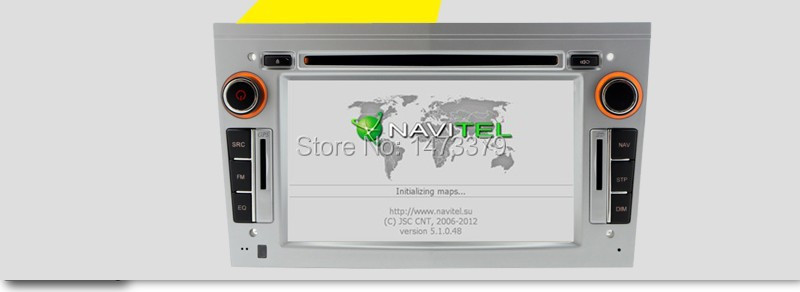
Someone advised me to put in the .txt file of the nav. This is all i have:
Spoiler:
[code

This is what i have on the 'GPS SD card' that was send inside of the nav console in my car.
The seller also said there were 'the latest maps' on it. But i checked and it was 2011?.. is there a new version of the maps?
I'm kind of a noob on the whole GPS/NAV system. So if you come with options that involve 'nerd talk' i won't understand a thing hahaha. I know the basics.. That's all.
I hope someone can help me out real good, i will be very thankfull!
Last edited by opelcorsagsi; 31st August 2015 at 01:59 PM. Reason: added a picture of the navigation console
-
2nd September 2015, 11:18 PM #2Member +
- Join Date
- May 2013
- Location
- Amsterdam
- Age
- 46
- Posts
- 30
- Rep Power
- 15

-
5th September 2015, 11:40 AM #3Junior Member
- Join Date
- Aug 2015
- Location
- the netherlands
- Posts
- 5
- Rep Power
- 0
Thank you pr0x, actually i did read some articles on the forum. But i just couldn't figure out which file to put where and what was good for the car nav. I found android, phone programs. All with all, i found it very difficult to figure out the right topics for my problem. But i'm very glad there is someone that shows me the right exact thing i needed. Thank you sir. I will try it all out. I'll be back here if it works. And maybe post some pics of the working nav.
Thank you in prosper ways pr0x.


Bookmarks