
 Likes:

Looked all over but cant find one for UK only. Tried experimenting by splitting this large one but it splits into lots of different files with various numbers for names so I am no wiser. I found jcv files for uk but no 3D.
Welcome guest, is this your first visit? Click the "Create Account" button now to join.


Results 1 to 10 of 173
Hybrid View
-
3rd December 2014, 11:21 PM #1Member +


- Join Date
- Oct 2012
- Location
- uk
- Posts
- 92
- Rep Power
- 17

-
4th December 2014, 01:26 PM #2GPSPower Helper


- Join Date
- Jul 2010
- Location
- Europe
- Posts
- 213
- Rep Power
- 159
In order to save some space you have to create a new "UK-3D Buildings" file every time the CNENTU 20xx.xx is updated. Originally Posted by japseye

The created file is about 66 MB so its BIG difference!!!
HOW TO CREATE A SINGLE COUNTRY 3D BUILDINGS FILE
(You need to have Mapsource program and Mapsource version of CN Europe NTU 2015.30 installed on your PC)
1. unlock the original gmap3d.img file
2. on your PC create a folder, ie UK Buildings 3D-2015.30
3. open the unlocked file with Gmaptool
4. use the folder from 2. to split the gmap3d.img file "for Mapsource"
5. Enter UK Buildings 3D-2015.30 as the mapset name and enter a random number for FID (ie 1945) and PID:1
6. Run install.bat from inside UK Buildings 3D-2015.30 folder to install Europe's 3D Buildings on your PC (in Mapsource)
Now the ...tricky part!!!
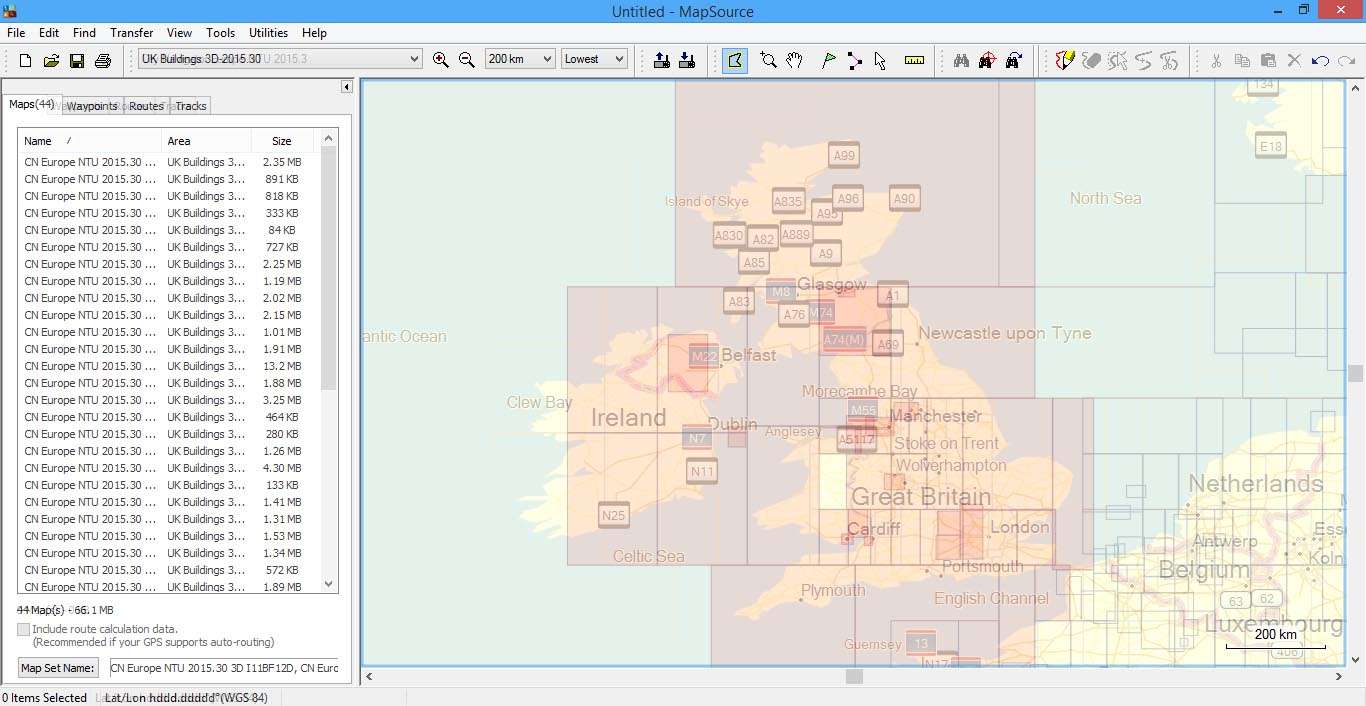
7. open Mapsource, choose CN Europe NTU 2015.30 from you map list and center UK map at zoom level 200Km (so all UK is on your screen)
8. close MapsourceSpoiler: .
9. open Mapsource again and the UK map is now centered on your screen (don't close it)
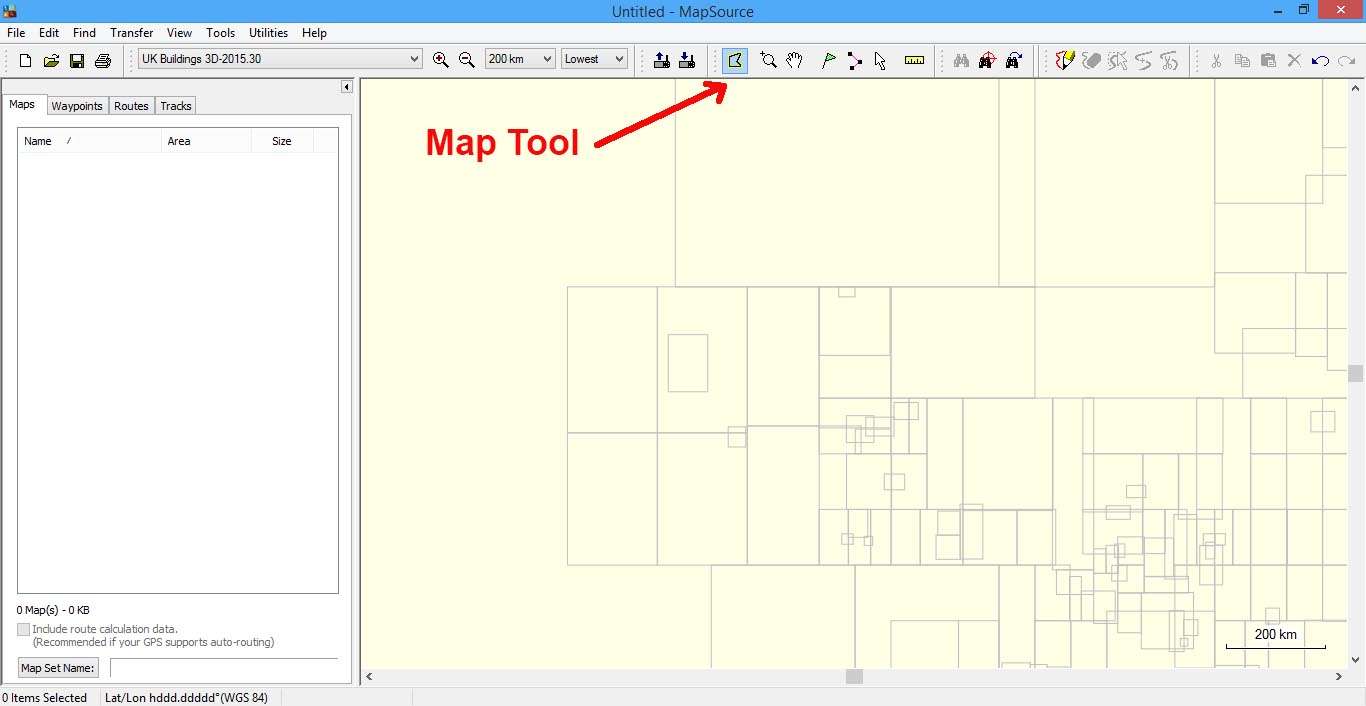
10. open another Mapsource and now choose from your map list the UK Buildings 3D-2015.30 map (you will see nothing on screen-far away zoom level- but your screen is now centered in UK map, like in the first Mapsource)
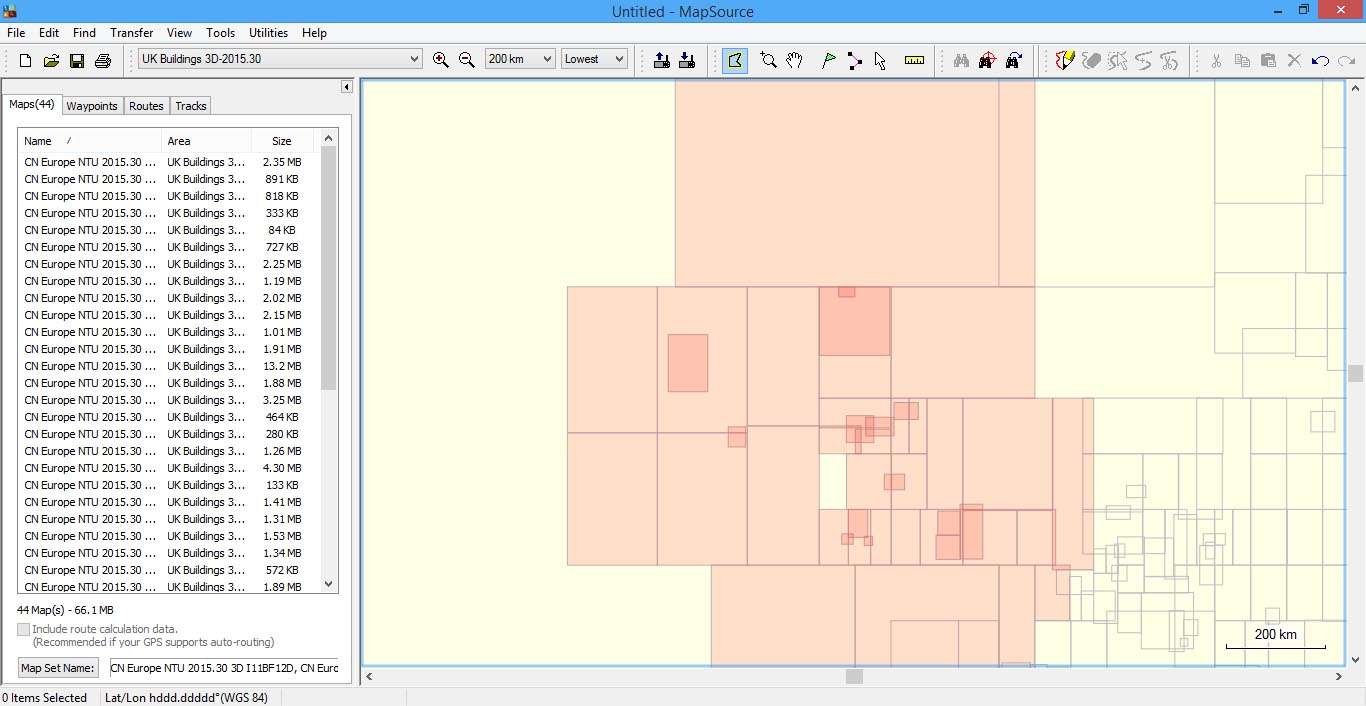
11. in the second Mapsource choose the "Map Tool" and by clicking and dragging the mouse select all the square map tiles that are about UK.Spoiler: .
Use the first Mapsource (with NTU 20.15) as reference to which map tile to select on the second Mapsource.
12. in the second Mapsource change Mapsource's "Map Set Name" from default to: CN Europe NTU 2015.30 3D - (UK)Spoiler: .
13. send the map to your device or PC or sdCard
14. rename the file name from gmapsupp.img to Buildings 3D - UK.img
15. open the Buildings 3D - UK.img with Gmaptool and press "Change" and in Map name filed enter CN Europe NTU 2015.30 3D - (UK) so the map appears with the right name in the myMaps list on your device (map name=mapset name)
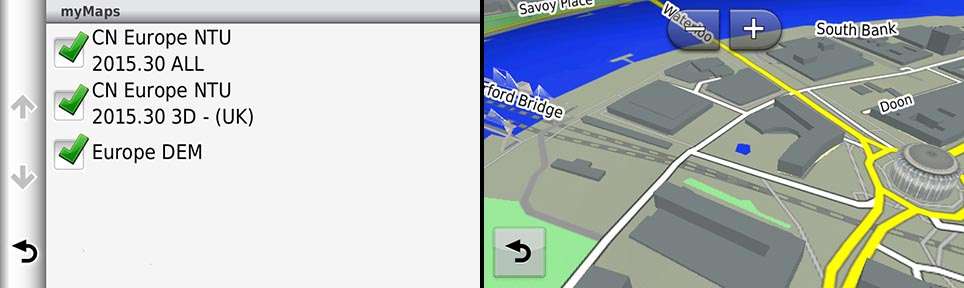
Here is the "UK only" 3D Buildings NTU-2015.30 ready to be copied to your device MAP folder:
Code:Please Login or Register to see the links


 Reply With Quote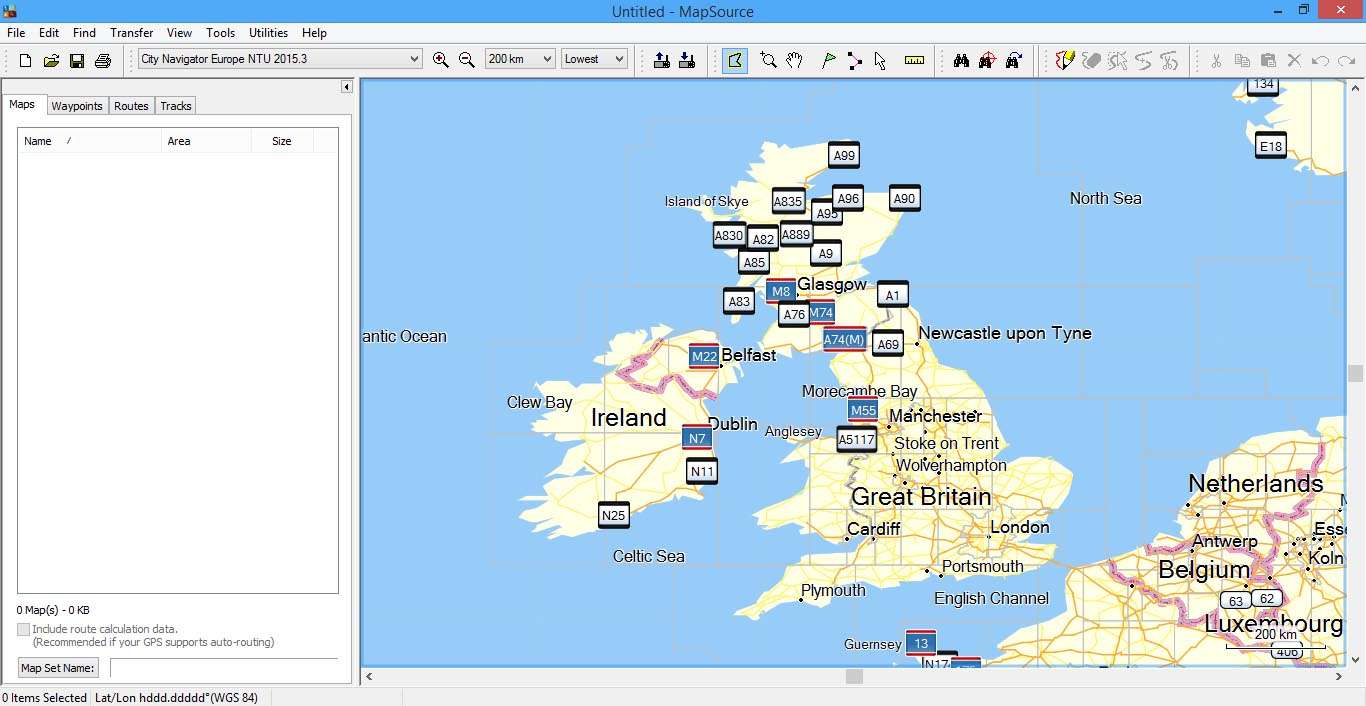


Bookmarks