
 Likes:

Garmin GB Discoverer 1:50K - Full Coverage (2.00)
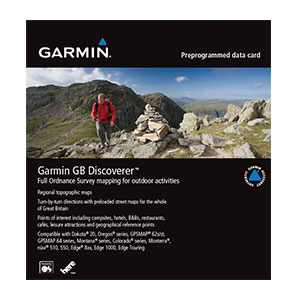
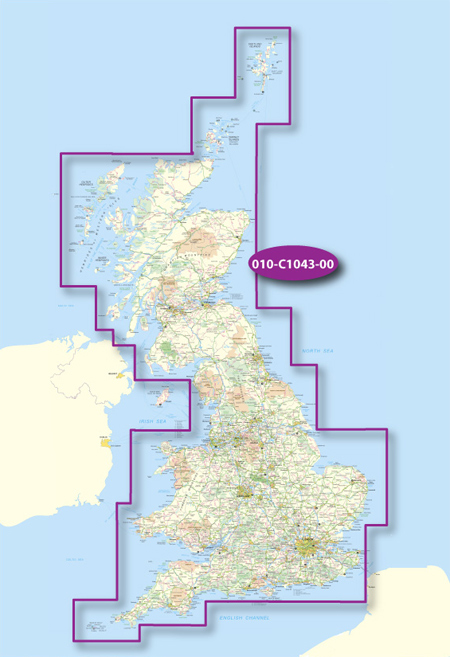
Topographic coverage for all of Great Britain.
Requirements:
Garmin Oregon,
Garmin Colorado,
Garmin Dakota 20
Garmin Nuvi 500 & 550
Discover Great Britain
Explore all of Great Britain with detailed 50K topographic and road maps. Garmin GB Discoverer 1:50K contains full 1:50K scale Ordnance Survey Landranger map coverage for the whole of Great Britain. Plus, with NAVTEQ road data and points of interest, you'll get turn-by-turn directions to your destinations.
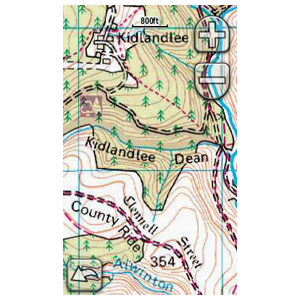
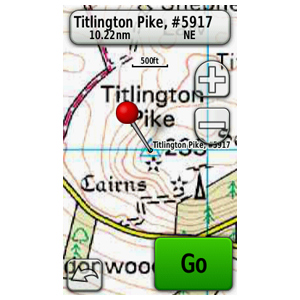
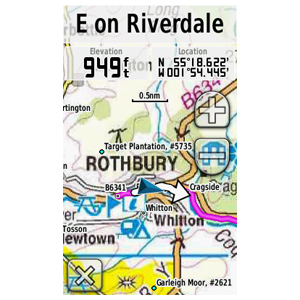
GB Discoverer's detailed topographic data includes terrain contours, topo elevations, summits, paths, routable roads and geographical points. The premium NAVTEQ road data is the same detailed data included in our leading automotive products - with thousands of addresses and points of interest, including lodging, food and drink, car parks, banks, petrol stations, attractions, campsites, and more. Search for an address or point of interest, and your Garmin device displays turn-by-turn directions to your destination.
•Provides topographic coverage for all of Great Britain with highly detailed 50K topographic maps from the Ordnance Survey Landranger map series.
•Displays terrain contours, elevations, summits, trails, trig points, geographic points and more.
•Provides detailed road data and thousands of points of interest from NAVTEQ.
•Includes turn-by-turn directions on roads by car or bike.
•Allows user to search for destinations by address or by category; points of interest include lodging, food and drink, car parks, banks, petrol stations, attractions, campsites and more.
more infos
map id 2043Code:Please Login or Register to see the links
locked gmapsupp.img
download (2,19 GB)
[Only registered and activated users can see links. ]
[Only registered and activated users can see links. ]
[Only registered and activated users can see links. ]
[Only registered and activated users can see links. ]
[Only registered and activated users can see links. ]
[Only registered and activated users can see links. ]
[Only registered and activated users can see links. ]
[Only registered and activated users can see links. ]
[Only registered and activated users can see links. ]
[Only registered and activated users can see links. ]
[Only registered and activated users can see links. ]
[Only registered and activated users can see links. ]
[Only registered and activated users can see links. ]
unlock with
[Only registered and activated users can see links. ]
or use JetMouse to make a .unl file
Welcome guest, is this your first visit? Click the "Create Account" button now to join.


Results 31 to 40 of 122
Threaded View
-
25th August 2010, 05:40 AM #1Important User


- Join Date
- Nov 2007
- Location
- light side
- Posts
- 15,182
- Rep Power
- 5128
 Garmin GB Discoverer 1:50K - Full Coverage (2.00)
Last edited by catymag; 13th February 2012 at 06:27 PM. Reason: removed dead links

You have to navigate to get to the good.
Galaxy S5 Kitkat 4.4.2 / Nuvi1200->1250 / Nuvi3790T->34xx / Nuvi 2200 / Nuvi 66 / Oregon 600


Bookmarks