Welcome guest, is this your first visit? Click the "Create Account" button now to join.



 Likes:
Results 1 to 10 of 21
Thread: Change the Map Color?
-
27th May 2014, 05:40 PM #1Junior Member


- Join Date
- May 2014
- Location
- OH
- Age
- 45
- Posts
- 3
- Rep Power
- 0
 Change the Map Color?
Newbie here. First forum post ever.
I recently bought the garmin 2792. Is there any way to change the map color for non-urban areas? Being that I'm in Ohio all non urban areas are an ugly yellow-greenish color that is awful. Changing themes only seems to affect the urban areas, I've even downloaded and created custom themes, trying to alter the map_land_clr with no prevail. I'm using the 2015.10 maps. Called Garmin support, they told me that's just to way it is. Thanks Garmin. Any advise?
-
27th May 2014, 06:13 PM #2Important User


- Join Date
- Nov 2007
- Location
- light side
- Posts
- 15,182
- Rep Power
- 5128

You have to navigate to get to the good.
Galaxy S5 Kitkat 4.4.2 / Nuvi1200->1250 / Nuvi3790T->34xx / Nuvi 2200 / Nuvi 66 / Oregon 600
-
27th May 2014, 06:17 PM #3GPSPower Helper


- Join Date
- Jul 2010
- Location
- Europe
- Posts
- 213
- Rep Power
- 159
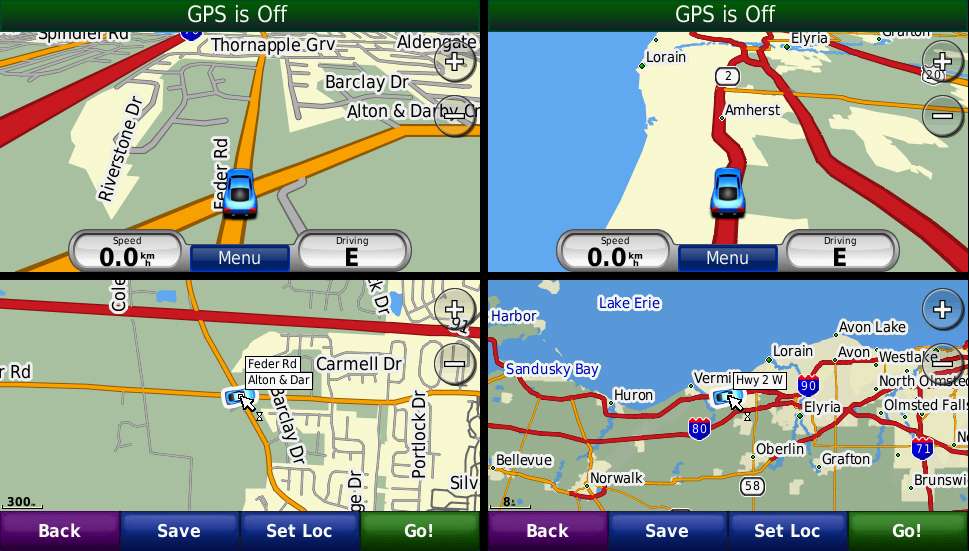
Do mean to change the default map background from this
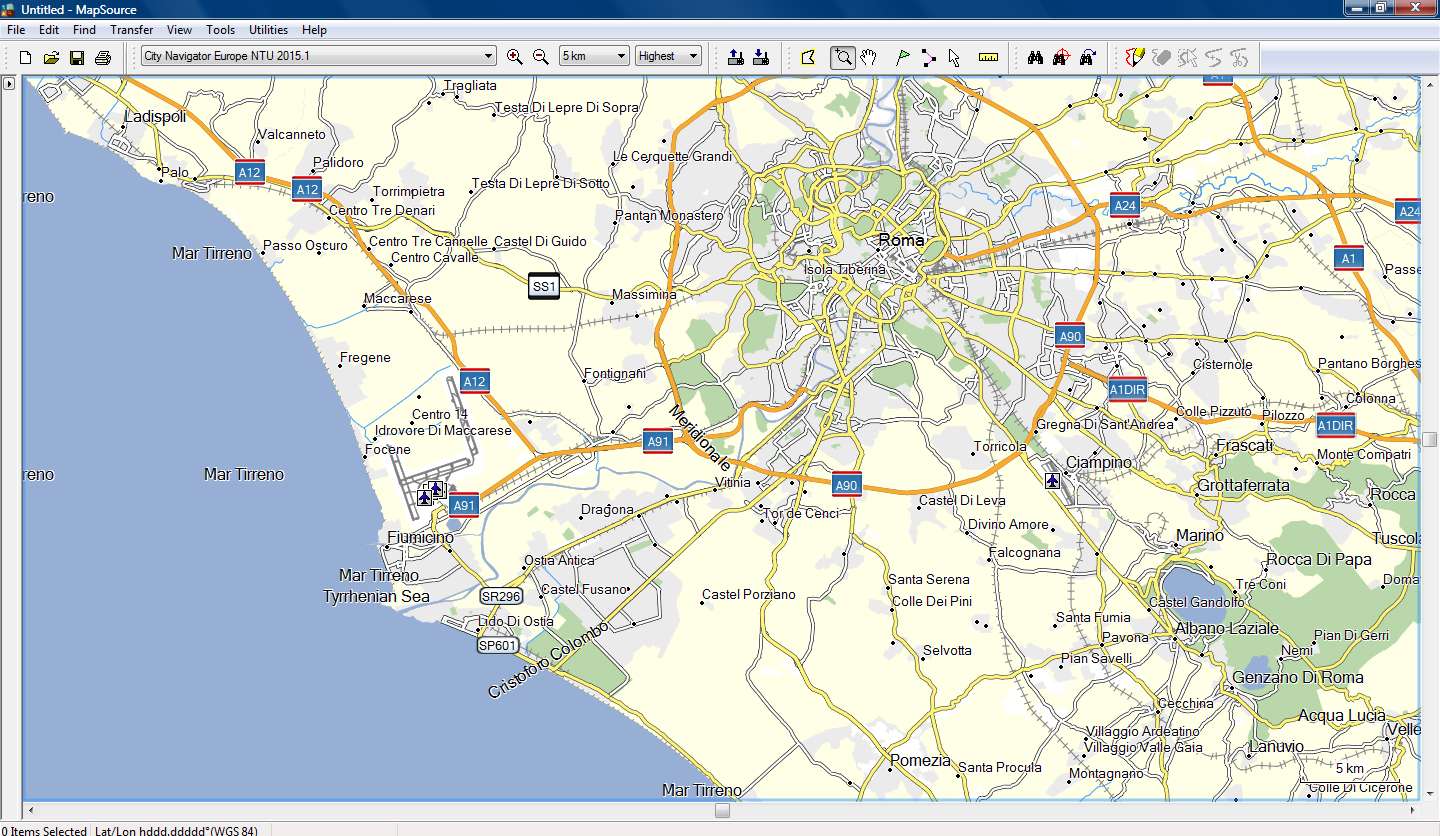
to this (City Navigator Europe NTU 2015.10)
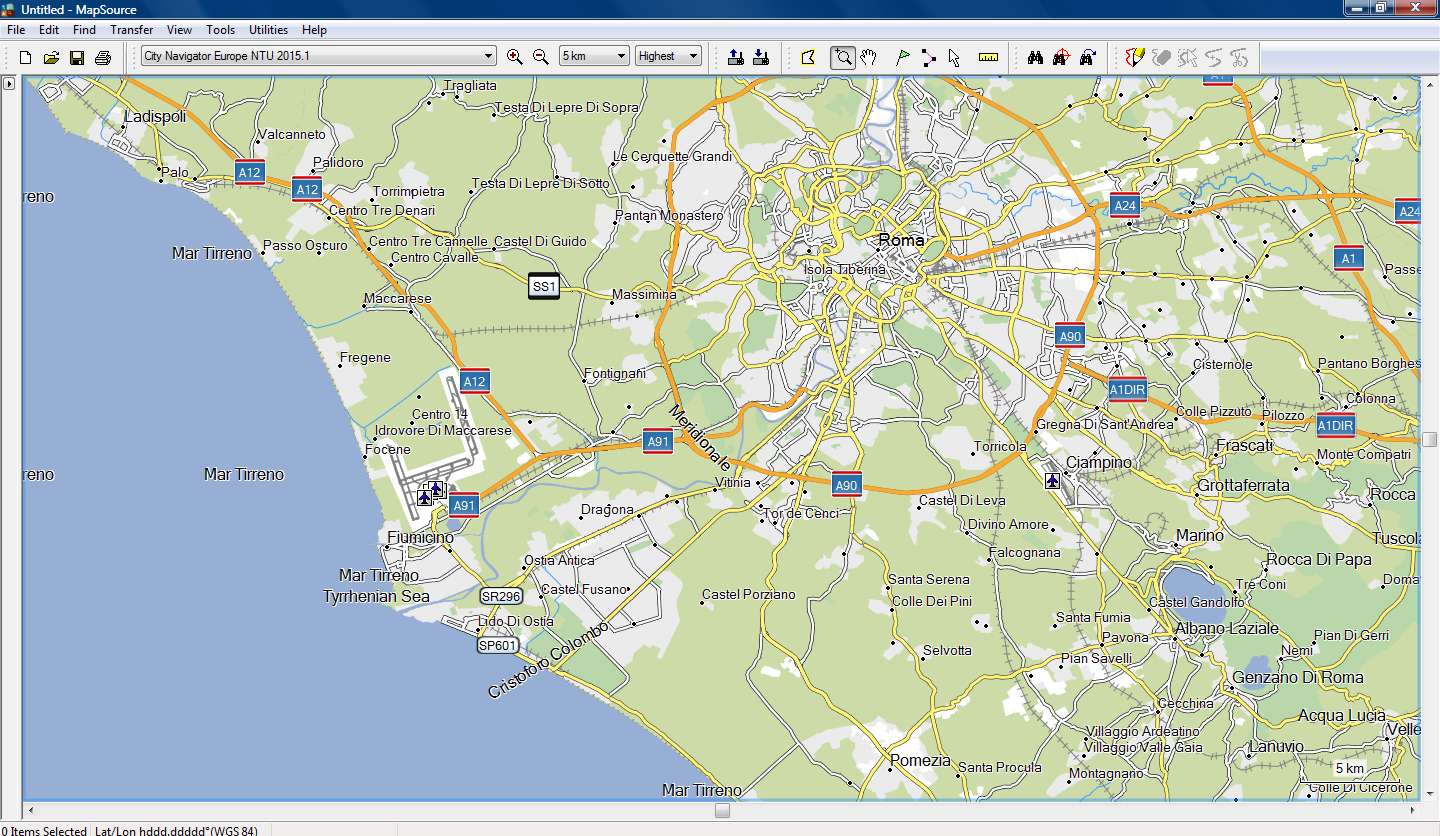

-
27th May 2014, 06:29 PM #4Junior Member
- Join Date
- May 2014
- Location
- OH
- Age
- 45
- Posts
- 3
- Rep Power
- 0
Yes. That is what i am after.
-
27th May 2014, 10:31 PM #5GPSPower Helper
- Join Date
- Jul 2010
- Location
- Europe
- Posts
- 213
- Rep Power
- 159
I can produce the above result in Mapsource and Basecamp by adding to the map's TYP file the polygon 0x4b (Map Background or Data Bounds) without any Draw Order.
When I transfer this map to my 3490, 205w, GarminMobilePc and Streetpilot Android the result is that this polygon is shown transparent (????)
When I do the same to a nonNT map, the same polygon is shown as solid, filled with the color of my choice.
It's like the NT map cannot read the 0x4b polygon, like there is another polygon for Map Background when the map is NT.
But if I use 0x10d01 polygon as Map Background, things start to look promising!!!
I will look into it....
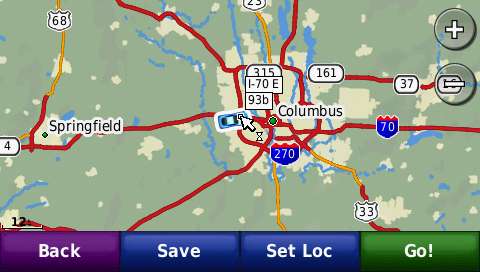
Spoiler: 3490 screenshots
-
28th May 2014, 09:40 PM #6GPSPower Helper
- Join Date
- Jul 2010
- Location
- Europe
- Posts
- 213
- Rep Power
- 159
Update...
Everything is going OK, very promising results with 205w and 3490!!!
Need some more testing, I' post detailed instructions tomorrow afternoon.
Spoiler: 205w screenshots
Next time you call them, tell them that CAN BE DONE, but first tell them to correct a HUGE MISTAKE in CNNA 2015.10. Originally Posted by sbh1292

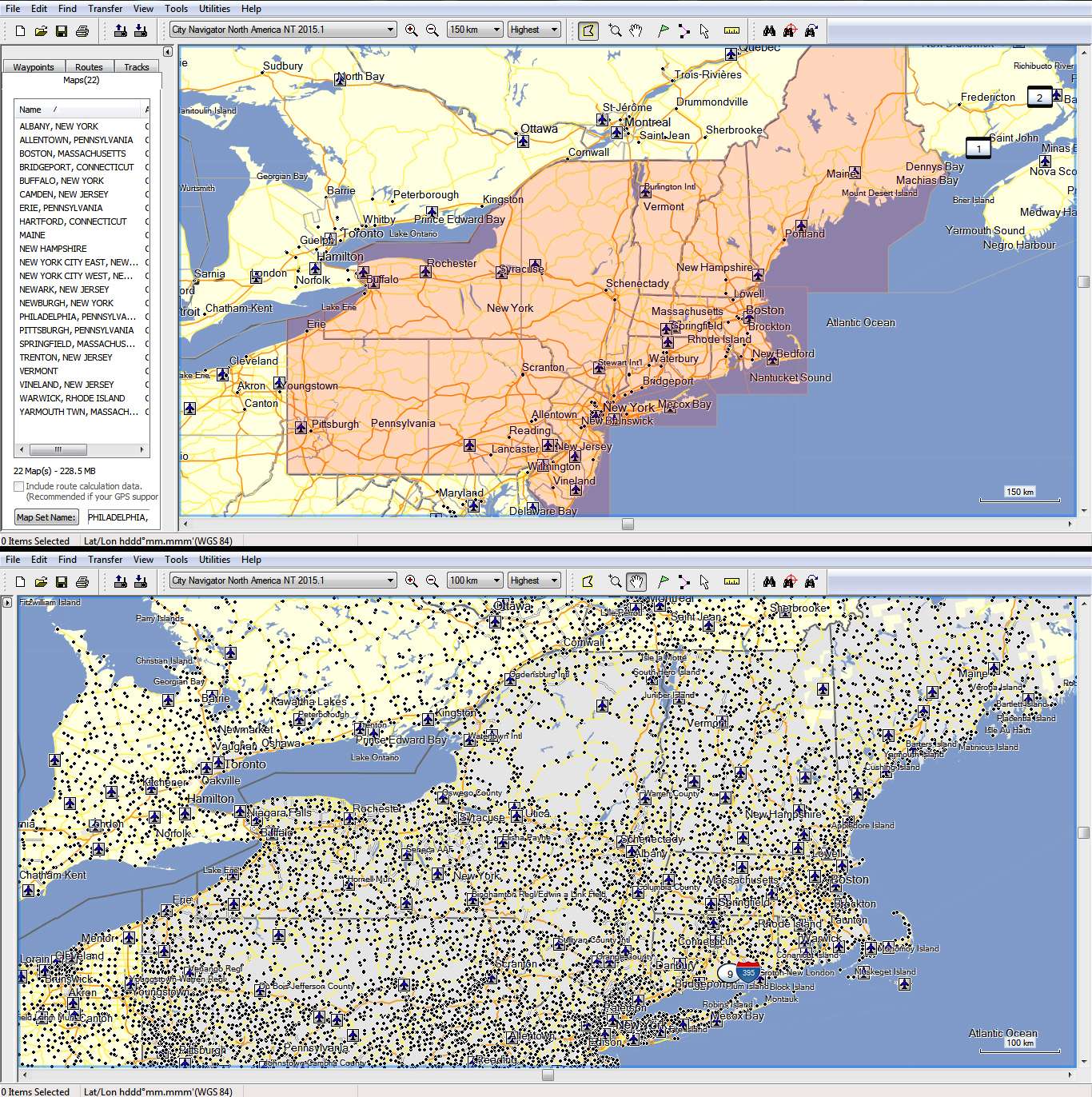
Because you live in Ohio you will not fail to notice that 22 map tiles to the east, are designated as Town polygons (the tiles!!!!!!!)
You can see them at close zoom that they appear "grey" as Town polygons with the original TYP
Spoiler: Mapsource screenshotsLast edited by x-trail; 28th May 2014 at 09:54 PM.
-
28th May 2014, 10:45 PM #7Important User
- Join Date
- Aug 2011
- Location
- France
- Posts
- 272
- Rep Power
- 196
@x-trail
In most maps, the background type is 0x4b for a non NT map and 0x10d01 for a NT map.
To avoid some issues, it is advisable to add that polygon ( 0x4b for non NT map or 0x10d01 for a NT map) to the draworder list ( in the lower level i.e. 1).I can produce the above result in Mapsource and Basecamp by adding to the map's TYP file the polygon 0x4b (Map Background or Data Bounds) without any Draw Order.
When I transfer this map to my 3490, 205w, GarminMobilePc and Streetpilot Android the result is that this polygon is shown transparent (????)
-
28th May 2014, 11:04 PM #8GPSPower Helper
- Join Date
- Jul 2010
- Location
- Europe
- Posts
- 213
- Rep Power
- 159
Yes, I agree, that's what I've done, but this polygon is Map Coverage and not Background and covers the entire map.
So I had to use the City polygons (draw order 2) and all Lake, River and Ocean/Sea polygons (draw order 3) in order to have a fine result!
-
28th May 2014, 11:31 PM #9Important User
- Join Date
- Aug 2011
- Location
- France
- Posts
- 272
- Rep Power
- 196
Those polygons are the ones that are displayed when no other polygons are displayed, they are usually called "background" and , of course, they cover all the map. I don't understand why you write that it is not the background.
If no other polygons are displayed and if those background polygons are not displayed too (or are transparent) , then the screen is black.
So, to change this yellow back color, you only have to add this background polygon to the list of polygons and to the draworder with the value 1. And finally you have to increase all other draworders to 1 (only the background must have draworder=1)
-
29th May 2014, 12:55 AM #10GPSPower Helper
- Join Date
- Jul 2010
- Location
- Europe
- Posts
- 213
- Rep Power
- 159
The problem is that CN Typ file is empty!!!
So if you add 0x10d01 and draw order 1, this polygon covers the entire map and you have to manually add all City and Water polygons and give them draw order 2 and 3 so that rivers are drawn over city polygons.
You have to add all ot them, because we don't really Know how many of them Garmin uses in the CN maps and nobody can visually check so big maps see if anything is missing (not drawn).
But because of our nice conversation here (thanks for the ...trigger ) I tried something i've never done with CN.
I added 0x10d01 with no draw order and the polygon was drawn under all other polygons which kept their default draw order!!!!
So instead of adding 30 or so polygons and altering their default draw order, we simply add one polygon with no draw order, much easier especially for people with limited experience with Typ files.
EDIT:
This works fine with the 205w and 60csx
With GarminMobilePC the City polygons are drawn under the background polygon, everything else is OK
With 3490 unfortunately it doesn't work at all, the background polygon is transparent or not readable by a NT map, because I use this "no draw order" trick successfully with nonNT maps when I don't want to alter the default draw order of the other polygons.Last edited by x-trail; 29th May 2014 at 01:16 AM.

 Reply With Quote
 moved to [Only registered and activated users can see links.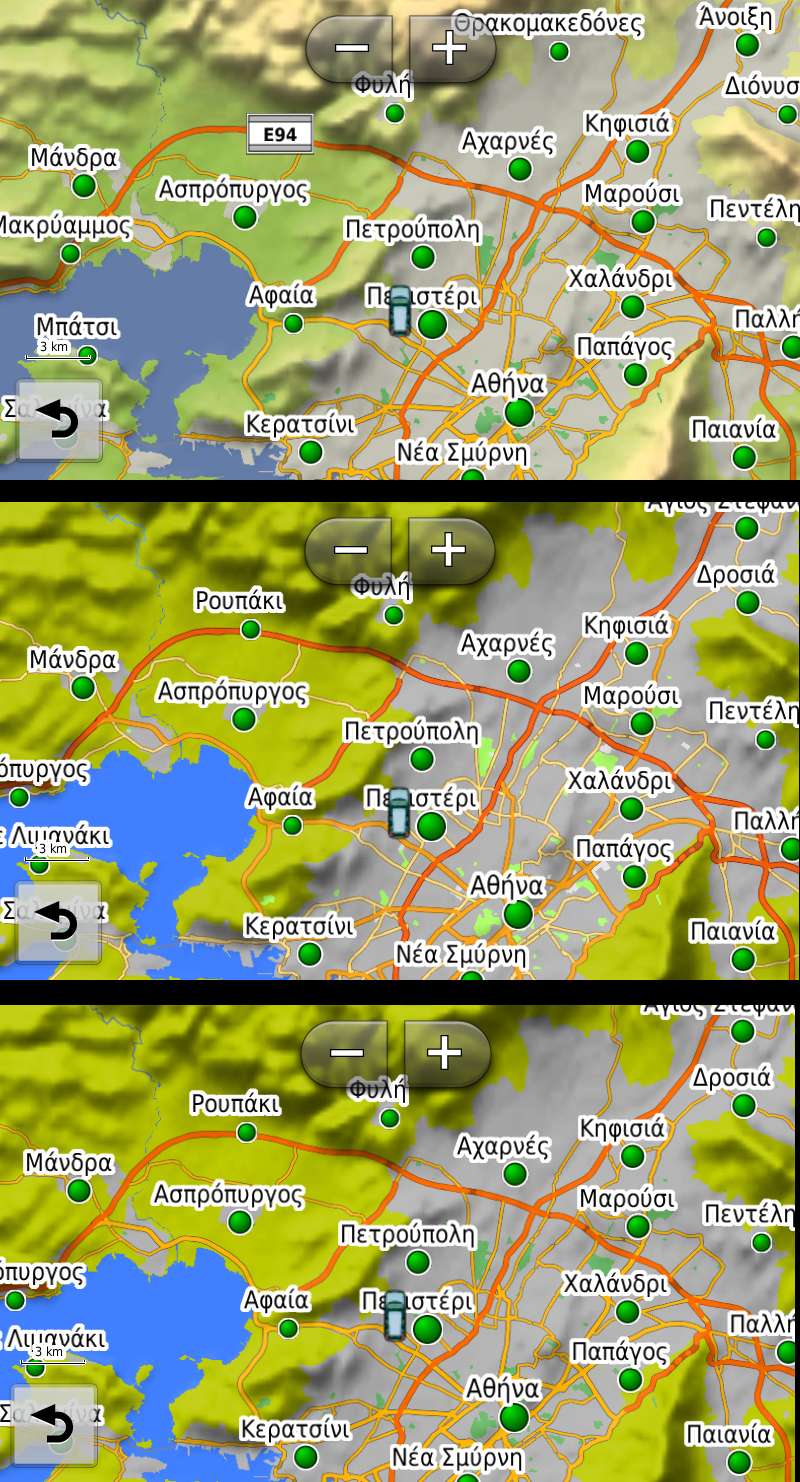


Bookmarks